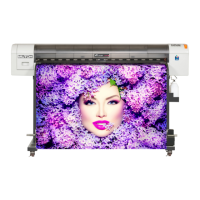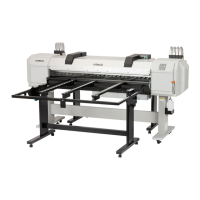
EasyManua.ls Logo

MUTOH VJ-1324 - User Manual

MUTOH VJ-1324
212 pages
Print Icon
To Next Page IconTo Next Page
Loading...
VJ-1324 OPERATION MANUAL 1 Safety instructions
1-1
1 Safety instructions
This chapter explains the installation of this printer, warning terms that operators need to know, caution
items and warning labels on the printer main unit.
WARNING
When installing and operating this printer, be sure to follow the directions and
warnings in this book.

Other manuals for MUTOH VJ-1324

Questions and Answers

  • M
    Michelle CervantesSep 9, 2025
    Why is the wrong media size set during initialization on my MUTOH Plotter?
    • G
      Gary PalmerSep 9, 2025
      If the wrong media size is set during initialization with your MUTOH Plotter, use the recommended media and ensure it's loaded straight. If the media curls upward, straighten it or use new media. Ensure the printer is used in the specified environment. Use new media if you were using media that has been printed on already.
  • L
    laurie60Sep 12, 2025
    Why is printing partially stained or incomplete on my MUTOH Plotter?
    • H
      Heather FrostSep 12, 2025
      If printing is partially stained or incomplete on your MUTOH Plotter, replace the media with new media if it includes moisture. Ensure that you are not using folded or wrinkled media. If the media bends, use the recommended media or set the Vacuum Fan menu if you're using other media.
  • S
    Sydney RogersSep 13, 2025
    Why is the media crumpled during initialization of my MUTOH Plotter?
    • J
      jamesvazquezSep 13, 2025
      If the media is crumpled during initialization of your MUTOH Plotter, ensure that you are using the recommended media and that the loading position of the media is correct.
  • M
    martincarolSep 15, 2025
    Why is the printing position incorrect on my MUTOH Plotter (some parts of the media cannot be printed on)?
    • D
      Donna SalasSep 15, 2025
      If the printing position is incorrect on your MUTOH Plotter, ensure that the loading position of the media is correct. Also, cancel or reset the settings of the origin and print position.
  • M
    michelle20Sep 18, 2025
    Why printing lines are duplicated or patchy on my MUTOH Plotter?
    • T
      Terri SanfordSep 18, 2025
      If printing lines are duplicated or patchy on your MUTOH Plotter, perform head cleaning and return the head height to 'Low'.

Summary

Safety Instructions

Important Safety Instructions

Details crucial safety precautions for using the printer to avoid hazards.

Before Using

Power Cable Connection

Details the correct procedure for connecting the printer's power cable safely.

Turning the Power ON;OFF

Provides instructions for powering the printer on and off correctly.

Installing Ink Cartridges

Guides users through the process of installing ink cartridges and adapters.

Loading Media

Explains how to load and set various types of media for printing.

Test Print

Details how to perform various test prints like nozzle checks and setup lists.

Adjust Print

Covers methods for adjusting print quality, including standard and custom patterns.

Connecting the Printer to PC

Explains system requirements and procedures for connecting the printer to a PC.

Handling the Printer

Media

Details available media types, handling precautions, and storage advice.

Menu Setups on the Operation Panel

Covers procedures and overviews for setting up printer menus via the operation panel.

Panel Setup Menu

Maintenance

Troubleshooting

MUTOH VJ-1324 Specifications

General IconGeneral
Max Resolution1440 x 1440 dpi
Number of Colors4
Media HandlingRoll-to-Roll
ConnectivityUSB, Ethernet
Ink ColorsCyan, Magenta, Yellow, Black
Ink TypeEco-Solvent Ink
Media TypeVinyl, banner
Power Requirements220-240V, 50/60Hz
Operating Environment35-65% RH
Print TechnologyDrop-on-demand Piezo Inkjet Technology
Print Width54 inches (1372 mm)

Related product manuals