VJ-2638/1638X/1938WX/1638WX OPERATION MANUAL Handling the printer
4.2 Media 191
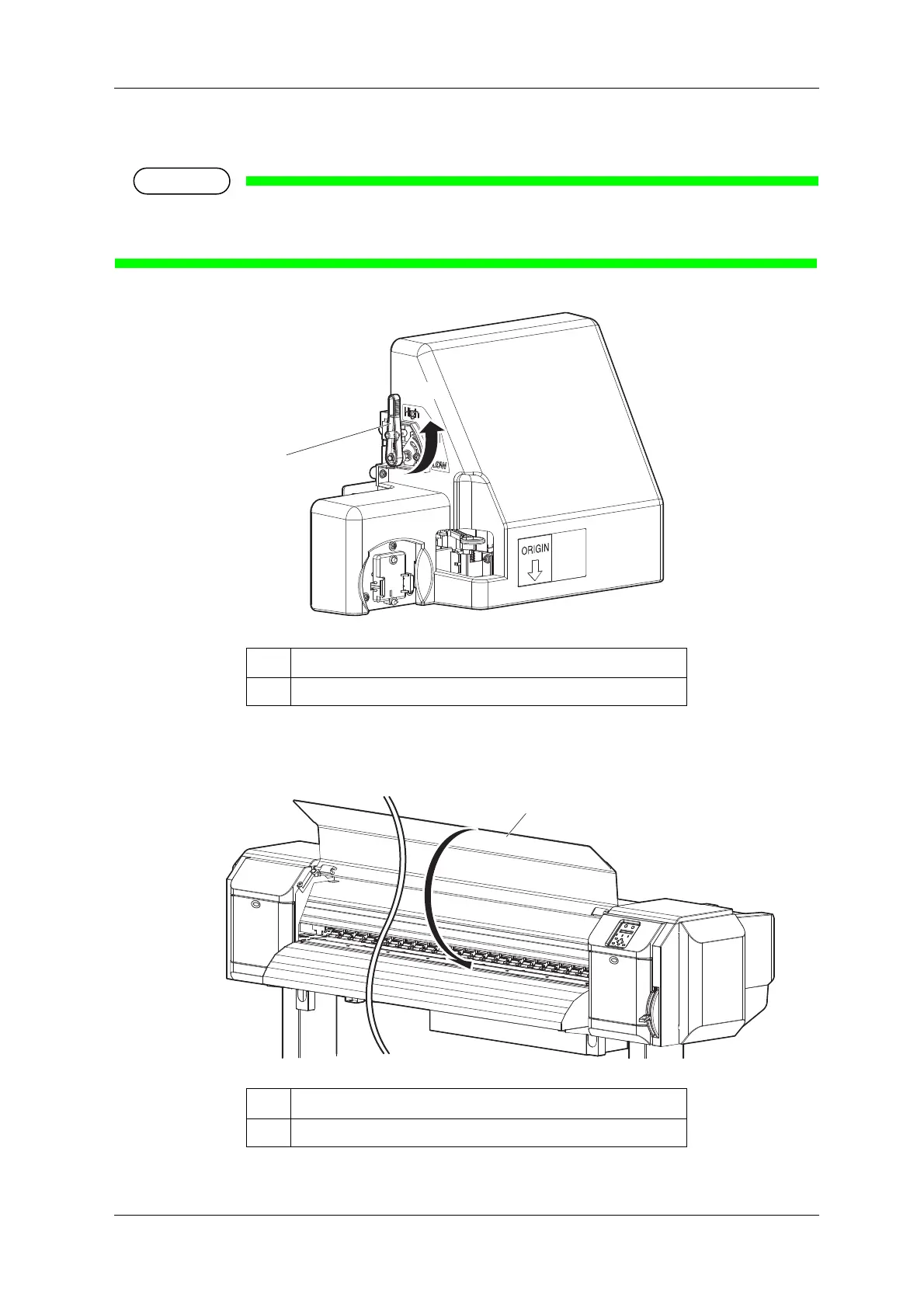
2. Change the head height by moving Head height adjustment lever (orange).
• Do not raise Head height adjustment lever higher than the following position.
Doing so may damage the printer.
• High lamp on Operation panel lights up in green.
3. Close Front cover.
No. Name
1 Head height adjustment lever
No. Name
1 Front cover













 To Next Page