VJ-2638/1638X/1938WX/1638WX OPERATION MANUAL Before using
3.6 Print quality adjustment 149
3.6.1.3 Standard micro adjustment pattern
Perform micro adjustment when the degree of misalignment is small.
Print micro adjustment pattern and register the set values.
1. Display the Standard Adjust Print menu on Operation panel in the same way as step 2 of
3.6.1.1 Standard confirmation pattern.
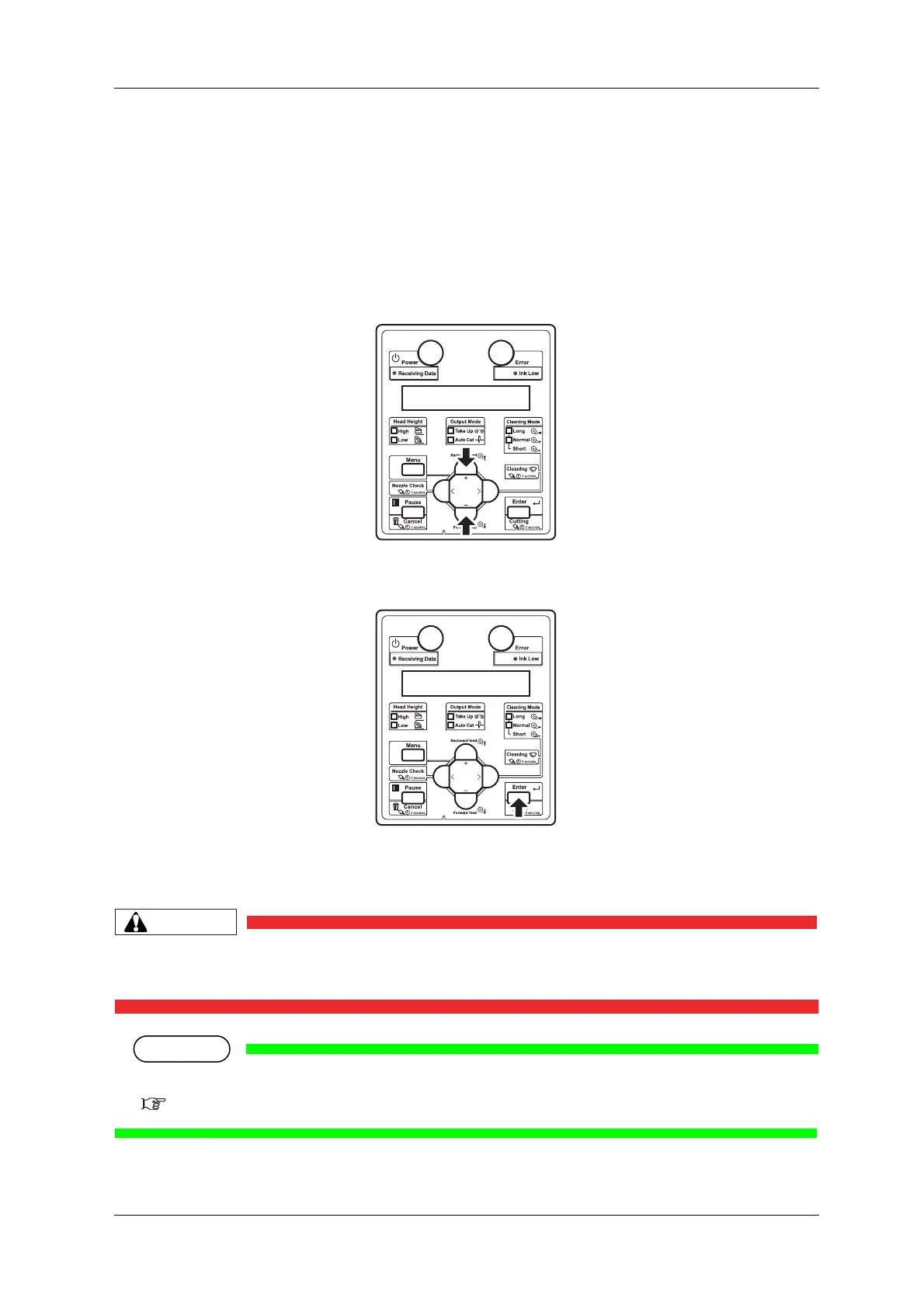
2. Press the [+] key or [-] key on Operation panel to select "Adj.3: Fine Pattern".
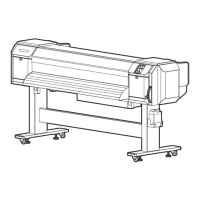
3. Press the [Enter] key on Operation panel.
• For VJ-2638/1638X, "Warming Up Skip ->E" is displayed on Operation panel.
(This is not displayed for VJ-1938WX/1638WX since it does not perform warming up.)
• While "Warming Up" is displayed, do not touch Platen and Media guide.
They become very hot and you could burn yourself.
• You can start printing during warming up.
4.4.7 Starting printing during warming up (VJ-2638/1638X)













 To Next Page