VJ-2638/1638X/1938WX/1638WX OPERATION MANUAL Panel setup menu
5.1 Setup menu 255
5.1.6 Output Mode menu
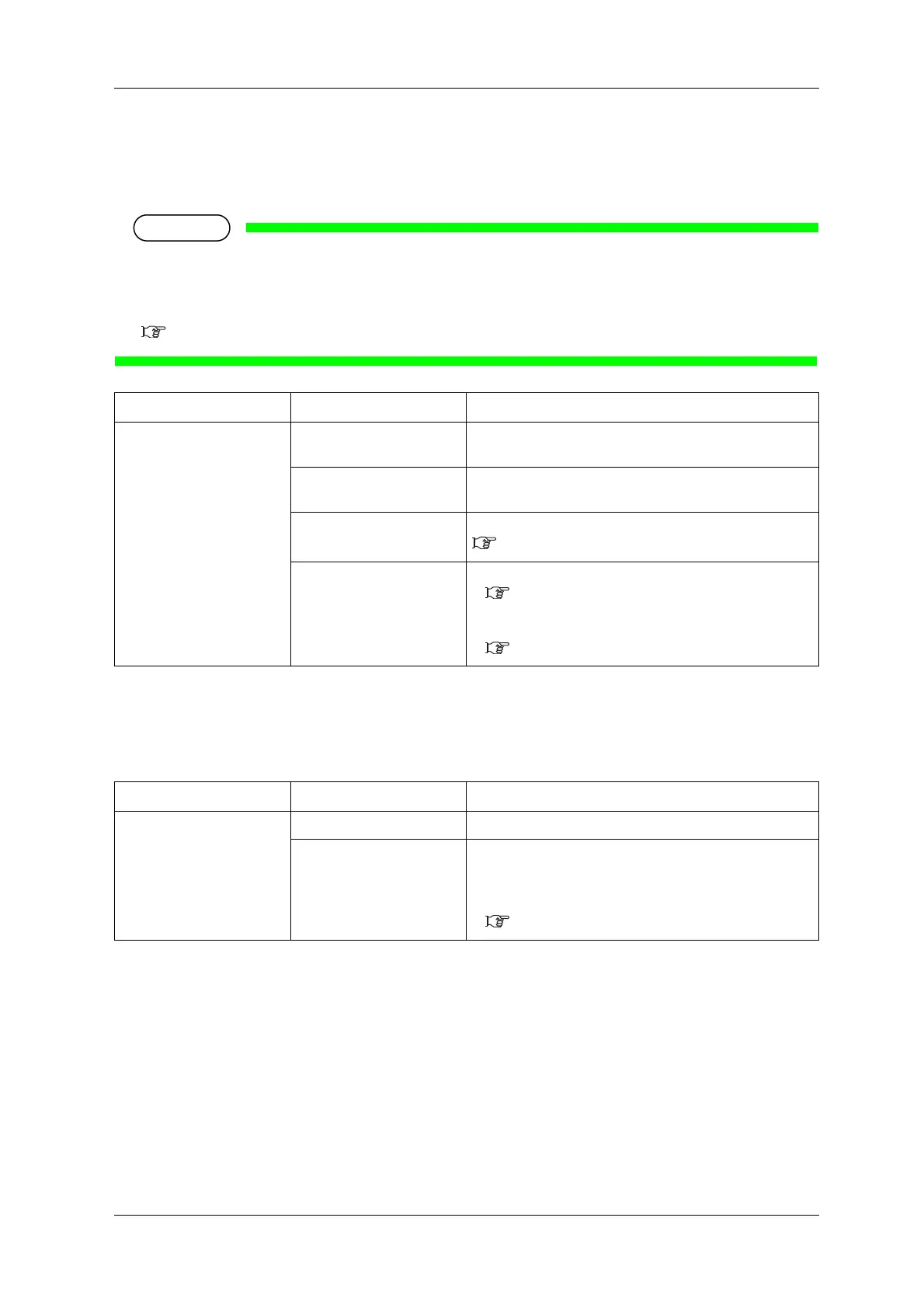
Sets the media ejection method after printing.
• When the take-up unit is not installed, do not set Output mode to "Take-up". By doing so, the
product will be unable to function properly.
• When the Output Mode menu is set to "Take-up", the setting for the Prev. Stick menu is disabled.
5.1.9 Prev. Stick menu (VJ-2638/1638X)
5.1.6.1 Ink Dry Time menu
Set the ink drying time.
Setup item Setting Description
Output mode <Off> Set when not cutting the media automatically after printing.
(Set it to Off even when cutting the media manually.))
Take-up Set when using the take-up unit.
(The media will not be cut after printing.))
Auto cut Set when cutting the media automatically.
5.1.7 Method of Cut menu
— • [Enter] key: saves the setting and shifts to the sub menu.
5.1.6.1 Ink Dry Time menu
• [Cancel] key: cancels the setting and shifts to the previous
menu.
5.1 Setup menu
Setup item Setting Description
Ink dry time <0sec> to 60min Set the ink drying time.
— • [Enter] key: saves the setting and shifts to the previous
menu.
• [Cancel] key: cancels the setting and shifts to the previous
menu.
5.1.6 Output Mode menu









 To Next Page