Panel setup menu VJ-2638/1638X/1938WX/1638WX OPERATION MANUAL
244 5.1 Setup menu
5.1.1.1.5 Platen Heater menu (VJ-2638/1638X)
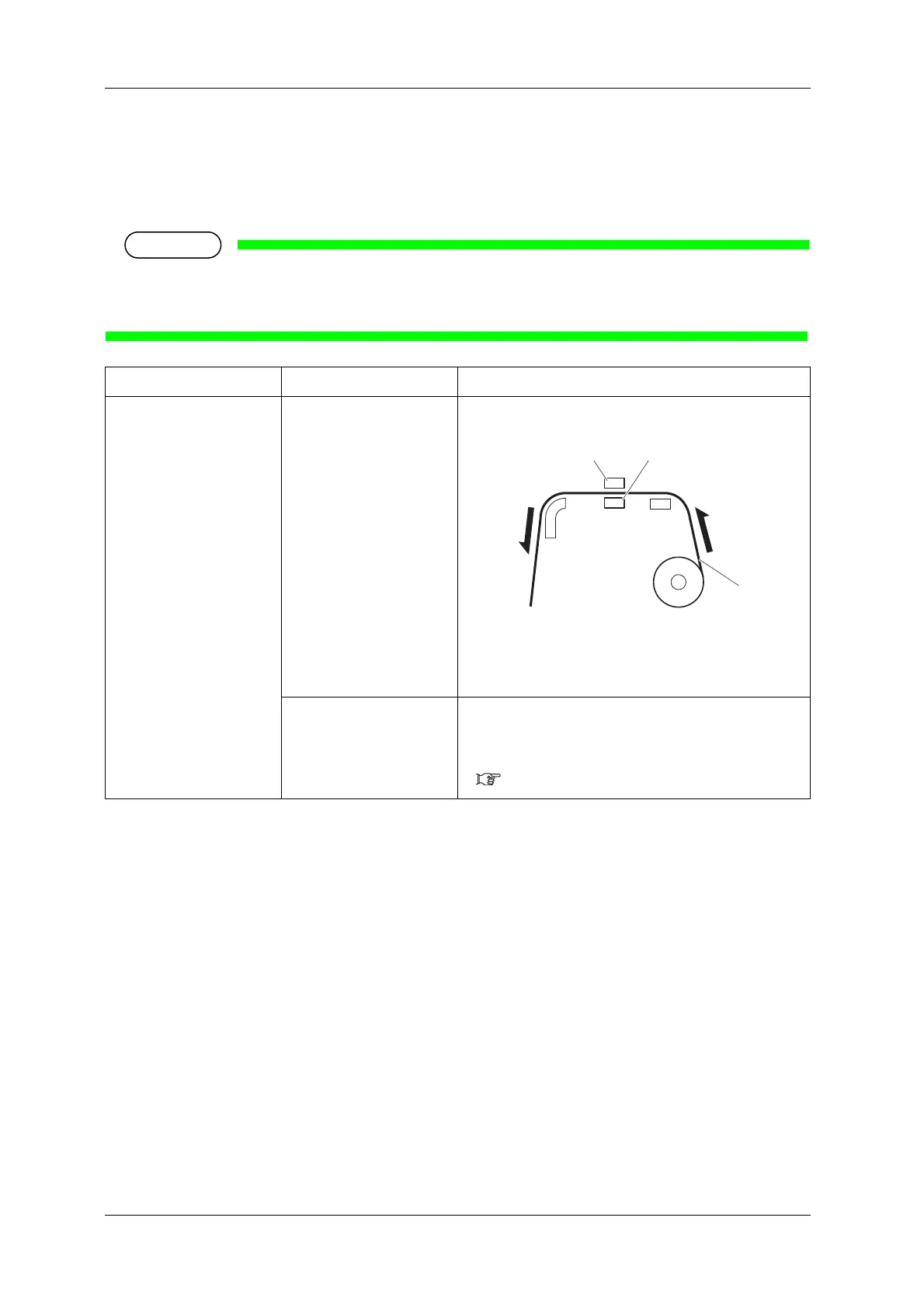
Sets the temperature of Platen heater.
Set to improve print quality by allowing the ink to settle by heat.
• This function is not displayed for VJ-1938WX/1638WX.
• The set temperature of Platen heater differs depending on the media.
Setup item Setting Description
Platen heater Off / <30ºC> to 50ºC Sets the temperature of Platen heater.
1.Roll media
2.Platen heater
3.Print head
— • [Enter] key: saves the setting and shifts to the previous
menu.
• [Cancel] key: cancels the setting and shifts to the previous
menu.
5.1.1.1 User Type advanced setup menu













 To Next Page