VJ-2638/1638X/1938WX/1638WX OPERATION MANUAL Before using
3.4 Loading media 99
3.4.4 Changing Torque of Roll Media Holder
This section explains how to change the torque setting of the Roll media holder.
The 1 kg torque is usually used. When the media is creased or the print head might have a risk of striking
the media, change to the 4 kg torque.
• VJ-2638 is not equipped with this function.
Follow the procedure below to change the torque setting of the Roll media holders.
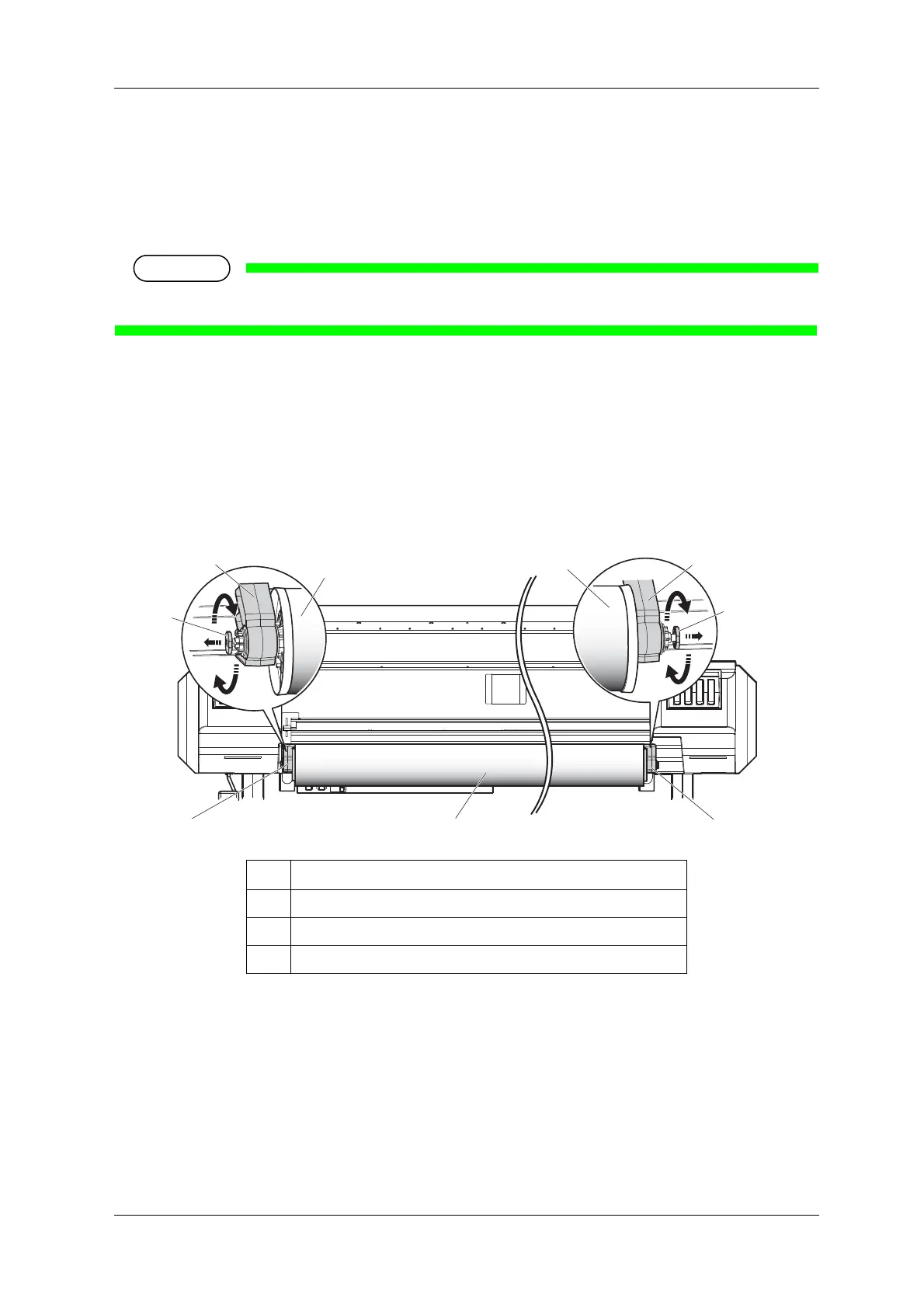
1. Rotate the damper knob placed at the Roll media holder (the back left and right of the printer) by 90
degrees while pulling it out.
• When you rotate the damper knob by 90 degrees, it clicks into place. Rotating the damper knob
by 90 degrees alternately changes the 1 kg torque and 4 kg torque.
• Change the torque setting for both of the Roll media holders.
No. Name
1Media
2 Roll media holder
3 Damper knob













 To Next Page