- 96 -
Maintenance
B
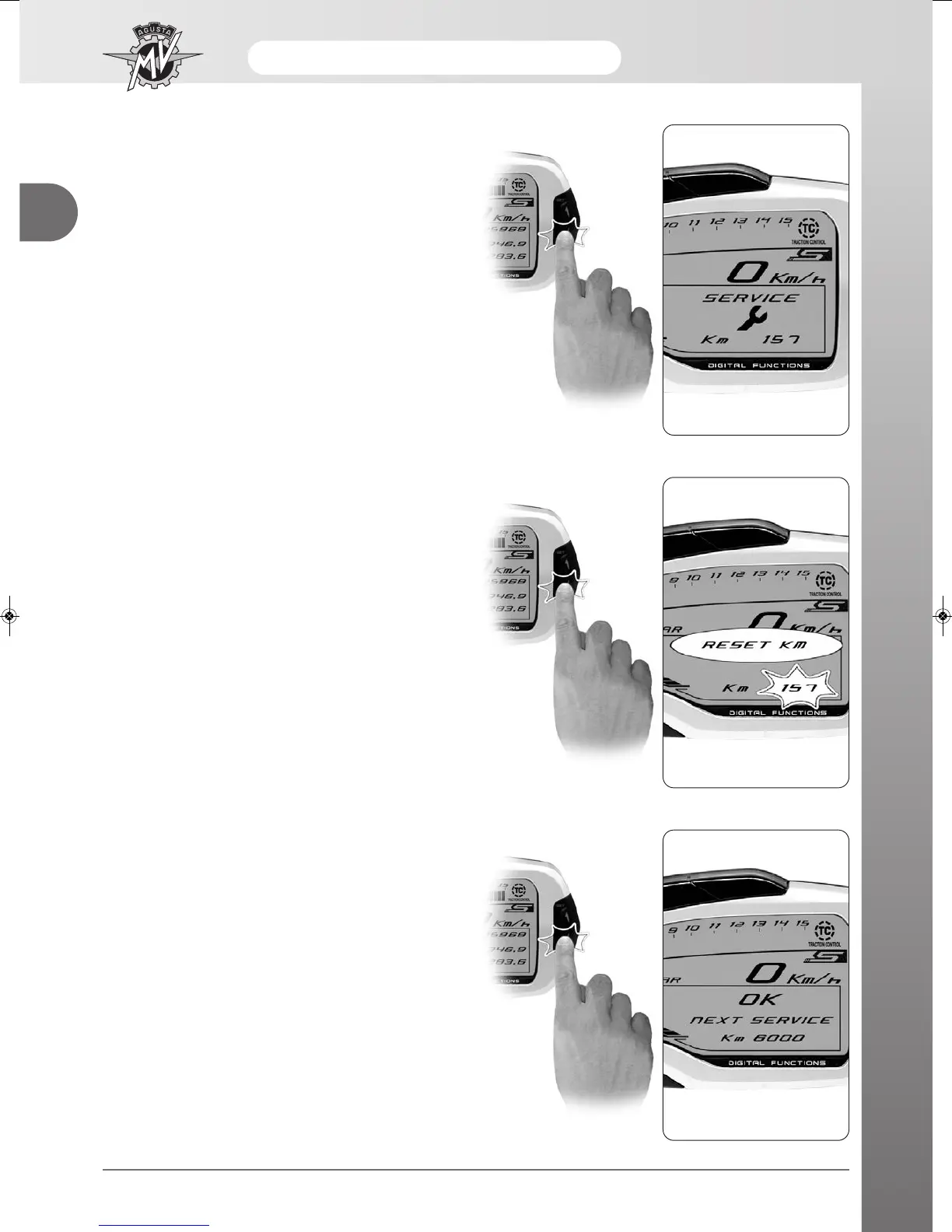
- After performing scheduled maintenance, the mileage
range must be reset using the following procedure.
- Access "SERVICE" mode and press the "OK" button
for less than three seconds until the message
"RESET KM" appears and the mileage range indica-
tor light will begin to flash.
- Press the "OK " button for less than three seconds
until the message "SERVICE" is displayed. The
mileage range with respect to expiration of the next
scheduled maintenance is shown on this screen.
- Press the "OK " button for more than three seconds
and the mileage range will be reset. The mileage
range with respect to expiration of the next scheduled
maintenance is shown on this screen.
- The next press of the "SET" button for less than three
seconds will allow the user to return to the dashboard
start screen.


 To Next Page
 Loading...