EasyManua.ls Logo

MZ electronic WHC040 - Measurement Settings; Resetting Chain Measurement; Setting Measurement Units; Functions Menu

MZ electronic WHC040
Print Icon
To Next Page IconTo Next Page
To Previous Page IconTo Previous Page
Loading...
WHC040 Rev. 01-2021
English
23
Exit
To return to the previous menu
Confirm with
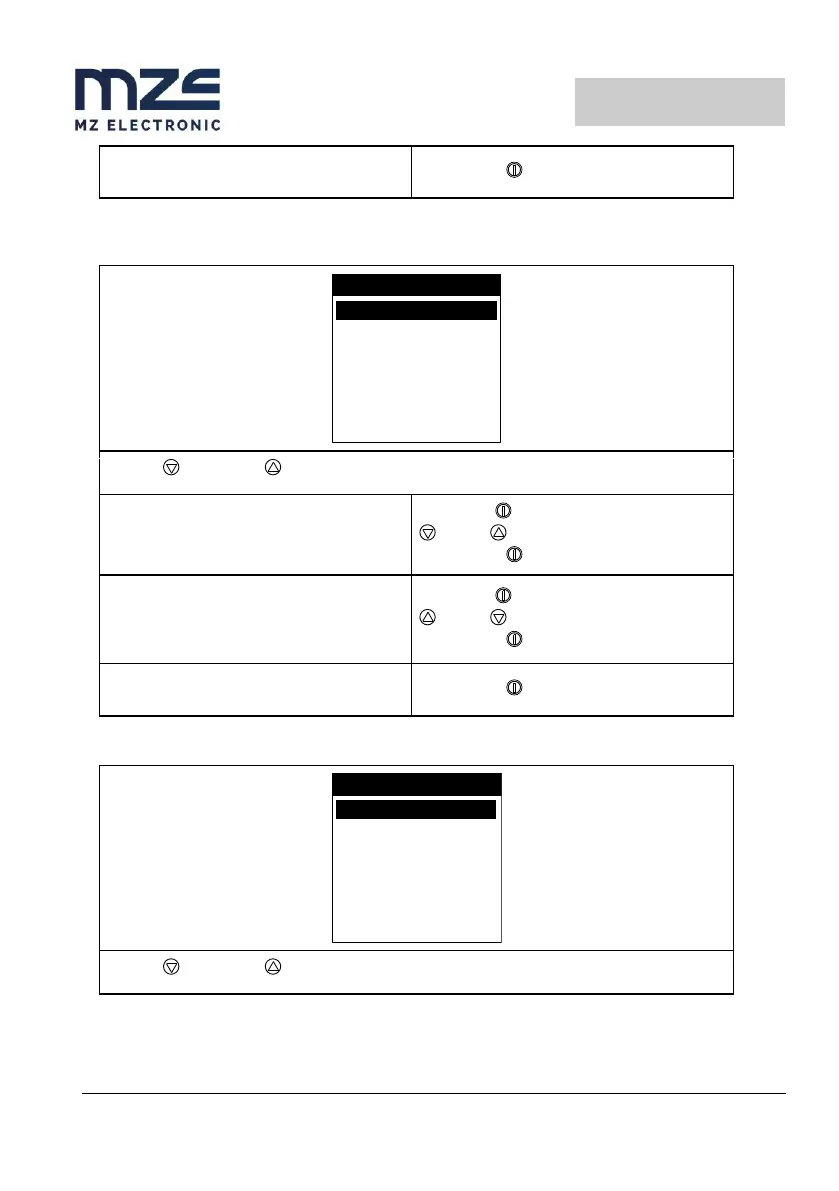
Measurement menu
UNITS MET
EXIT
MEASURE
RESET M.
Use the (DOWN) or (UP) key to move around the parameters.
Reset Measurement
Resets the chain measurement value (0.0).
Select with
= Yes = No
Confirm with
Units
Selects the unit of measurement:
Feet/ inches
Metres / centimetres
Select with
= Feet = Metres
Confirm with
Exit
To return to the settings menu.
Confirm with
Functions menu
FUNCTIONS
AUTO DOWN OFF
DEFAULT
EXIT
UP ALARM 2.5
Use the (DOWN) or (UP) key to move around the parameters.

Other manuals for MZ electronic WHC040

Related product manuals