EasyManua.ls Logo

Nakajima AE-710 - Page 18

Nakajima AE-710
36 pages
Print Icon
To Next Page IconTo Next Page
To Previous Page IconTo Previous Page
Loading...
position
carrier
The
bast Lypewriter
A
The
best typewriter
A
tr
The
b^st
typewriter
Manual
correction
(correcting
characters
outside
the correction
memory)
I
)
Use
the Index key
or Reverse
index
key to
position
the
print
point
indicator
on the
line
which
contains
the error.
The
line
locator
(red
line)
marked
on the
card holder
should
be line
up
below
the line.
Do not
use the platen
knob
for alignment.
2)
Use the Backspace
key
or Space
bar to position
the
print
point
indicator
on
the character
to be corrected.
Note:
Use
the micro
up/micro
down/micro
back
space for
accurate
alignment.
See
"Micro
Up/lr4icro
Down/Micro
Space" in
the
Typing
Functions"
chapter.
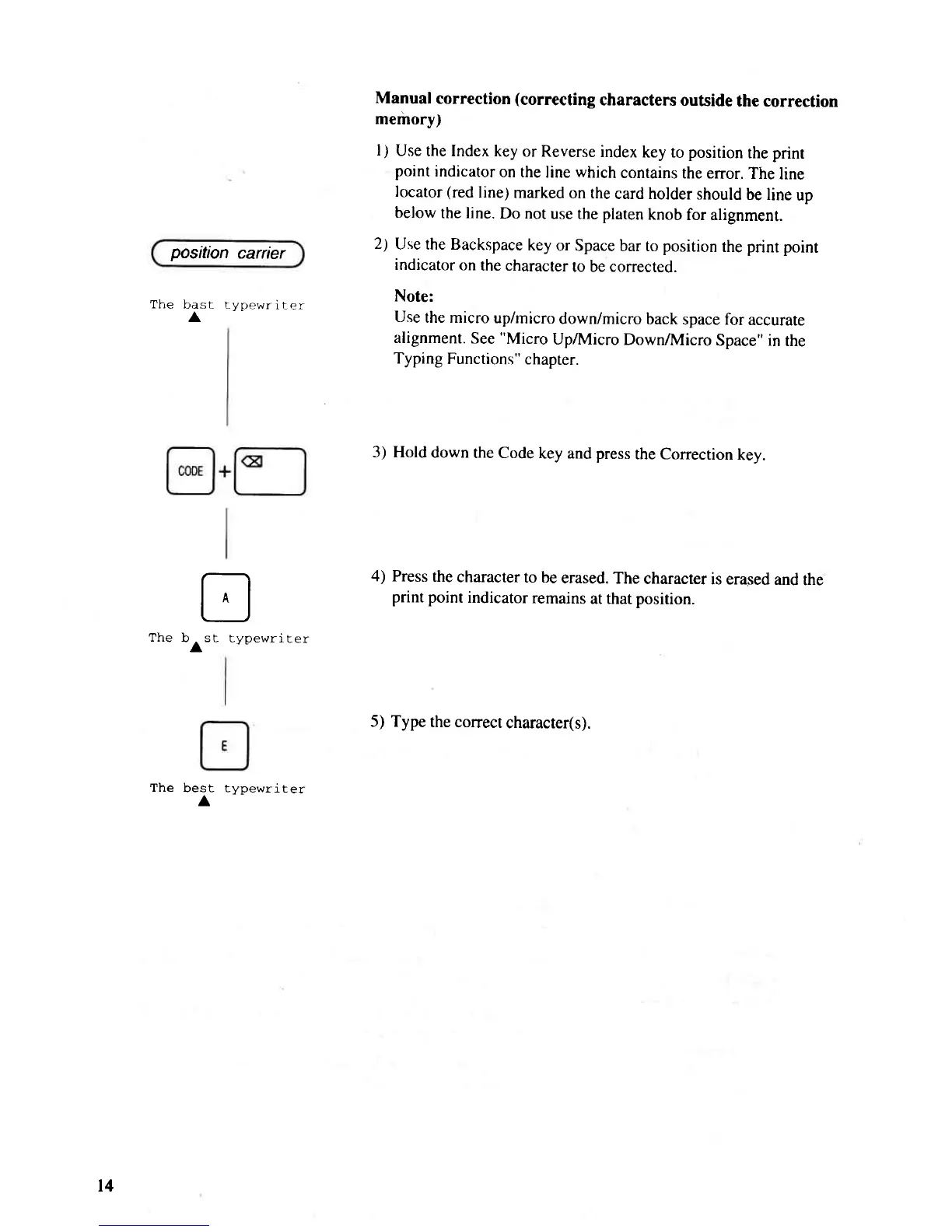
3) Hold
down
the Code
key and press
the Correction
key.
4) Press
the
character
to be
erased.
The
character
is erased
and
the
print point
indicator
remains
at that
position.
5) Type
the conect
character(s).
t4

Related product manuals