4 About this device
RadMan 2LT/2XT 15
4.7 Assembly and fastening
4.7.1 Attaching the safety lanyard
Monitor and mounting adapter (holder) can be connected to one another
using a safety lanyard. This protects the monitor from falling down if it is
removed from the case attached to the body. The safety lanyard can very
easily be removed from the holder by means of a carabiner.
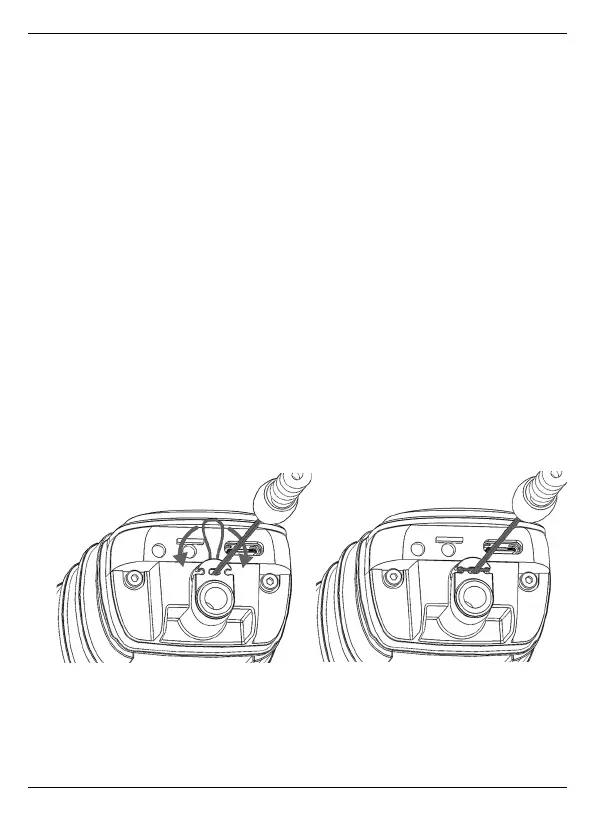
Connecting the safety lanyard to the monitor
On the monitor, the mounting loop of the safety lanyard is threaded through
the opening on the bottom of the housing.
1. Fold down the cover cap on the bottom of the housing.
2. Push the mounting loop through the opening of the cover cap.
3. Thread the mounting loop through the opening above the threaded
connection, pull up and out on the rear side and place around the two
notches at the front.
4. Tighten the loop.
5. Close the cover cap again.



 To Next Page