44 RadMan 2LT/2XT
14 RadMan 2XT quick reference guide
Display of the maximum exposure that has occurred since the last time the device
was switched on:
Press 1x.
Display returns to the previously used mode after 5 s.
Display of the battery capacity
:
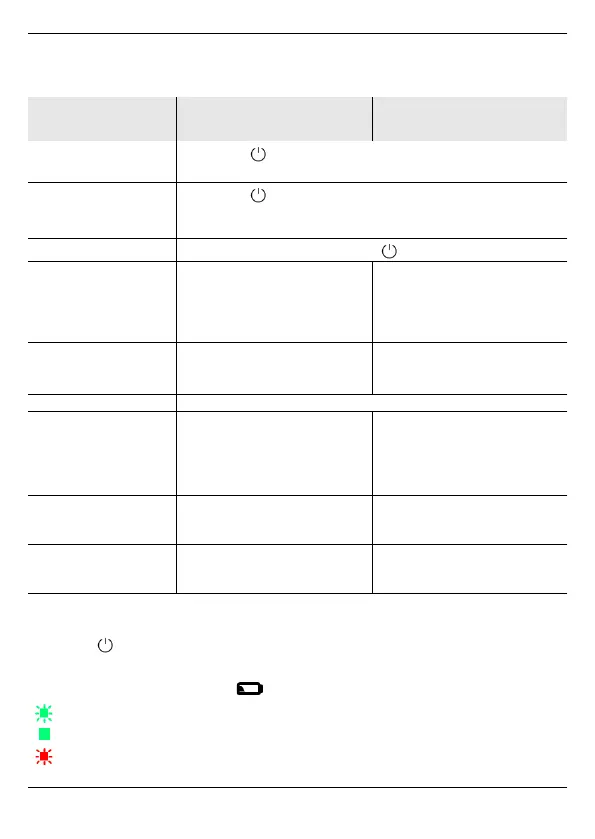
Monitor operating mode RF Detection operating
mode
Switch on the device
Press > 1 s.
Device is in the Monitor operating mode.
Changing the
operating mode
Press 2x.
The operating mode switches between RF Detection
and Monitor.
Switch off the device
Press > 2 s.
Applications The monitor is worn on the
body and warns of
electromagnetic radiation.
• Leakage search on
waveguides
• Check to determine
whether antennas are
actually switched off
Integration time • 1 s (pulse LED off)
•30ms
(pulse LED illuminates red)
•30ms
(pulse LED illuminates red)
Frequency range Up to 60 GHz
Field exposure
display
• 5 – 200%, illuminated
individual red LED
indicates measurement
value for E- or H-field
(whichever is higher)
• 5 – 200%, red LEDs as bar
display
• Acoustic signal above 5%,
sound becomes higher with
increasing value
Alarm threshold 1
50% exposure
and higher
• Alarm LED flashes slowly
• Alarm signal sounds slowly
• Slow vibration
• Alarm LED flashes slowly
• Slow vibration
Alarm threshold 2
100% exposure
and higher
• Alarm LED flashes rapidly
• Alarm signal sounds rapidly
• Fast vibration
• Alarm LED flashes rapidly
• Fast vibration
Power supply/charge mode via USB
Batteries are fully charged (800 h operating time with one battery charge)
Remaining operating time in battery mode < 5%



 To Next Page