Dantec Keypoint Focus
31
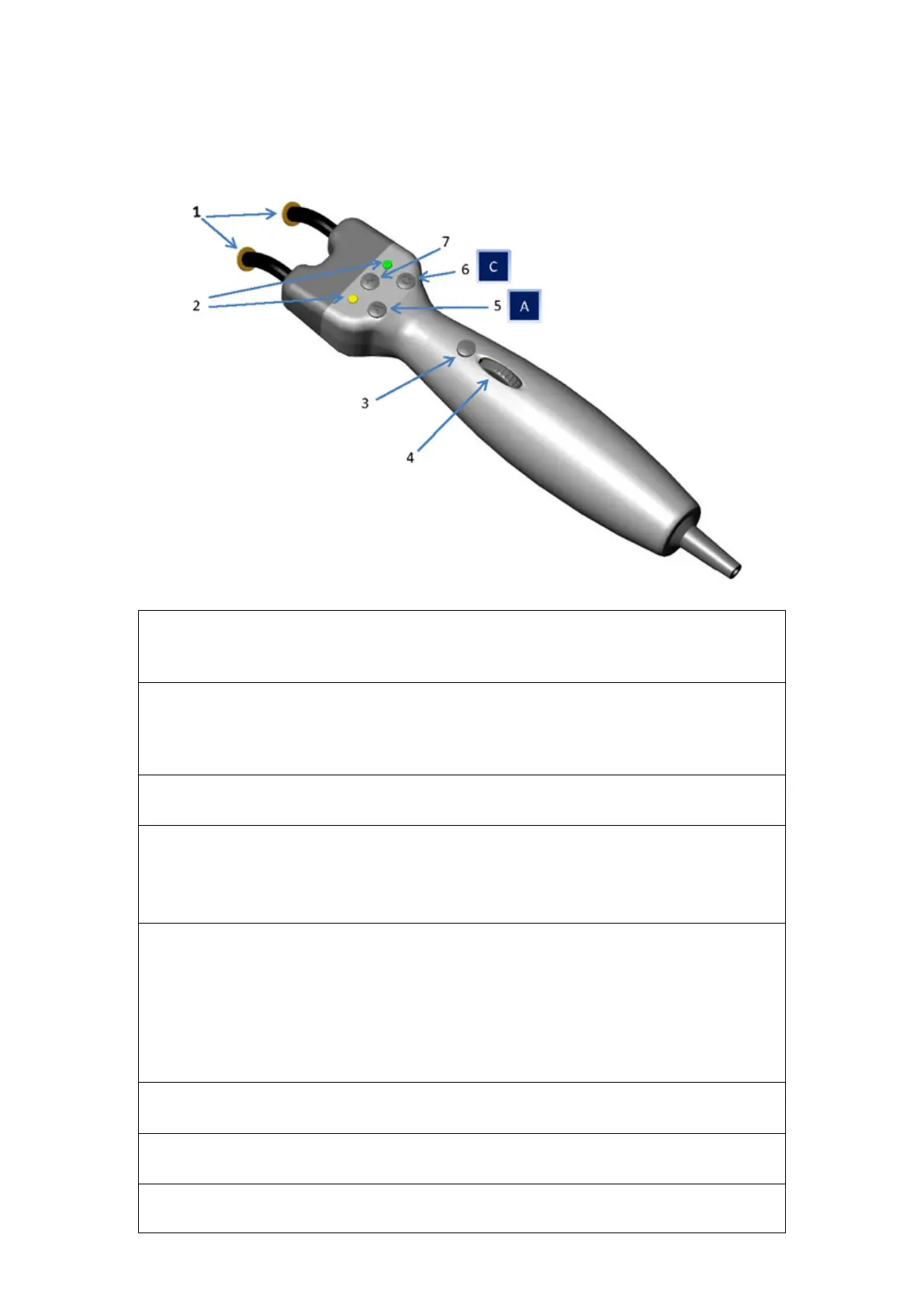
Advanced Stimulation Handgrip (optional)
(1) Output Electrode Pins
For direct stimulation on the skin, see the description of the stimulation electrodes in this
(2) Polarity and Stimulation Indicators
The stimulation cathode is indicated by a constant green light (LED). During stimulation,
the other LED indicator will flash yellow –once for single stimulation and intermittently for
repetitive stimulation. Note that if the stimulator is not enabled, no LEDs will light.
(3) Single Stimulation Button
Shortly press the button on the handle.
(3) Repetitive Stimulation Button
Press and hold down the button on the handle for at least 1 second.
Stop
To stop the repetitive stimulation, press the Repetitive Stimulation button again.
(4) Stimulation Intensity Control Wheel
To increase or decrease the current intensity, rotate the wheel.
Alternatively, you can also use the mouse wheel or the Stimulation Intensity control knob
on the control panel.
Reset
To reset the intensity to its zero level, press the Reset Stimulation Intensity key on the
control panel.
(5) Button A: New Site Button – Active in Motor and Sensory Nerve testing
Shortly press the button on the handle.
(5) Button A: Clear – Active in F wave
Shortly press the button on the handle.
(5) Button A: Run Train – Active in RNS











 To Next Page