5
Preparation before Use
For installation, please read “Product Installation” in this document in advance.
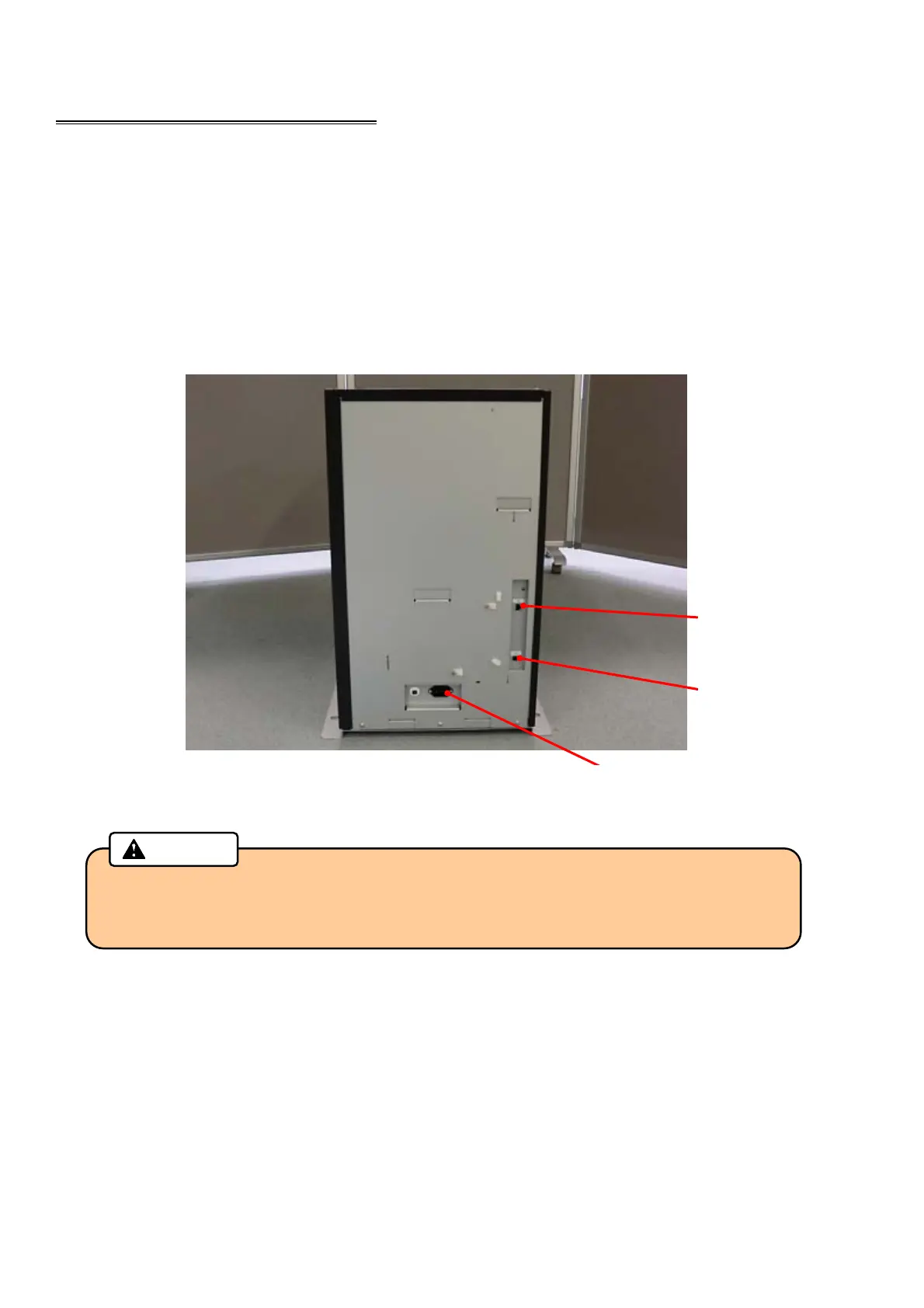
Installation and connection of the main body
1. Place the main body on the installation space.
2. Install the Tipper Foil according to the procedure “Exchanging Tipper Foil” on page 14.
3. Connect the host computer and the main body with connection cable.
4. Connect the power cord to the AC inlet and AC outlet.
5. Install the ribbon according to the procedure “Exchange of Thermal Transfer Ribbon” on page 12.
・ Communication connectors (LAN, USB) are very sensitive to static electricity.
You should turn off the power before you connect or remove the cables on the rear
side to protect the machine against the static electricity.
Caution
LAN
Connector
AC Inlet
USB
Connector



 To Next Page