12
Exchange of Thermal Transfer Ribbon
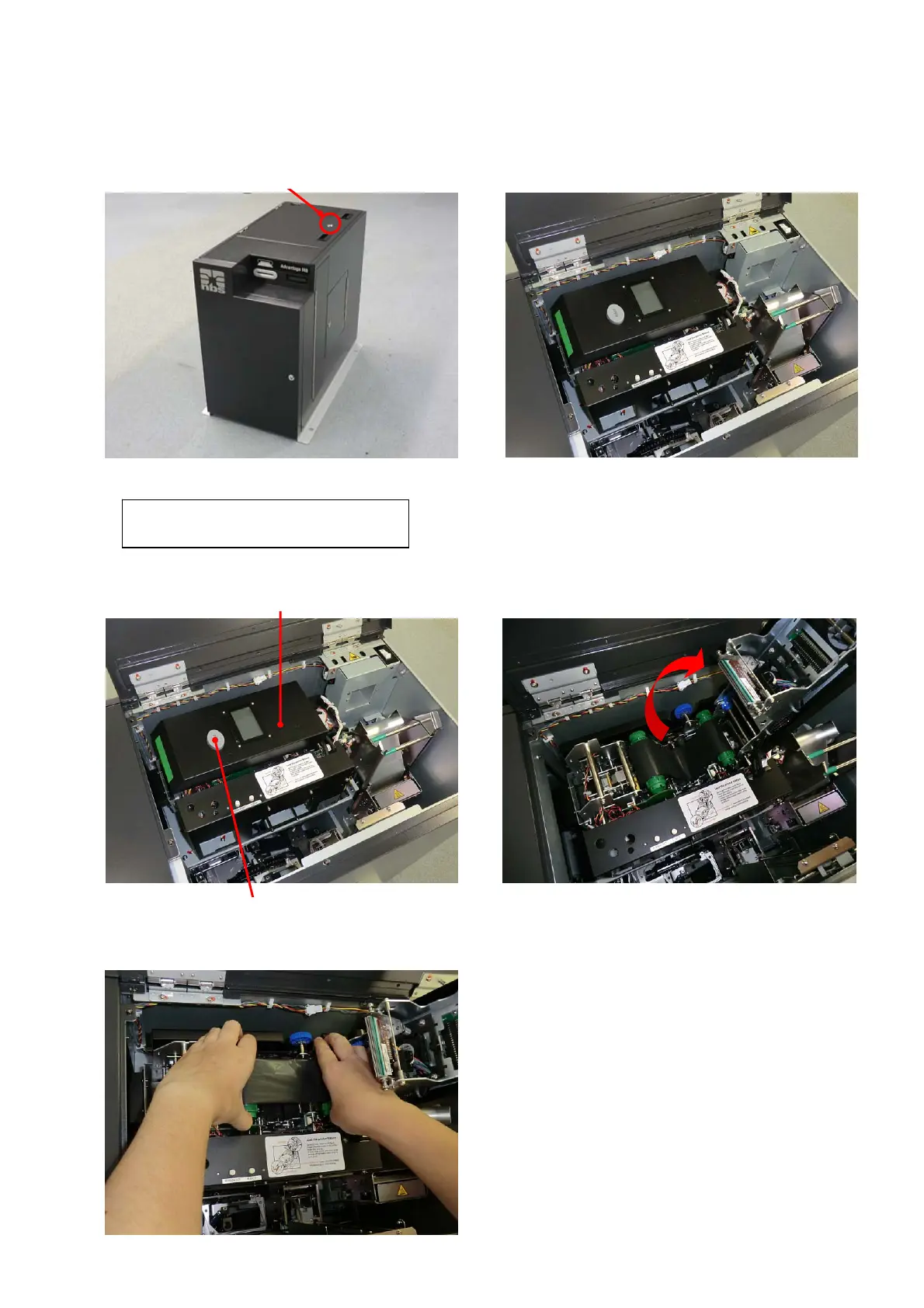
1. Unlock the Top Cover by turning the key clockwise during the power ON, and then open the Top Cover.
The buzzer will beep, and the following error message will be indicated on the Main display.
CV402 Top / Side
2. Push the Print /Encode Unit Cover Open Button to open the cover.
3. Detach the Thermal Transfer Ribbon from the Print /Encode Unit.
Open Print /Encode Unit cover. Print /Encode Unit
Print /Encode Unit Cover Open Button
Open Top Cover.
Turn this key clockwise.



 To Next Page