28
Error and warning during printing or encoding operation
If an error or warning is indicated by the application software, and no error or warning is indicated on the Main
display, make sure whether it is indicated on the Print /Encode Unit display.
To check the Print /Encode Unit display, please open the Top Cover.
If the same error or warning occurs repeatedly, please contact your distributor.
A. Errors
(1) TPH(Thermal Print Head)
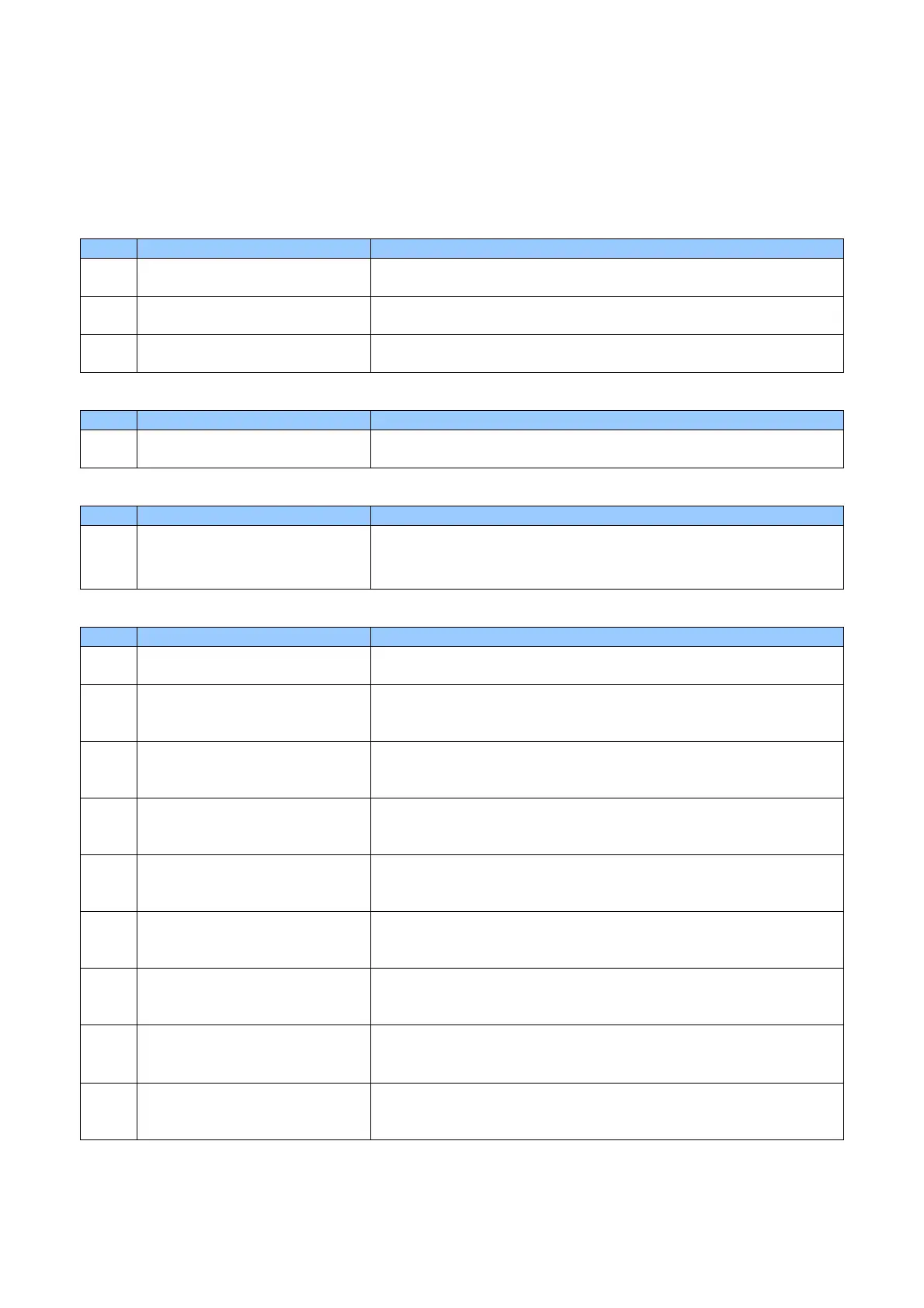
Code Message Details and Countermeasures
10 Top Cover (TPH Module) Print /Encode Unit cover is opened during card printing operation.
<Make sure that the cover is closed properly>
11 TPH Up/Down Failure Up/down movement of the Thermal Print Head is interrupted.
<Repair service is required. Contact your distributor>
13 Abnormal TPH Thermistor
Temperature
An abnormal temperature of Thermal Print Head is detected.
<Repair service is required. Contact your distributor>
(2) Card Feeding
Code Message Details and Countermeasures
12 Card Jammed The card is jammed in Print /Encode Unit.
<Remove the card>
(3) Ribbon
Code Message Details and Countermeasures
14 Ribbon Encoder Error Run out of Thermal Transfer Ribbon or encoder error occurs.
<Make sure that Thermal Transfer Ribbon is not installed
incorrectly, or Thermal Transfer Ribbon has not run out>
(4) Card
Code Message Details and Countermeasures
17 IC Module Up/ Down Error IC Content module position error occurs.
<Repair service is required. Contact your distributor>
50 [Changer] Module Response
Timeout
Flipper communication error occurs.
<Turn the power OFF, and remove the card from Print /Encode Unit,
turn the power ON>
51 [Changer] Module Transmission
Timeout
Flipper communication error occurs.
<Turn the power OFF, and remove the card from Print /Encode Unit,
turn the power ON>
52 [Changer] Home Position Failure The Flipper can not be moved back to home position.
<Turn the power OFF, and remove the card from Print /Encode Unit,
turn the power ON>
53 [Changer] Card Flipper Failure An error occurs when the Flipper turn up.
<Turn the power OFF, and remove the card from Print /Encode Unit,
turn the power ON>
54 [Changer] Card Input Timeout The Print /Encode Unit stops when the card is entering the Flipper.
<Turn the power OFF, and remove the card from Print /Encode Unit,
turn the power ON>
55 [Changer] Card Input Jam The card fails to enter the Flipper on time.
<Turn the power OFF, and remove the card from Print /Encode Unit,
turn the power ON>
56 [Changer] Card Output Jam The card is jammed in the Flipper.
<Turn the power OFF, and remove the card from Print /Encode Unit,
turn the power ON>
57 [Changer] Card Exist The card is not ejected from the Flipper.
<Turn the power OFF, and remove the card from Print /Encode Unit,
turn the power ON>



 To Next Page