35
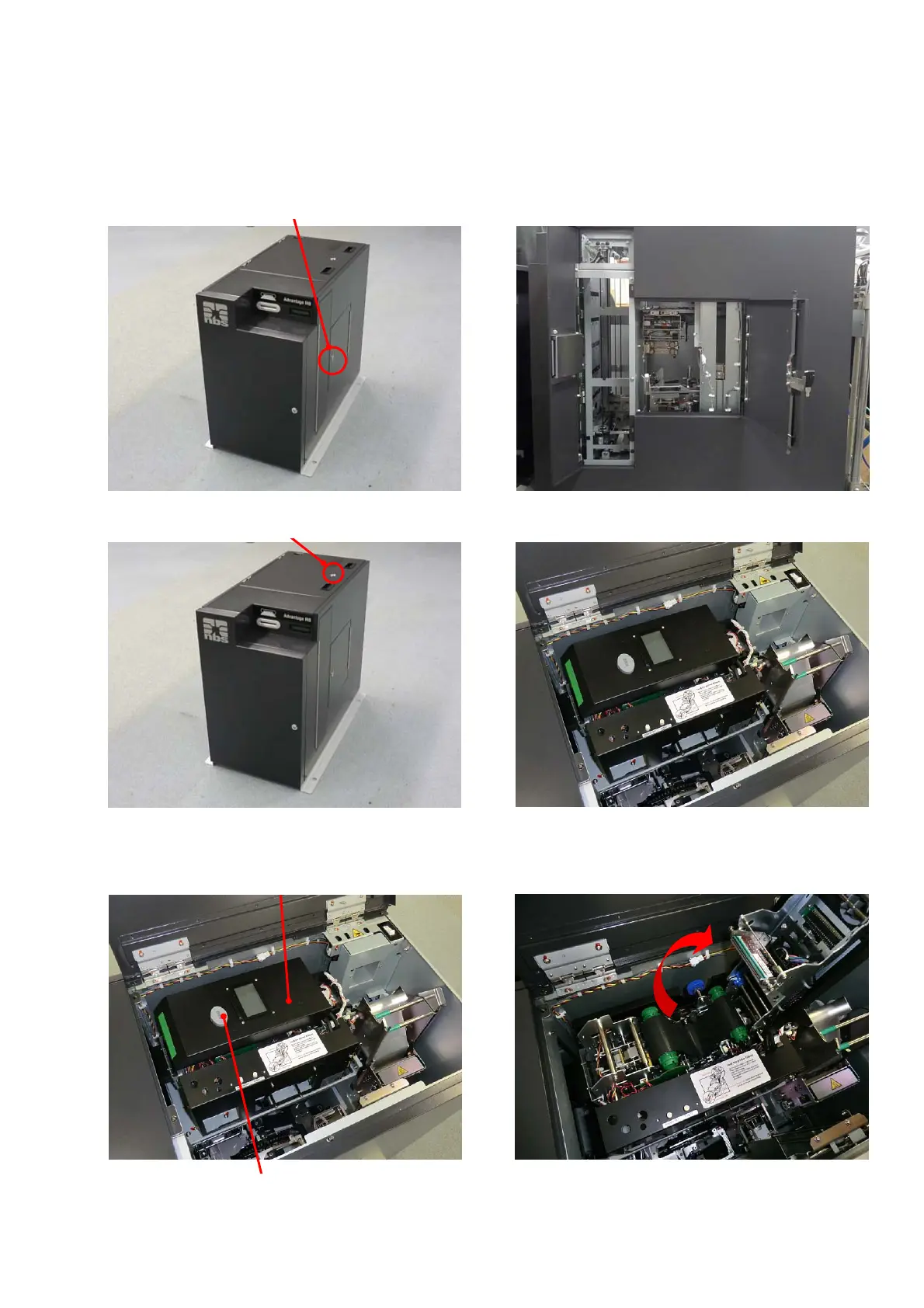
Removing the card remaining in Print /Encode Unit
1. Turn the power OFF, open Right side door by turning the key clockwise.
Open Top Cover by turning the key clockwise.
2. Push down the button to open the Print /Encode Unit cover.
Open Top Cover.
Turn this key clockwise.
Open Right side door
Turn this key clockwise
Open Print /Encode Unit cover.
Print /Encode Unit cover
Print /Encode Unit Cover Open Button



 To Next Page