10
How to use the machine
Setting and Checking the IP Address
For issuing the cards, this product requires being connected to a host computer by LAN and USB.
To connect to a LAN, you need to set up an IP address.
How to check the existing IP address is described as follows.
1. Turn the power OFF, then open the Right side door by turning the key clockwise.
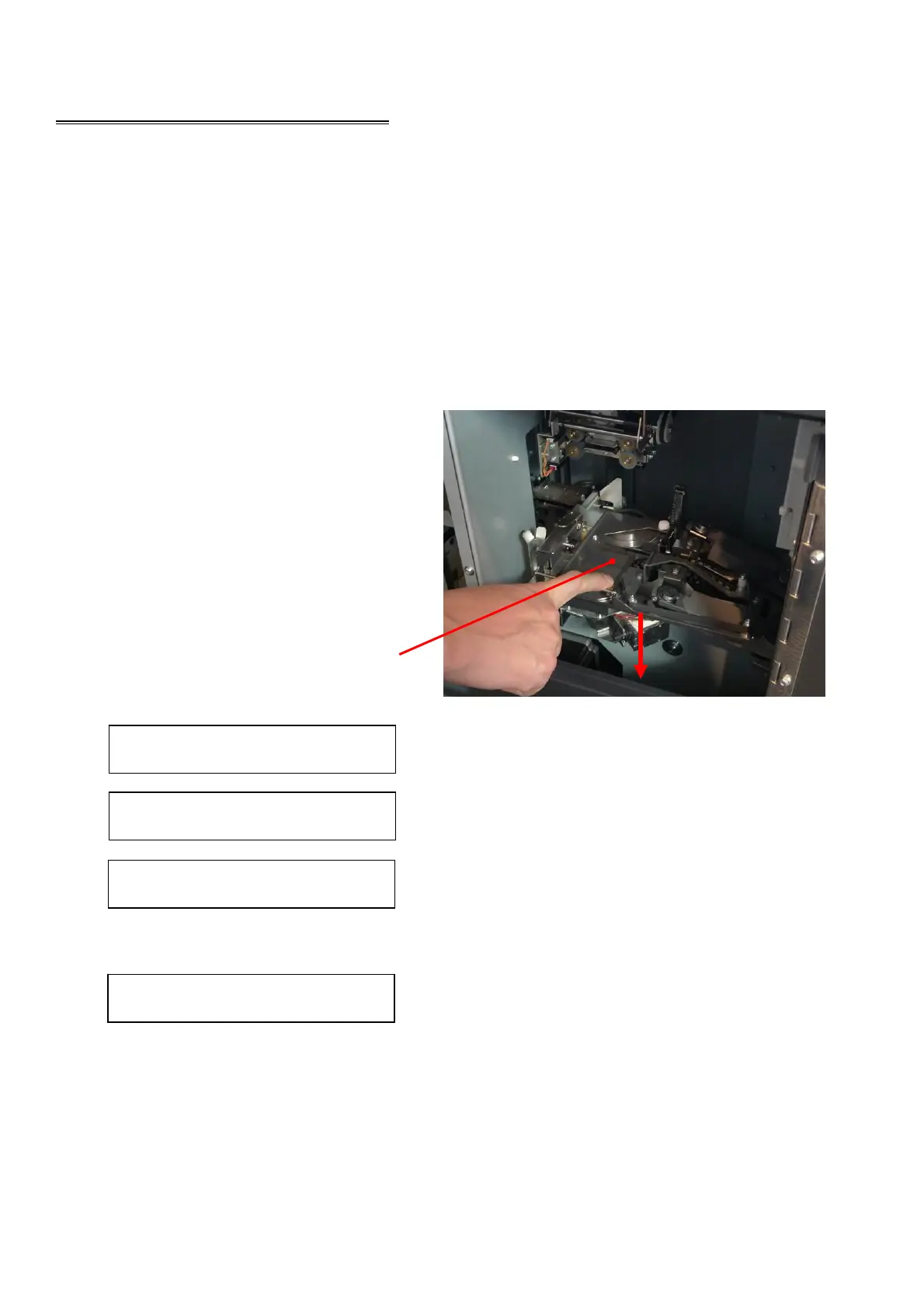
2. While pushing down on the Indent Cassette, turn the power ON.
3. When the buzzer starts beeping, release
the Indent Cassette.
4. The IP address, Subnet mask, and
Gateway will be displayed on the Main
display scrolling every two seconds
repeatedly.
Ixxx.xxx.xxx.xxx
Displayed IP address
Sxxx.xxx.xxx.xxx
Displayed Subnet mask
Gxxx.xxx.xxx.xxx
Displayed Gateway
While getting an IP address from DHCP server, the Main display shows as follow.
Please wait...
After received IP address, the address is indicated on the Main display.
5. Close the Right side door and lock by the key, then turn the power OFF.
Push the Indent Cassette downward.



 To Next Page