13
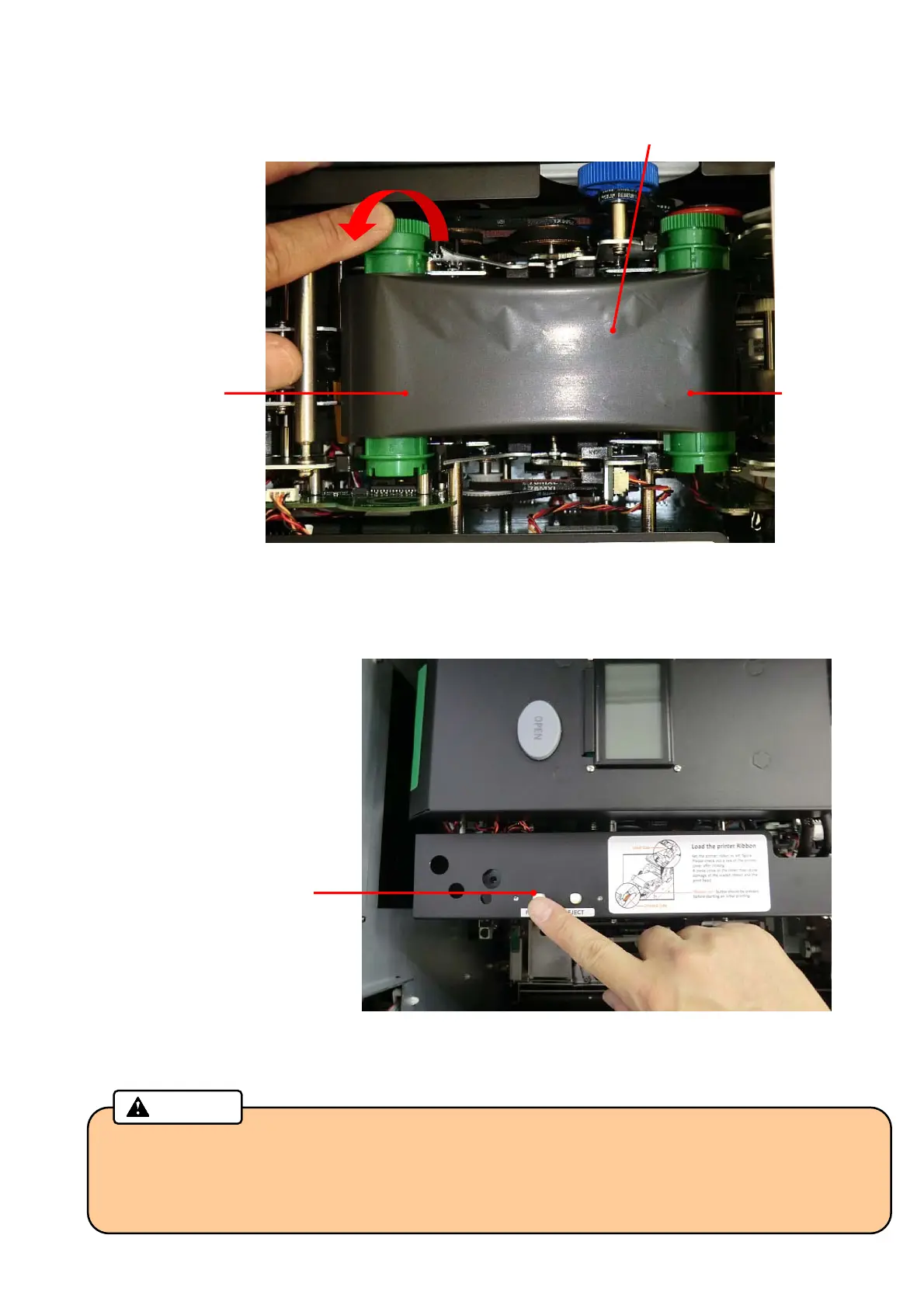
4. Install new Thermal Transfer Ribbon as shown in the picture below, and remove the slack of the ribbon.
5. Close the Print/Encode Unit cover until it clicks.
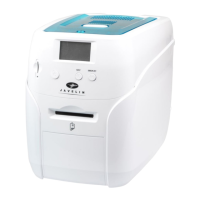
6. Push the RIBBON SET button.
7. Close the Top Cover, and then lock the Top Cover key.
• Be sure to push the "RIBBON SET" button after installing a new ribbon. Otherwise, a print
failure will occur.
• Be sure to remove the slack of the Thermal Transfer Ribbon before closing the cover. The slack
will adversely affect the print quality.
Caution
“RIBBON SET” button
Thermal Transfer Ribbon
Unused side Used side
Turn the unused side of the ribbon
counter-clockwise to remove the slack



 To Next Page