37
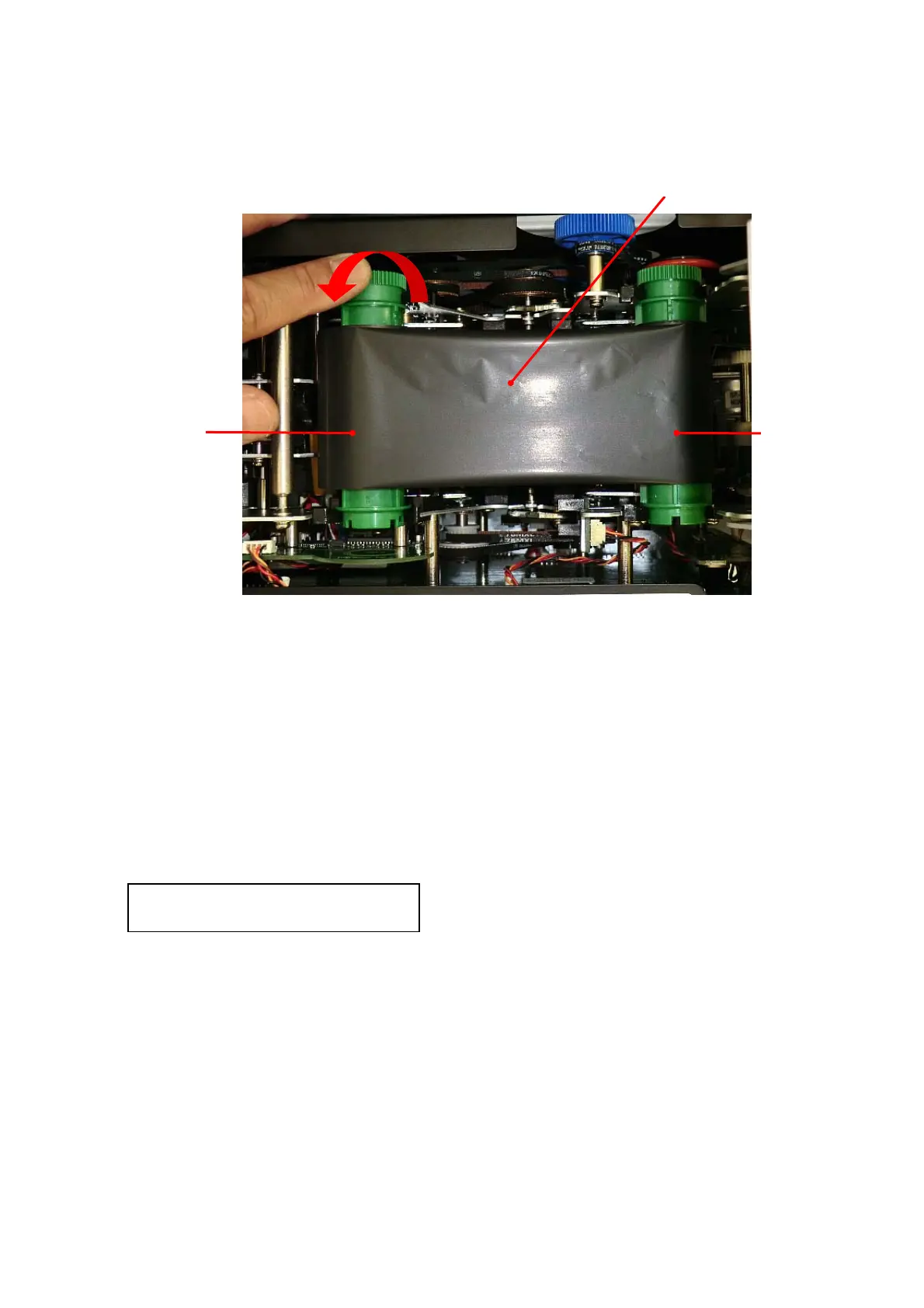
6. Reattach the Thermal Transfer Ribbon as shown in the picture below.
Remove the slack of the ribbon by turning the unused side of the ribbon counter-clockwise.
7. Close the Print/Encode Unit cover until it clicks.
8. Close the Top Cover, and then lock the Top Cover with the key.
9. Close the Right side door, and then lock the Right side door with the key.
10. Turn the power ON, and initialize the machine.
11. Open the Top Cover by turning the key clockwise while power ON.
* Ignore buzzer beeping and the following error message in the Main display to proceed next step.
CV402 Top / Side
Thermal Transfer Ribbon
Turn the unused side of the
ribbon counter-clockwise.
Unused side
Used side



 To Next Page