14
Part
2
-
Getting
acquainted
Soft keys used
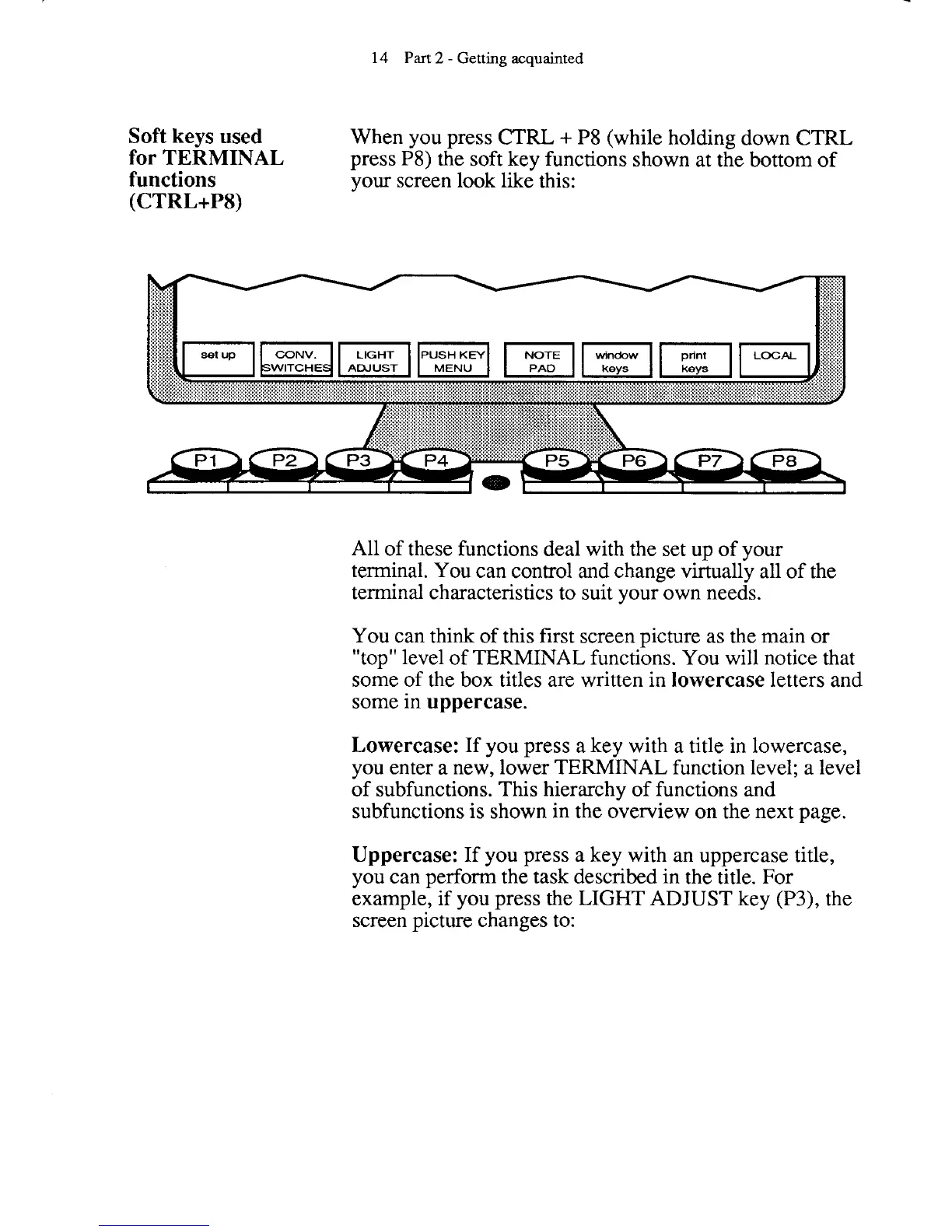
When you press CTRL
+
P8 (while holding down CTRL
for
TERMINAL
press P8) the soft key functions shown at the bottom of
functions
your screen look like this:
(CTRL+PS)
All of these functions deal with the set up of your
terminal. You can control and change virtually all of the
terminal characteristics to suit your own needs.
You can think of this first screen picture as the main or
"top" level of TERMINAL functions. You will notice that
some of the box titles are written in
lowercase
letters and
some in
uppercase.
Lowercase:
If you press a key with a title in lowercase,
you enter a new, lower TERMINAL function level; a level
of subfunctions. This hierarchy of functions and
subfunctions is shown in the overview on the next page.
Uppercase:
If you press a key with an uppercase title,
you can perform the task described in the title. For
example, if you press the LIGHT ADJUST key
(P3), the
screen picture changes to:



 To Next Page