5-4
7-4. FACTORY MODE SETTING
7-4-1 FACTORY MODE: OFF → ON
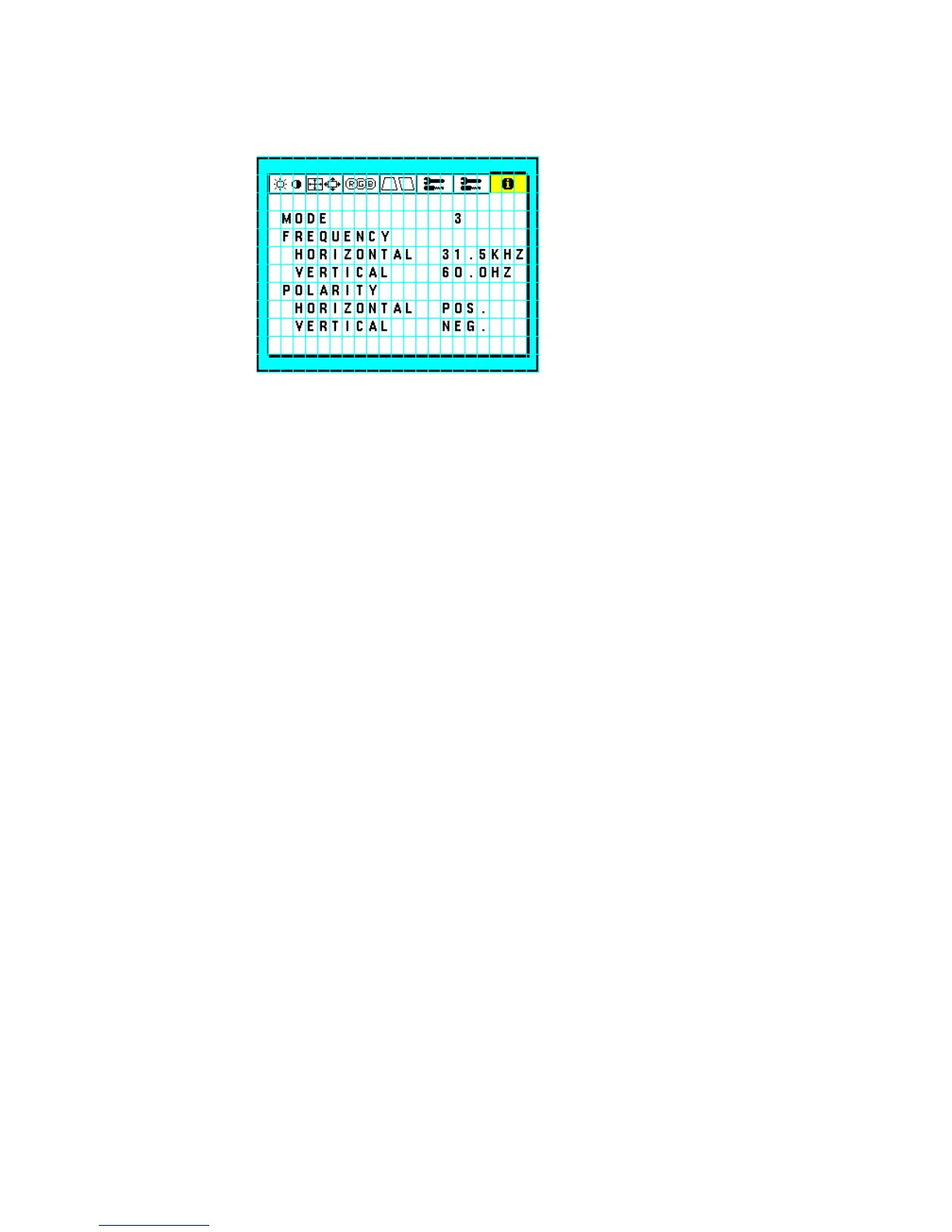
1) Open the MENU(U),TAG7 - "DISPLAY MODE"(As below)
2) Press "RESET" and "t","6" switch at once.
3) A "WARNING" will be displayed, then press "PROCEED" switch once.
4) LED indicator light turn to Yellow from Green.
7-4-2 FACTORY MODE ON → OFF
1) When OSM MENU is displayed, press "EXIT" switch twice. Otherwise, press "EXIT" switch once.
2) A "WARNING" will be displayed, then press "EXIT" switch once.
3) LED indicator light turns to Green from Yellow.
7-5. Displaying the OSM
7-5-1 FACTORY MODE: OFF
MENU(U): Press "EXIT" or "+" , "-" , "t" , "6" , "PROCEED" once .
MENU(S): Open MENU, TAG7 "INFORMATION" - "DISPLAY MODE”, and press "RESET" and "t" , "6"
switch at once.
A warning message will be displayed, then press "PROCEED" switch.
7-5-2 FACTORY MODE: ON
MENU(U): Press "+" , "-" or "t","6" switch.
MENU(S): Press "PROCEED" switch once.
7-5-3 Self Test
When FACTORY MODE is ON, Self test is on by no signal.
When FACTORY MODE is OFF, Self test in on by power on with pushing “RESET” switch.







 To Next Page