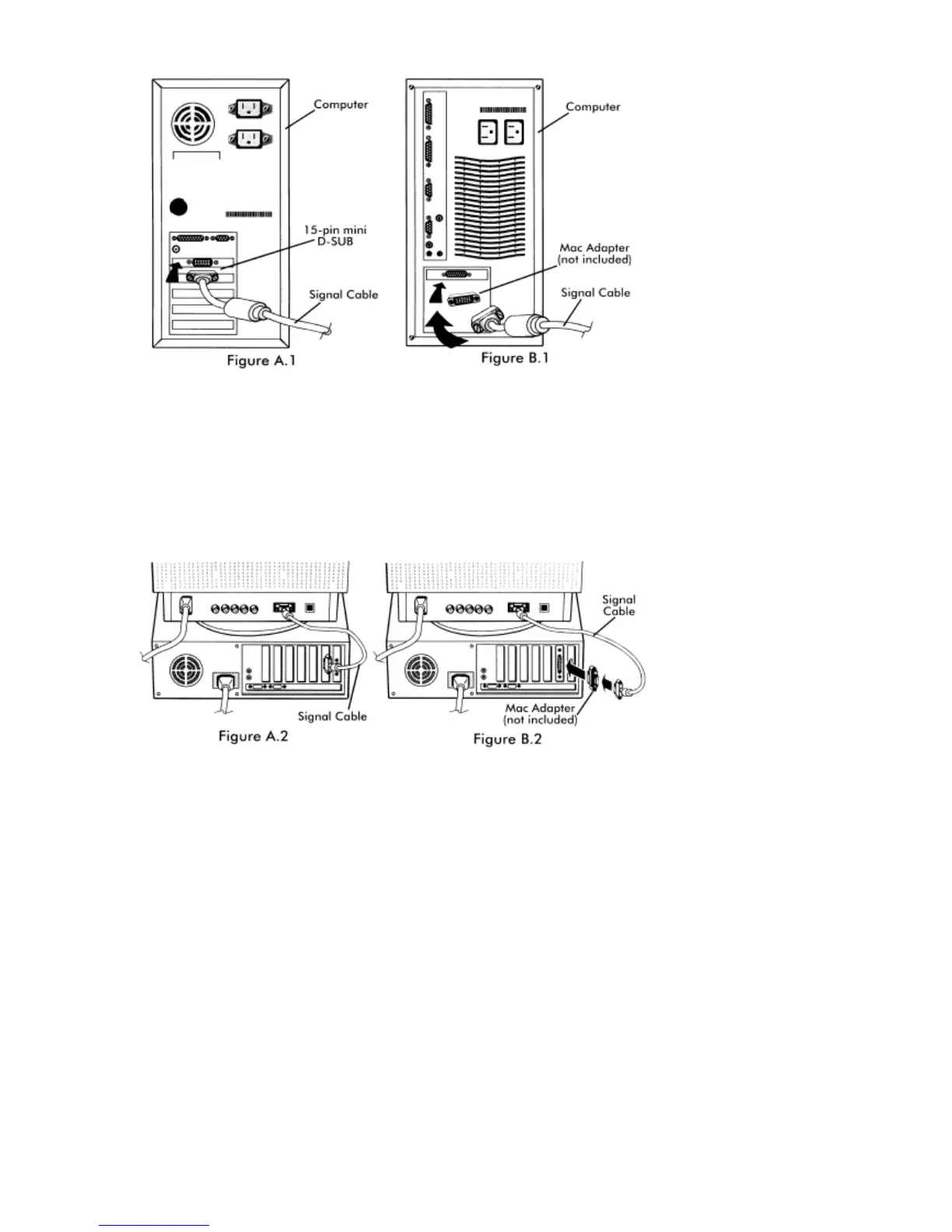
2-3
4. Connect one end of the power cord to the MultiSync
®
FP Series monitor and the other end to the power outlet
(Figure D.1)
.
5. Turn on the monitor (Figure E.1) and the computer.
6. The Factory Setting for your monitor is set for D-SUB installation. If you are using a BNC cable connection,
push the BNC/D-SUB button on the front of the monitor (Figure E.1) to switch settings.
NOTE: If you have any problems, please refer to the Troubleshooting section of this User’s Manual.







 To Next Page