2-4
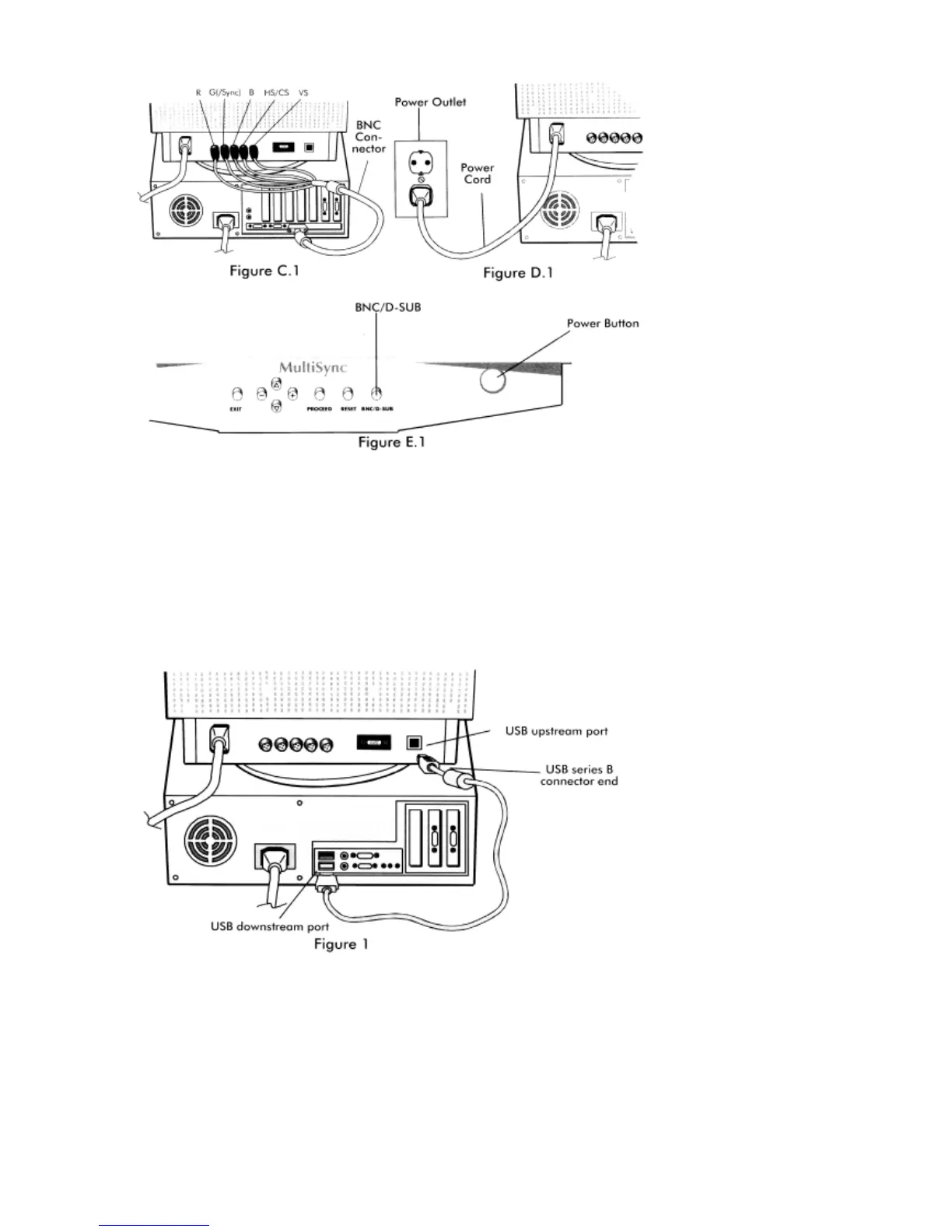
If your computer is equipped with USB and uses the Windows
®
98 operating system and you want to operate the
monitor’s user controls using your system, you can install USB support by using the following procedure. To
attach the USB port on your MultiSync FP Series monitor to a USB port on your system:
1. Using the supplied USB cable, connect the USB Series B connector end to the USB upstream port on the
monitor (Figure 1).
2. Connect the other end of the supplied cable to the USB downstream port on the computer (or to a USB Hub
attached to the computer)
(Figure 1)
.
3. Install the supplied Monitor Control Software.







 To Next Page