HVA2N
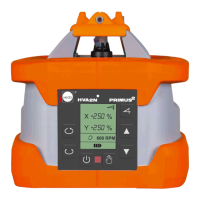
4 Controls PRIMUS 2 HVA2N
4.1 Control panel buttons
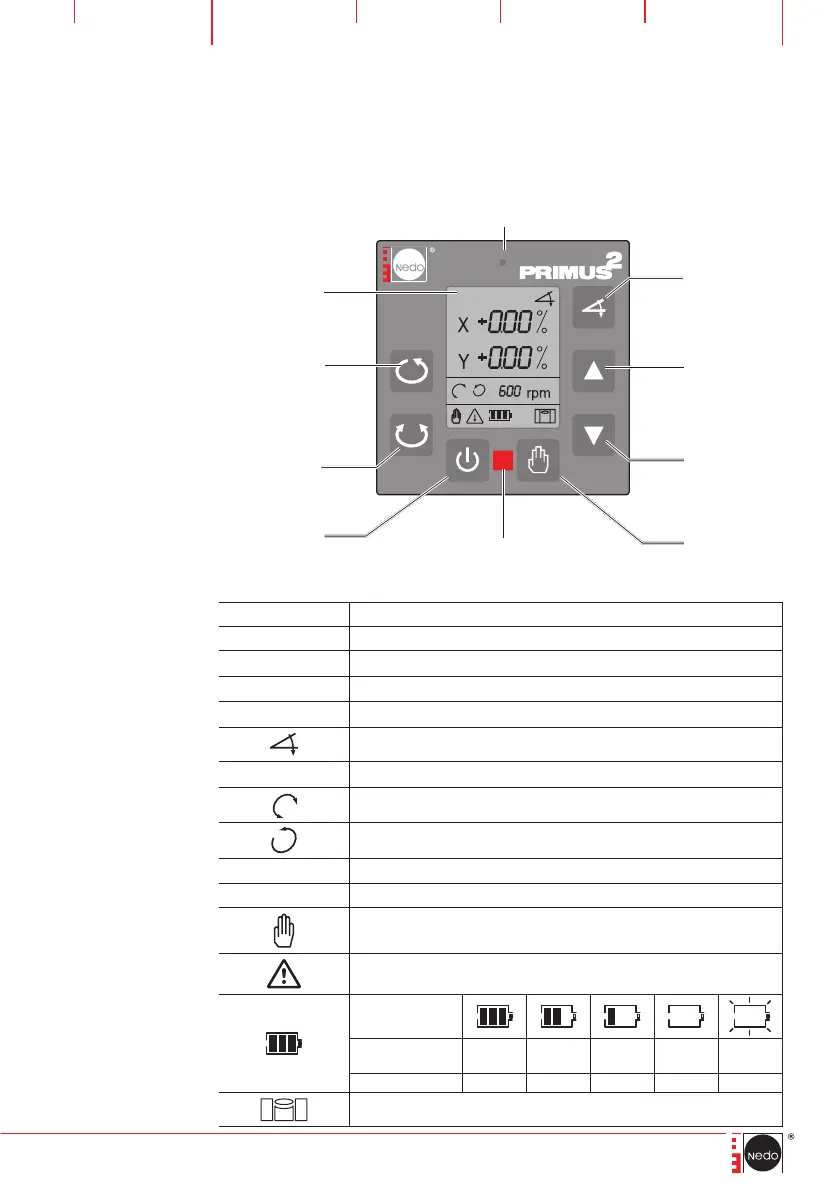
The laser is operated using the control panel.
4.2 Displayanzeigen
Symbol Beschreibung
C00 – C04
Warning
ERR1 – 12
Error display
X
X axis selected (symbol flashes, values can be set)
Y
Y axis selected (symbol flashes, values can be set)
TILT function (symbol flashes during input)
± 0.00 %
Enter and display TILT as percentage values
SCANNING mode
ROTATION mode
600 rpm
Speed of the laser (levels: 10, 60, 300, 600 rpm)
15°
SCANNING mode angle display (displays: 0°, 5°, 10°, 15°)
MANUAL operating mode
Warning symbol (flashes)
Remaining life in
hours
Rechargeable
battery
100 70 30 5 < 0,5
Battery
120 100 50 15 < 2
Levelling
TILT/TURN
axes
move up/
turn to the
right
Activate VARI-
ABLE SPEED/
ROTATION
function
Display
Activate/
deactivate
MANUAL ope-
rating mode
Laser
ON/OFF
move down/
turn to the left
Activate
SCANNING
function
Warning LED
Remote control
receiver panel


 To Next Page