SCAN
+
ON/
OFF
1
2
HVA2N
3
rpm
MANUAL
AUTOALIGN
X/Y
SCAN
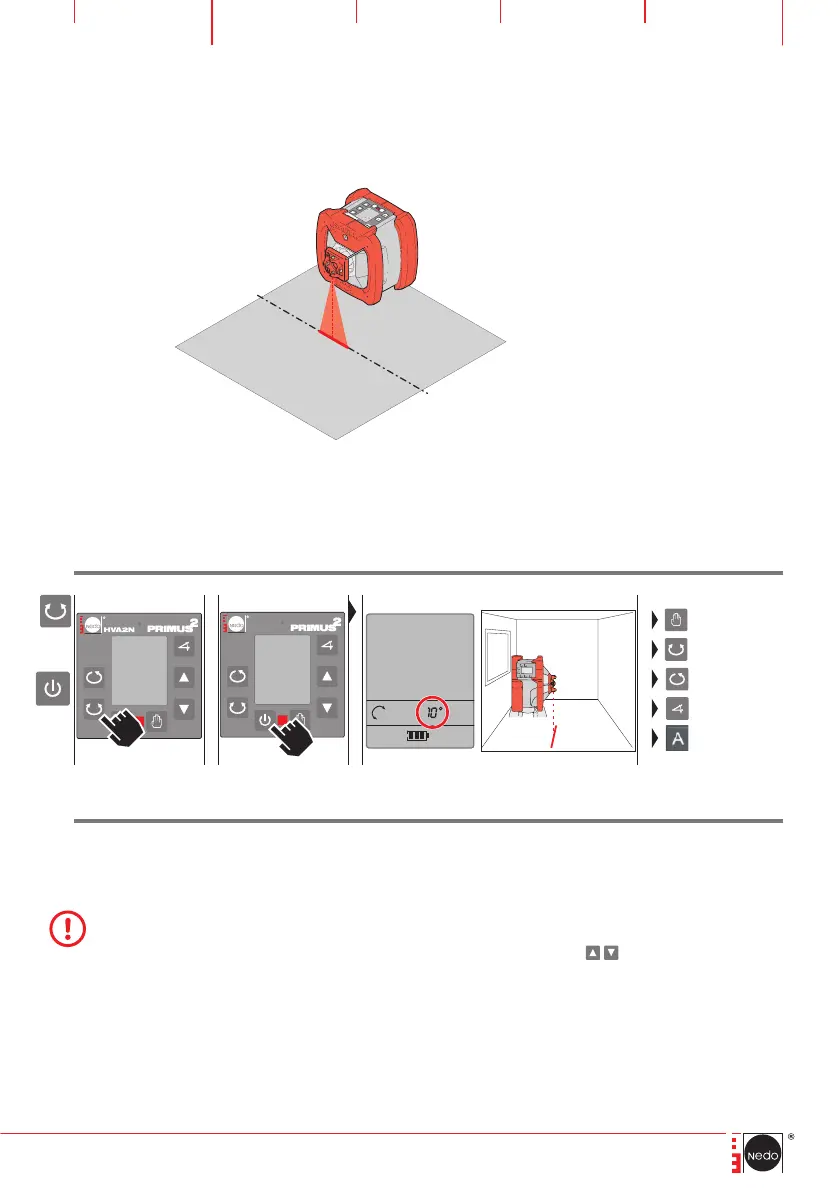
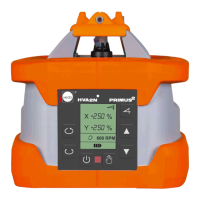
With the „vertical alignment tool“, in vertical mode the PRIMUS 2 HVA2N can be aligned pre-
cisely with a mark below the laser. Possible applications are, for example, positioning the laser on
batter boards or precise alignment with a mark on the floor. To do this, after it is switched on, the
laser rotates into a reference position in which the laser beam points downwards and projects a
line.
+
HINWEIS
Before using the „vertical alignment tool“ function it is helpful to start the PRIMUS HVA2N before-
hand in horizontal mode, to level the laser and only then to switch to vertical mode. As a result a
laser line, virtually parallel with the PRIMUS 2, is projected onto the surface below it.
____________________________________________________________________________________________________________________________________________________________________
After the laser has aligned itself vertically, the projected line can be moved in the indicated direction
of rotation, either gradually by repeated pressing of the arrow buttons
continuously by pressing
the buttons longer.
____________________________________________________________________________________________________________________________________________________________________
If the Primus 2 HVA2N has been started with the „vertical alignment tool“ function, it is then possible
to switch to any function required
____________________________________________________________________________________________________________________________________________________________________
The „Vertical alignment tool“ function in Primus 2 HVA2N is standard include, starting with serial
number P2-07500.
Press the SCAN button and keep it pressed,
then use the ON/OFF button to switch on
the laser.
The laser is switched on, the laser beam rota-
tes into the reference position and projects a
line onto the surface beneath the laser.
8.7 Vertical alignment tool


 To Next Page