60Chapter 16 . Tools
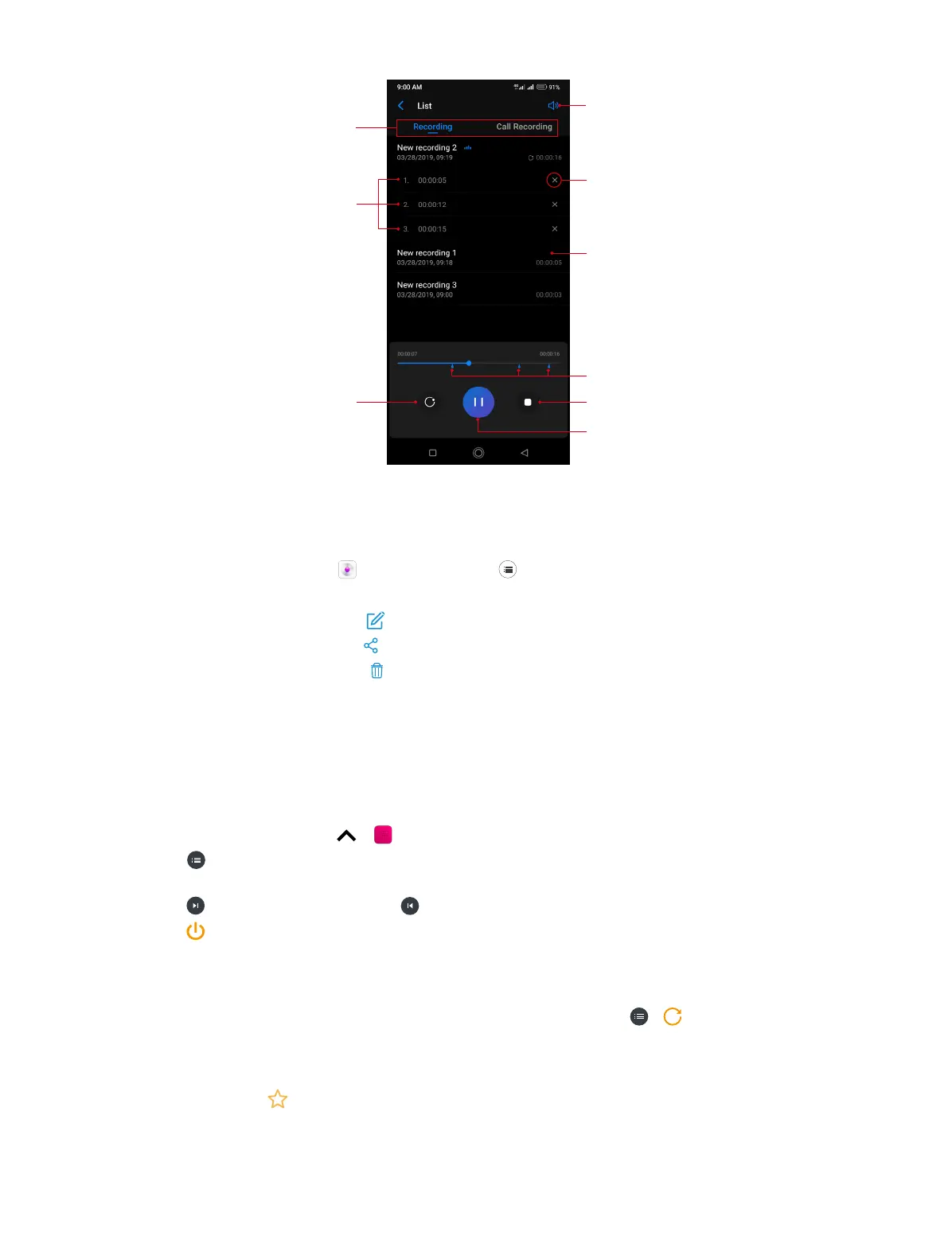
Swipe the screen left or right
to switch between recording lists
Temporal information for tags, tap
one to start playback from the
corresponding location
Tap to delete tagged location
Tap to play the recording
Tap to toggle speaker and earpiece
playback
Tap to add tag(s)
Tagged locations
Tap to stop playing and fold the tag
information
Tap to pause playing
Manage recordings
1. On the Home screen, tap Sound Recorder > .
2. Touch and hold the recording, select the recordings you want to manage, and then you can:
• Rename the recoding: Tap and enter the new name. Then tap SAVE.
• Share the recordings: Tap and follow the onscreen instructions.
• Delete the recordings: Tap > DELETE.
16. 2 FM Radio
Listen to radio
1. Before using FM Radio, connect an earphone to the phone.
2. On the Home screen, tap > FM Radio to enter the FM Radio screen.
3. Tap to search stations and select one. Then tap a blank area on the screen to return to the
FM Radio screen.
4. Tap to play the next station, tap to play the previous station.
5. Tap to exit the FM Radio.
Configure more options
• Refresh stations: On FM Radio screen, tap the station name and then drag the slider to manually
switch stations (Not all these stations have signals). You can also tap > to manually refresh
searching stations (All these stations have signals), then tap a blank area on the screen to return
to the FM Radio screen.
• Add a station to favorites: On FM Radio screen, tap the station name to expand (or fold) detailed
menu. Then tap to add the station to favorites. For all the stations you have added to favorites,
they will display on the station list whenever you search station.



 To Next Page