2
Chapter 1 . Get started
• Turn Neffos on: Press and hold the Power button until your phone vibrates and the screen turns
on.
Note:
If your device displays the shut down notice after the screen turns on, the battery is empty. Connect your
phone to a charger to charge the battery, otherwise your phone will shut down in 30 seconds.
• Turn Neffos off: Press and hold the Power button, then tap .
• Reboot Neffos: Press and hold the Power button, then tap .
Volume button
• Press the Volume-up or Volume-down button to adjust the audio volume when you’re on the
phone, listening to songs, watching movies or using other media.
• Press the Volume button to take a picture or record a video. Refer to Take a photo and Record
a video to learn more.
• Press the Power button and Volume-down button at the same time to take a screenshot.
Navigation buttons
• Home button
Tap Home button to return to the default Home screen.
Touch and hold Home button to open Google
TM
search.
• Back button
Tap Back button to return to the previous screen or close an application. When entering text, tap
Back button to close the onscreen keyboard.
• Recent apps button
Tap Recent apps button to display recently used applications.
Double-tap Recent apps button to switch to the previous application.
1. 3 Put in the cards
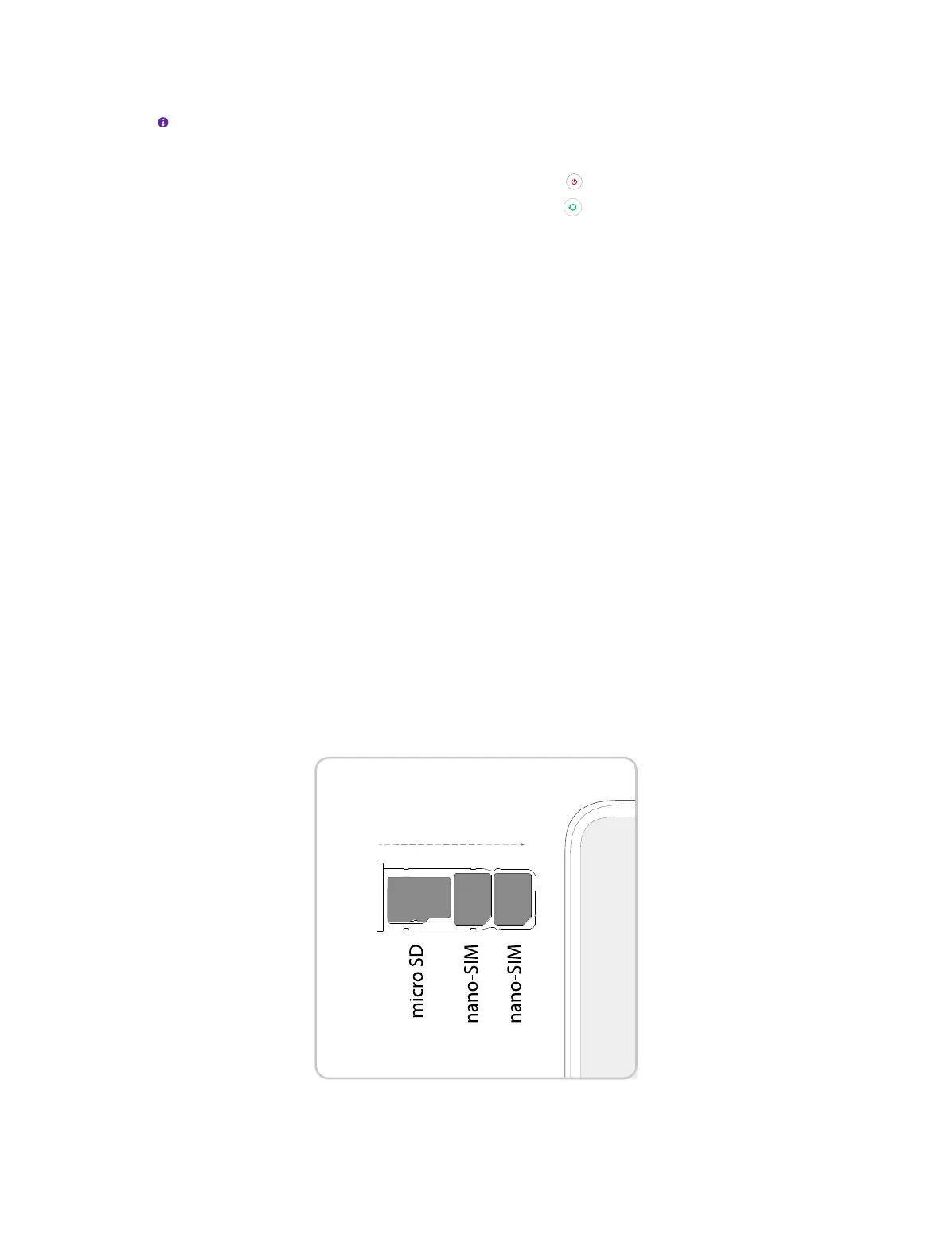
Insert Nano SIM cards and microSD card (optional)
1. Eject the SIM card tray by inserting the SIM ejector pin provided into the hole on the tray.
2. Place the card(s) into the tray with the gold contacts face down. The card tray can support two
Nano-SIM cards and a mircoSD card.



 To Next Page