62Chapter 16 . Tools
16. 6 Feedback
On the Home screen, tap > Feedback, you can:
• View frequently asked questions: Some frequently asked questions are displayed on the
Feedback screen. Tap the question you are interested to get the answer. You can also tap
See more FAQ to view more frequently asked questions and their answers.
• Search questions: To quickly find the question you want, you can tap and enter the key words
of your question. It is noted that you can only find the questions that are already included in
Feedback. For more questions, you can tap Contact us to contact us and get the answer.
• Send feedback: Tap FEEDBACK and follow the onscreen instructions to enter your feedback,
then tap Submit. You can always go to Feedback > to view the feedbacks you have sent.
16. 7 Calculator
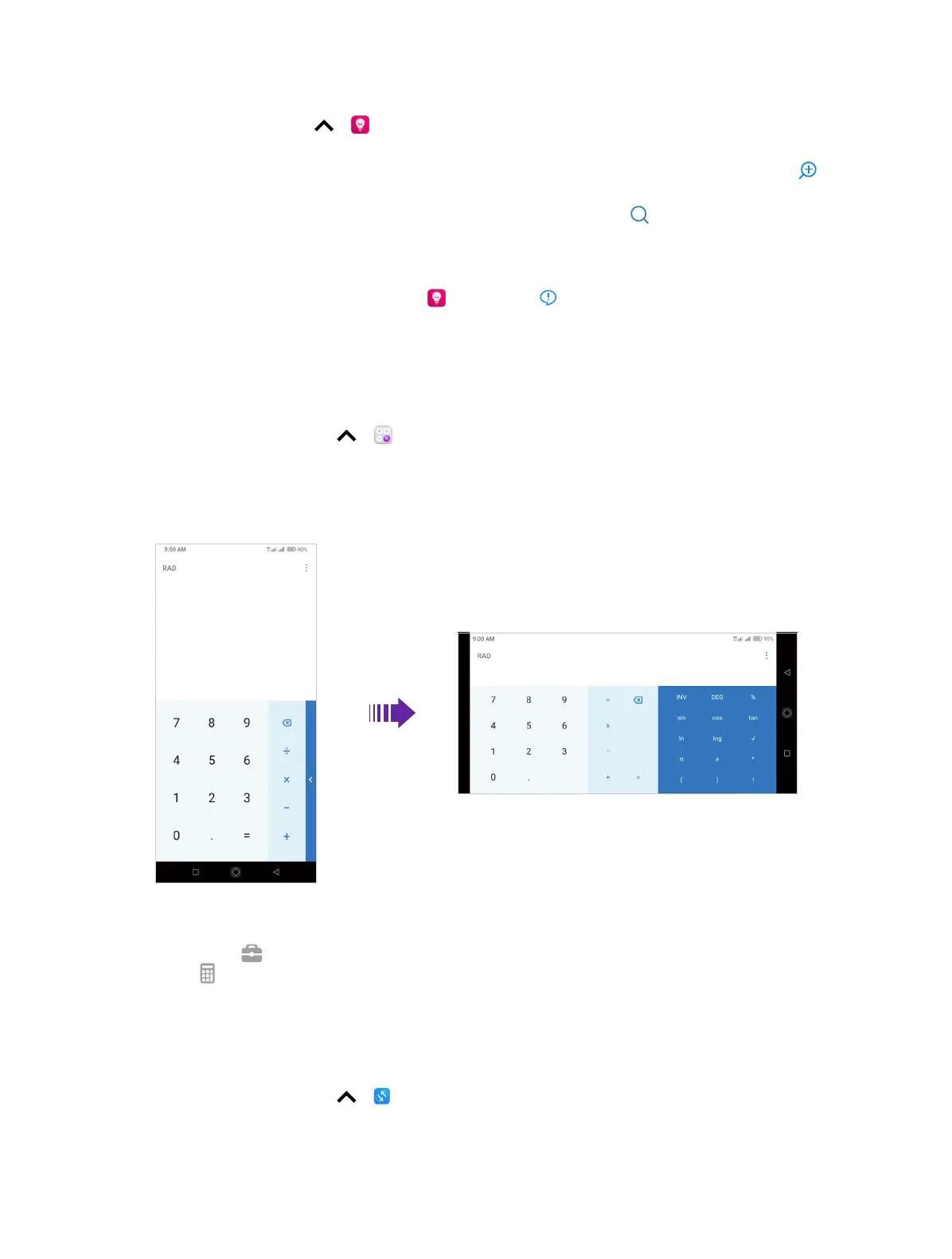
Use the calculator
1. On the Home screen, tap > Calculator to open the standard calculators.
2. Rotate the screen to access the scientific calculator (The calculator will still rotate when auto-
rotation is disabled). You can also tap the blue part on the right or swipe left the operation part
to access the scientific calculator.
3. Tap numbers and use the arithmetic feature to complete an operation.
Calculator shortcut
Swipe up from at the bottom of the lock screen to display lock screen features and tools, and
then tap to open the calculator.
16. 8 Migration Assistant
Use Migration Assistant to migrate your data from your old phone to new phone.
1. On the Home screen, tap > Migration Assistant.
2. On your old phone, tap Send data. On your new phone, tap Receive data to generate a receiving
code.



 To Next Page