EasyManua.ls Logo

Nellcor N-20 - Description of Modes

Nellcor N-20
219 pages
Print Icon
To Next Page IconTo Next Page
To Previous Page IconTo Previous Page
Loading...
vs?
\^s
<*$$>
VgS>
Guide
to
Operation
DESCRIPTION
OF
MODES
Spot-Check
Mode
Press
the
measure
button
once
to
enter
spot-check
mode.
After
five
valid
pulses,
pulse
rate
and
Sp02
are
displayed
for
30
seconds.
Then
the
instrument
turns
off
automatically.
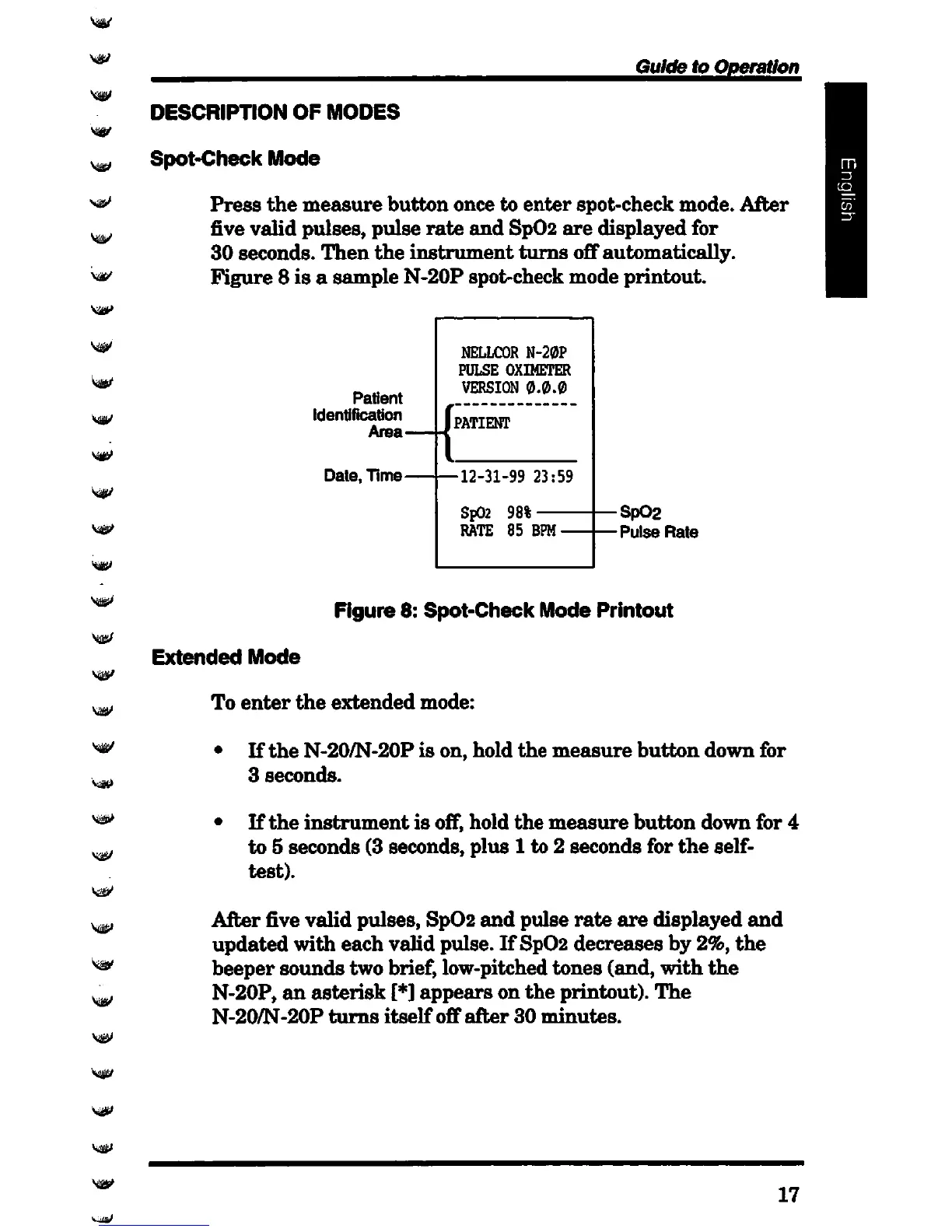
Figure
8
is
a
sample
N-20P
spot-check
mode
printout.
Patient
Identification
Area-
Date,
Time-
NELLCOR
N-20P
PULSE
OXIMETER
VERSION
0.0.0
J
PATIENT
•12-31-99
23:59
Sp02
98%
RATE 85 BPM
Sp02
•Pulse
Rate
Figure
8:
Spot-Check
Mode
Printout
Extended
Mode
To
enter
the
extended
mode:
If
the
N-20/N-20P
is
on,
hold
the
measure
button
down
for
3
seconds.
If
the
instrument
is
off,
hold
the
measure
button
down
for
4
to 5
seconds
(3 seconds,
plus
1 to 2
seconds
for
the
self-
test).
After
five
valid
pulses,
Sp02
and
pulse
rate
are
displayed
and
updated
with
each
vahd
pulse.
If
Sp02
decreases
by 2%,
the
beeper
sounds
two
brief, low-pitched
tones
(and,
with
the
N-20P,
an
asterisk
[*]
appears
on
the
printout).
The
N-20/N-20P
turns
itself
off
after
30
minutes.
17

Table of Contents

Related product manuals