EasyManua.ls Logo

Nellcor N-20 - N-20 P: Setting Clock

Nellcor N-20
219 pages
Print Icon
To Next Page IconTo Next Page
To Previous Page IconTo Previous Page
Loading...
Set-up
N-20P:
Setting
Clock
The
N-20P
has
a 24-hour,
real-time
clock.
1.
With
the
N-20P on,
press
the
D&
button.
The
OXYGEN
SATURATION
display
shows a "t" (time) followed
by
a
flashing
display of
the
hour.
Press
—>
to
change
the
hour
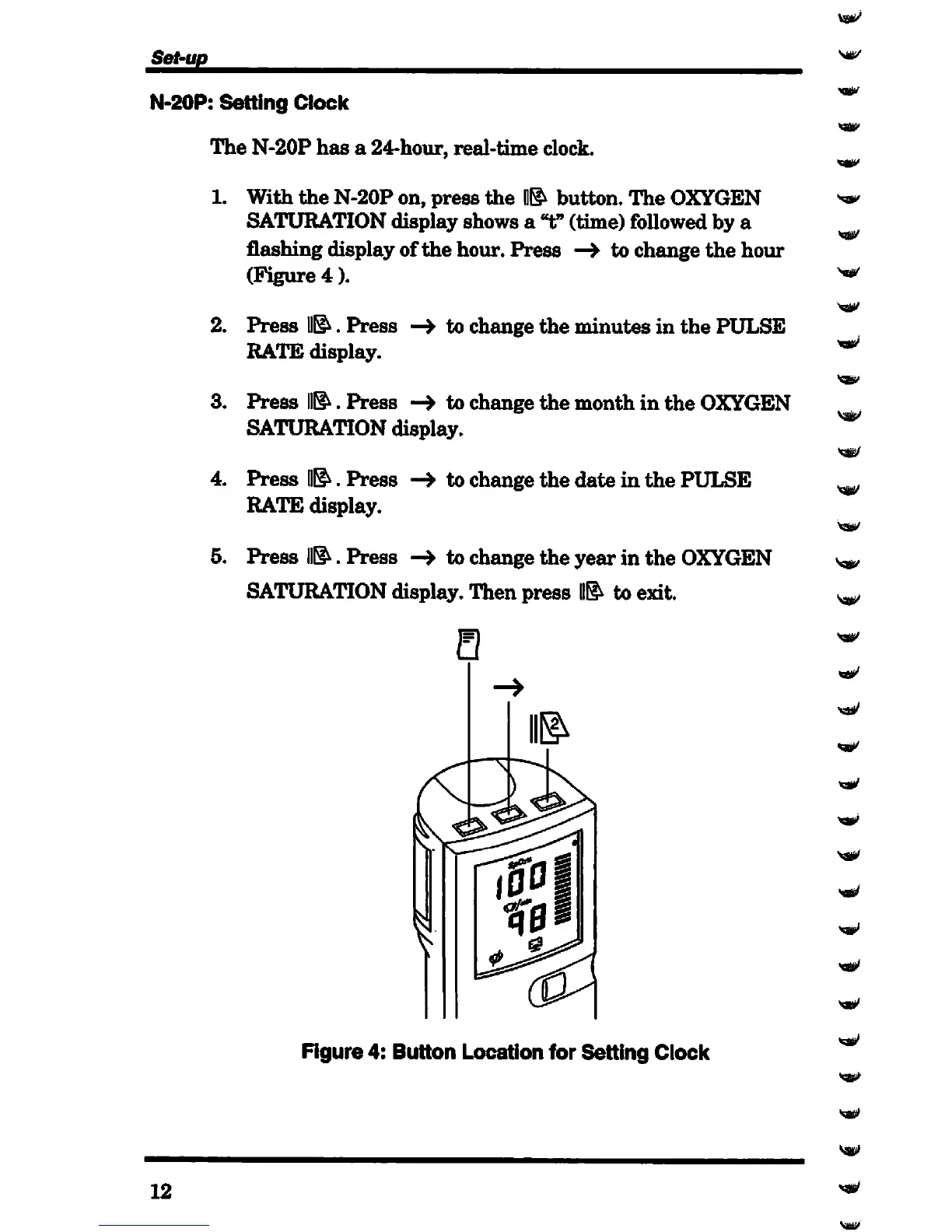
(Figure
4).
2. Press
11^.
Press
—>
to change the minutes in
the
PULSE
RATE
display.
3. Press
D&.
Press
to change
the
month in
the
OXYGEN
SATURATION display.
4. Press
D&.
Press
to change the date in the PULSE
RATE display.
5. Press
fl&.
Press
to change the year in the
OXYGEN
SATURATION display. Then press
II&
to exit.
Figure 4:
Button
Location for
Setting
Clock
12
Sag/
sap/
Ssj|ji>

Table of Contents

Related product manuals