NEOX User manual - Edition 03-2016 27
RESETTING OF DAILY KM
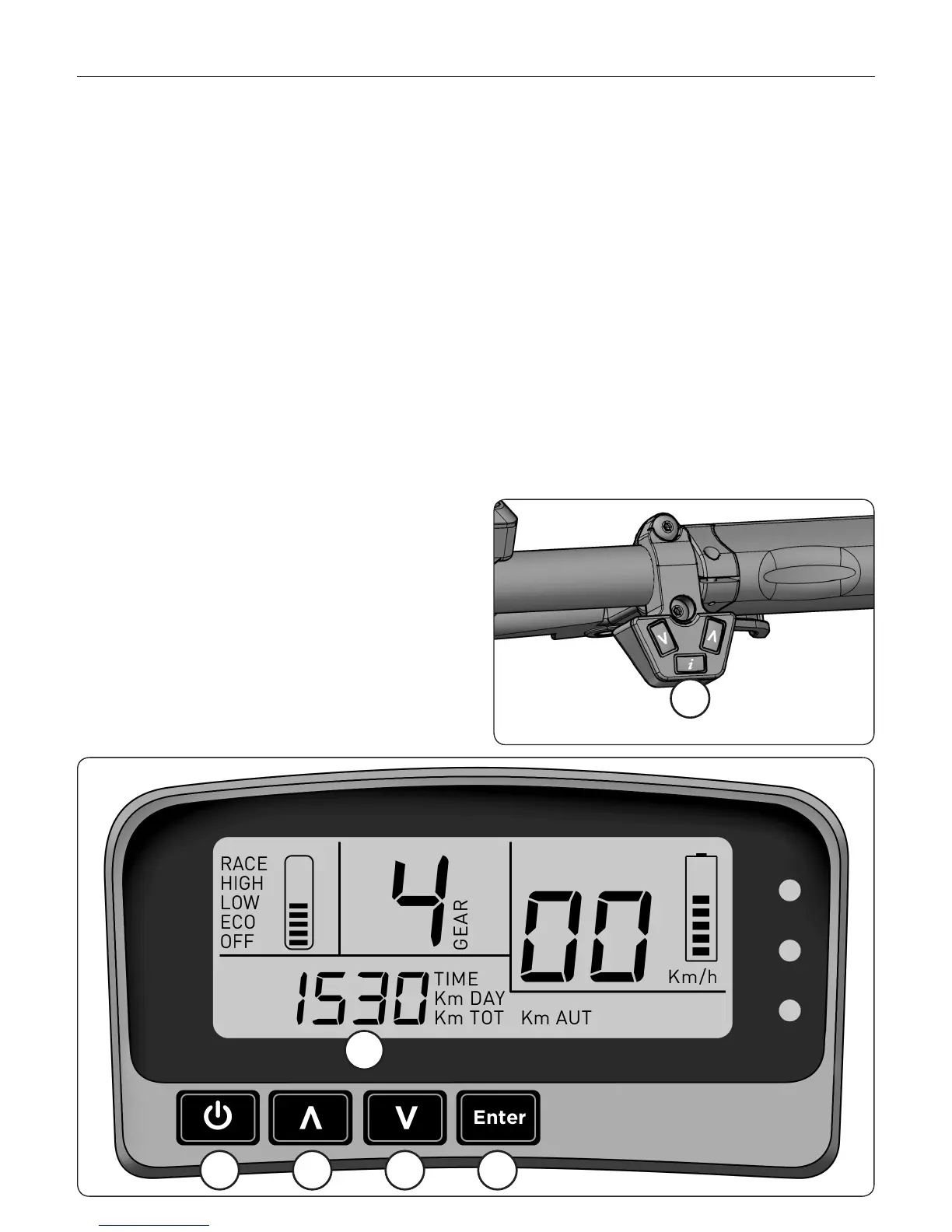
By the button i (general informations) placed on the right side of the handlebars, get
the display in DAILY KM section. Once here, keep pushed the button Enter for some
seconds and the computer will reset the displayed KM.
REGULATION OF THE CLOCK
By button I (general informations) placed on the right side of the handlebars, get the
display in the TIME section.
Keep the ENTER (10) button pushed until the blink of the hours (6). Modify the hours
with buttons UP (8) and DOWN (9)
Confirm with ENTER.
When minutes will start blinking, mofidy
it with buttons UP (8) and DOWN (9)
Confirm with ENTER.
7 8 9
10
6
i



 To Next Page