Page 14
To connect to the MAX Web Manager, you will need to enter at least an IP address and netmask.
To enter the MAX’s IP parameters from this menu:
1. Type the number of the parameter you want to enter or change.
2. At the Enter <parameter>: prompt, enter the desired value.
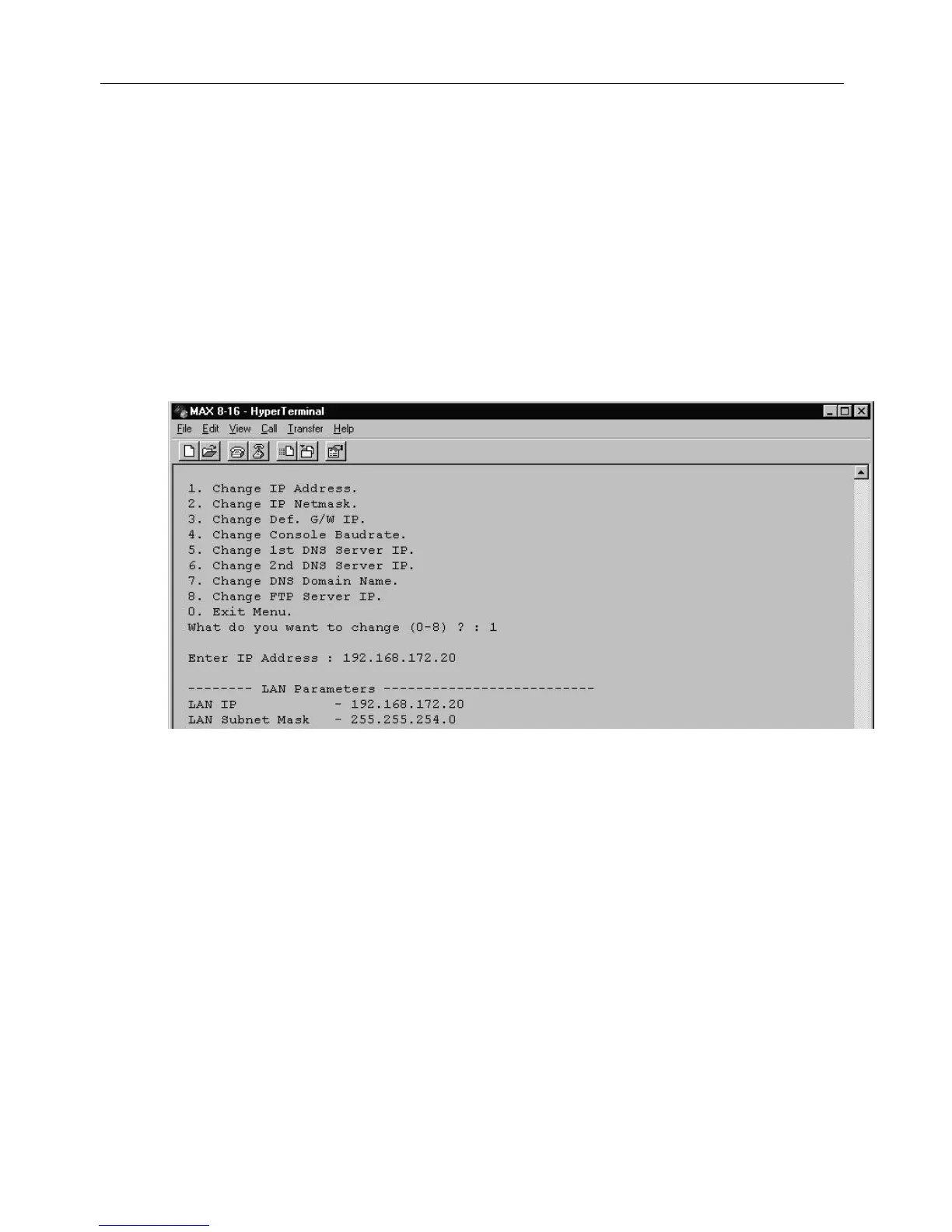
Example:
a. Enter 1 at the menu prompt to change the IP Address. The Enter IP Address
prompt appears (Figure 11).
b. At the prompt, enter the IP address you wish to assign.
The MAX confirms your entry. The confirmation scrolls by quickly, so you need to scroll up to
see it.
3. When you finish making changes, reset the Net2Phone MAX 410 to activate the changes.
You may either:
?? type /system/reset at the command line, or
?? power-off the unit, wait 10 seconds, and turn it on again.
Figure 8
Net2Phone MAX 410/420/430 User GuideSection 2.2 – Connecting to a LAN with Static IP Addresses



 To Next Page