Page 24
4.4 IVR (Interactive Voice Response) Configuration
REMINDER: A separate port with its own telephone line connection to the PBX, or to an analog
telephone, is required for each concurrent telephone call (or conversation) desired. For example, if
capability for 3 concurrent calls is desired, then the MAX must have at least 3 ports, each connected
to the PBX or to an analog telephone.
4.4.1 The Remote Access IVR Configuration Table
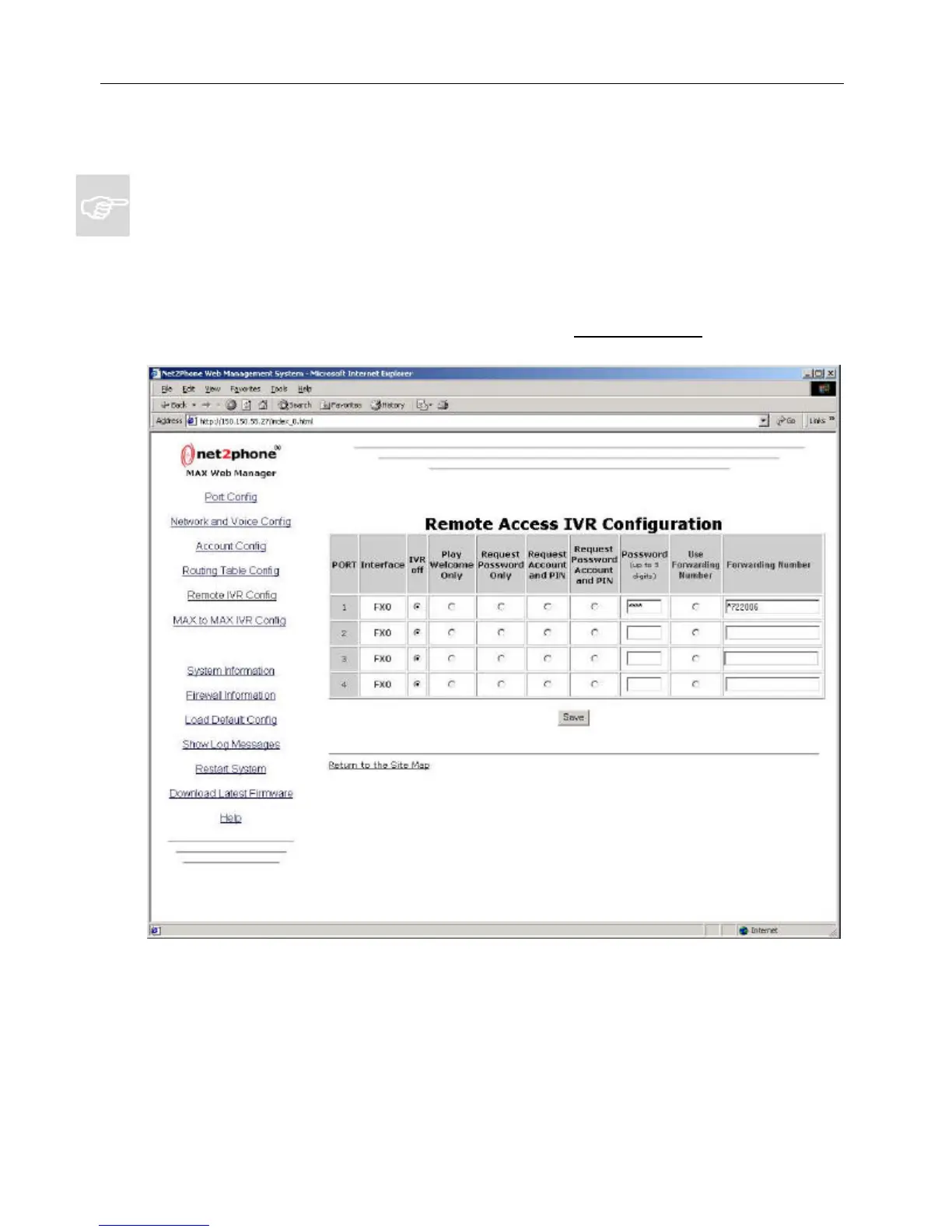
To go to the Remote IVR Access Configuration Table, click the Remote IVR Config link on the Site
Map page.
The Remote Access IVR function permits system managers to select the announcement that will
greet callers to an FXO port, as well as the security, call forwarding, or other options that may be
applied to the port.
The Remote Access IVR Configuration Table (Figure 17) allows you to configure these options
to suit your requirements.
To configure the Remote IVR Configuration Table, proceed as follows:
Net2Phone MAX 410/420/430 User Guide Section 4.4 – IVR Configuration
Figure 17



 To Next Page