Page 26
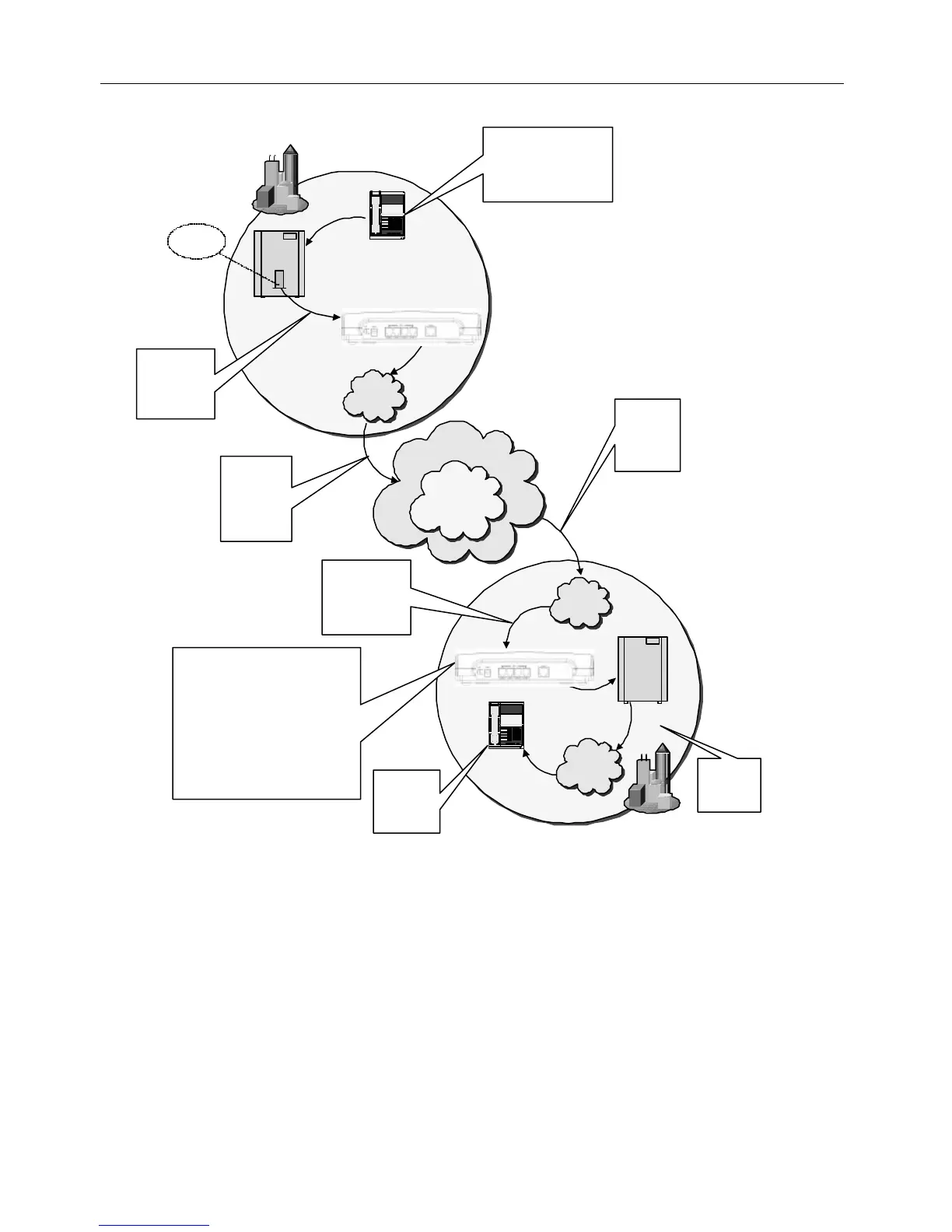
Figure 18 illustrates the call-flow of a telephone call placed through a MAX 410/420/430’s FXO port.
In this scenario, four FXO ports are connected to the PBX in a hunt group set up at extension 4000.
Figure 18
Net2Phone MAX 410/420/430 User Guide Section 4.4 – IVR Configuration
New York City
LAN
London
LAN
1 2 3
4 5 6
7 8 9
* 8 #
PBX
Extension
PBX
Switch
MAX 8 Plus
PBX
Switch
PSTN
Analog Line
Card
1.
Caller dials 5722, which is
pre-set on PBX to dial
*721234123412#, account no.
of London MAX's FXO port.
2.
PBX sends call
to NYC MAX's
FXO port, which
is set to IVR Off.
3.
NYC MAX
sends call via
the N2P
Network and
the Internet.
4.
London MAX
receives call
from NYC via
the Internet.
5.
London MAX sends
call to FXO port
with account no.
1234123412.
6.
FXO port with account no. 1234123412
responds with MAX-to-MAX IVR prompt
(depending on options selected): "Please
enter your password."
(Caller enters a password.)
IVR continues: "Please enter the number
you wish to call."
(Caller enters a local London telephone
number, including London PBX's access
code for an outside line, such as "9";
for example, 9 123 4567.)
7.
London PBX
sends call to
local PSTN.
1 2 3
4 5 6
7 8 9
*
8 #
PSTN
Telephone
8.
Telephone
connected to
line 123 4567
rings.
Internet
Net2Phone
Network
MAX 8 Plus



 To Next Page