Security Gateway Manual Netgate-4200
1.4.3 Right Side
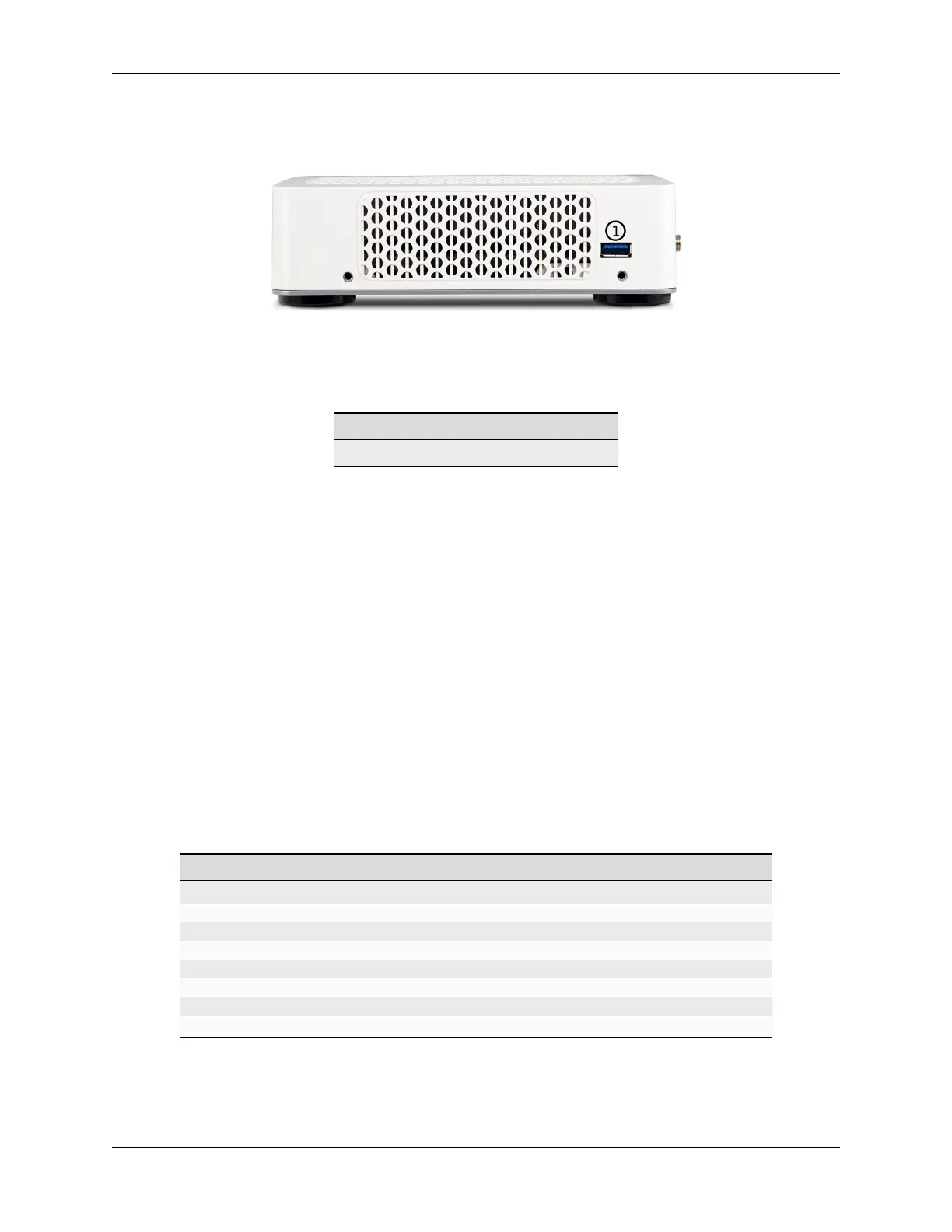
Fig. 14: Right side view of the Netgate 4200 Firewall Appliance
The right side panel of the device (when facing the front) contains:
# Description Purpose
1 USB 3.0 Port Connect USB devices
USB Ports
USB ports on the device can be used for a variety of purposes.
The primary use for the USB ports is to install or reinstall the operating system on the device. Beyond that, there
are numerous USB devices which can expand the base functionality of the hardware, including some supported by
add-on packages. For example, UPS/Battery Backups, Cellular modems, GPS units, and storage devices. Though the
operating system also supports wired and wireless network devices, these are not ideal and should be avoided.
1.4.4 Status LEDs
The Netgate 4200 has two sets of status LEDs: One on the front of the device and one on the rear. The status LEDs
on the front are horizontal while the LEDs on the rear are arranged vertically. Though the placement is different, both
sets are labeled consistently.
LED Patterns
Description LED Pattern
Standby Circle pulsing orange
Power On Self Test Circle solid orange
Boot in Process Diamond flashing blue
Boot Completed/Ready Diamond solid blue
Upgrade Available Square solid purple
Upgrade in Progress All rapidly flash green
Triggering Reset Circle, Square, then Diamond solid red (Factory Reset Procedure)
Reset In Progress All rapidly flash red (Factory Reset Procedure)
© Copyright 2024 Rubicon Communications LLC 15



 To Next Page