Security Gateway Manual Netgate-4200
1.2.2 The Setup Wizard
This section steps through each page of the Setup Wizard to perform the initial configuration of the firewall. The wizard
collects information one page at a time but it does not make any changes to the firewall until the wizard is completed.
Tip: The wizard can be safely stopped at any time for those who wish to perform the configuration manually or restore
an existing backup (Backup and Restore).
To stop the wizard, navigate away from the wizard pages by clicking the logo in the upper left of the page or by choosing
an entry from one of the menus.
Note: Ignore the warning at the top of each wizard page about resetting the admin account password. One of the steps
in the Setup Wizard is to change the default password, but the new password is not applied until the end of the wizard.
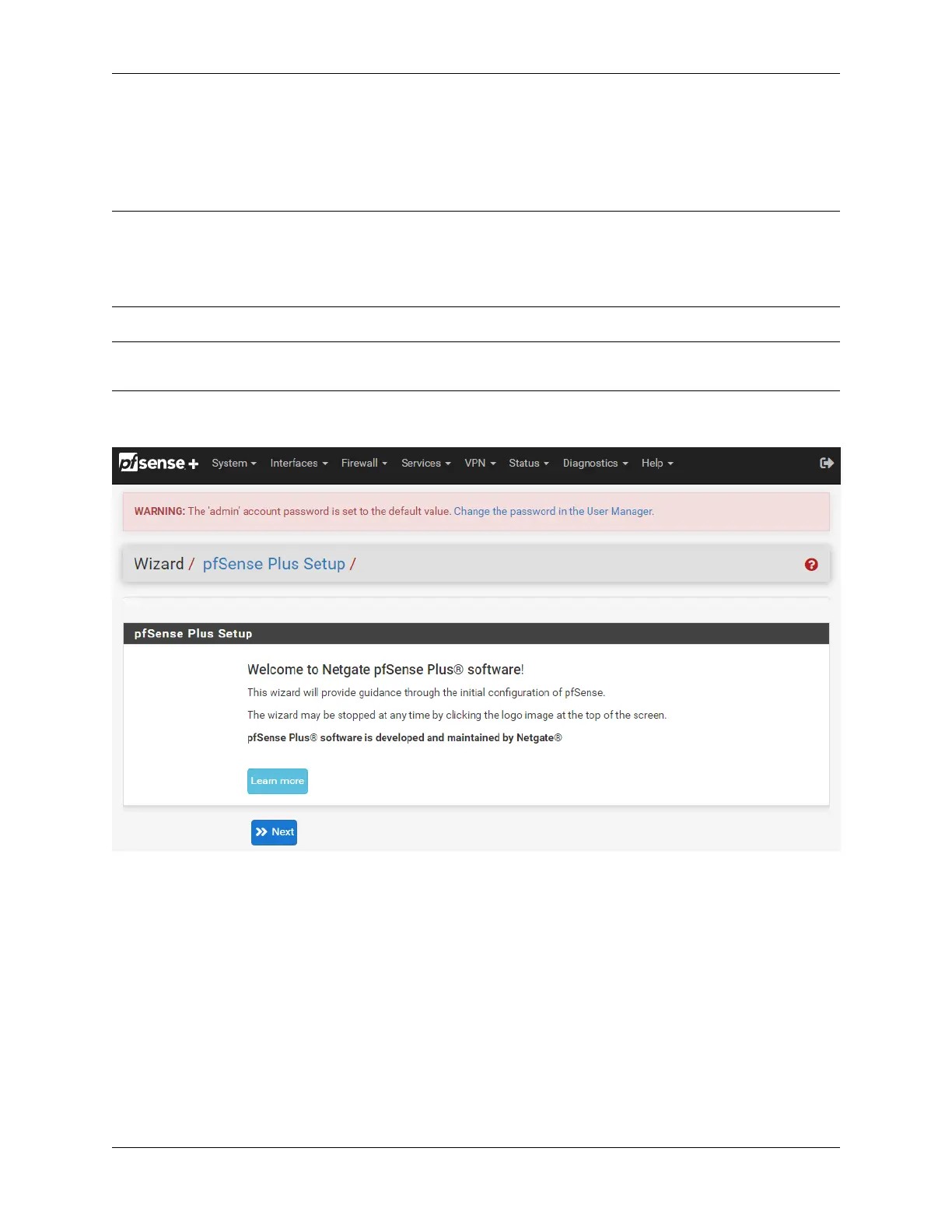
1. Click Next to start the Setup Wizard.
Fig. 3: Setup Wizard starting page
2. Click Next after reading the information on Netgate Global Support.
3. Use the following items as a guide to configure the options on the General Information page:
Hostname
Any desired hostname name can be entered to identify the firewall. For the purposes of this guide,
the default hostname pfsense is used.
Domain
The domain name under which the firewall operates. The default home.arpa is used for the
purposes of this tutorial.
© Copyright 2024 Rubicon Communications LLC 5



 To Next Page