Security Gateway Manual Netgate-4200
PuTTY in Linux
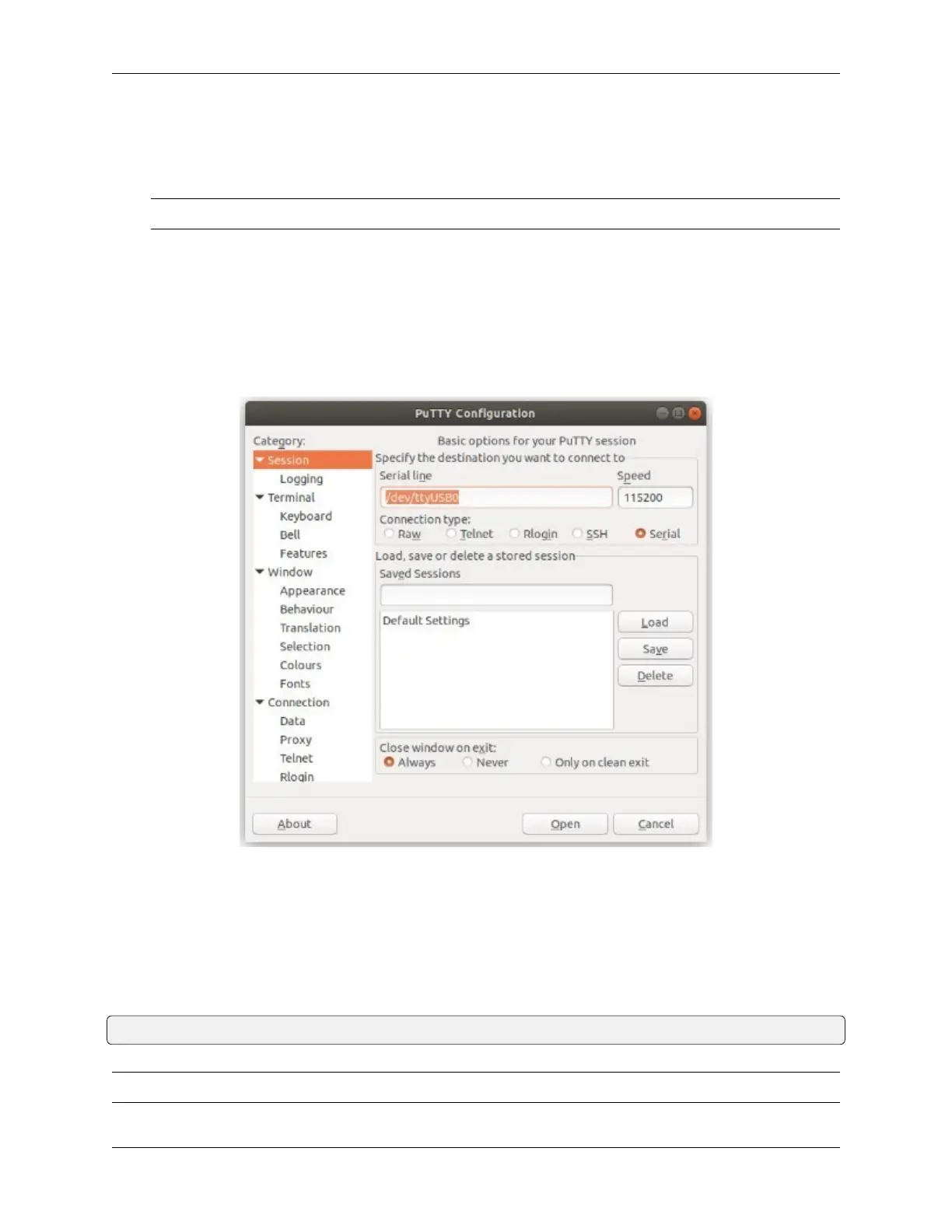
• Open PuTTY from a terminal by typing sudo putty
Note: The sudo command will prompt for the local workstation password of the current account.
• Set the Connection type to Serial
• Set Serial line to /dev/ttyUSB0
• Set the Speed to 115200 bits per second
• Click the Open button
PuTTY will then display the console.
Fig. 6: An example of using PuTTY in Linux
GNU screen
In many cases screen may be invoked simply by using the proper command line, where <console-port> is the
console port that was located above.
$ sudo screen <console-port> 115200
Note: The sudo command will prompt for the local workstation password of the current account.
© Copyright 2024 Rubicon Communications LLC 34



 To Next Page