Security Gateway Manual Netgate-4200
2.9.4 Confirm the Update
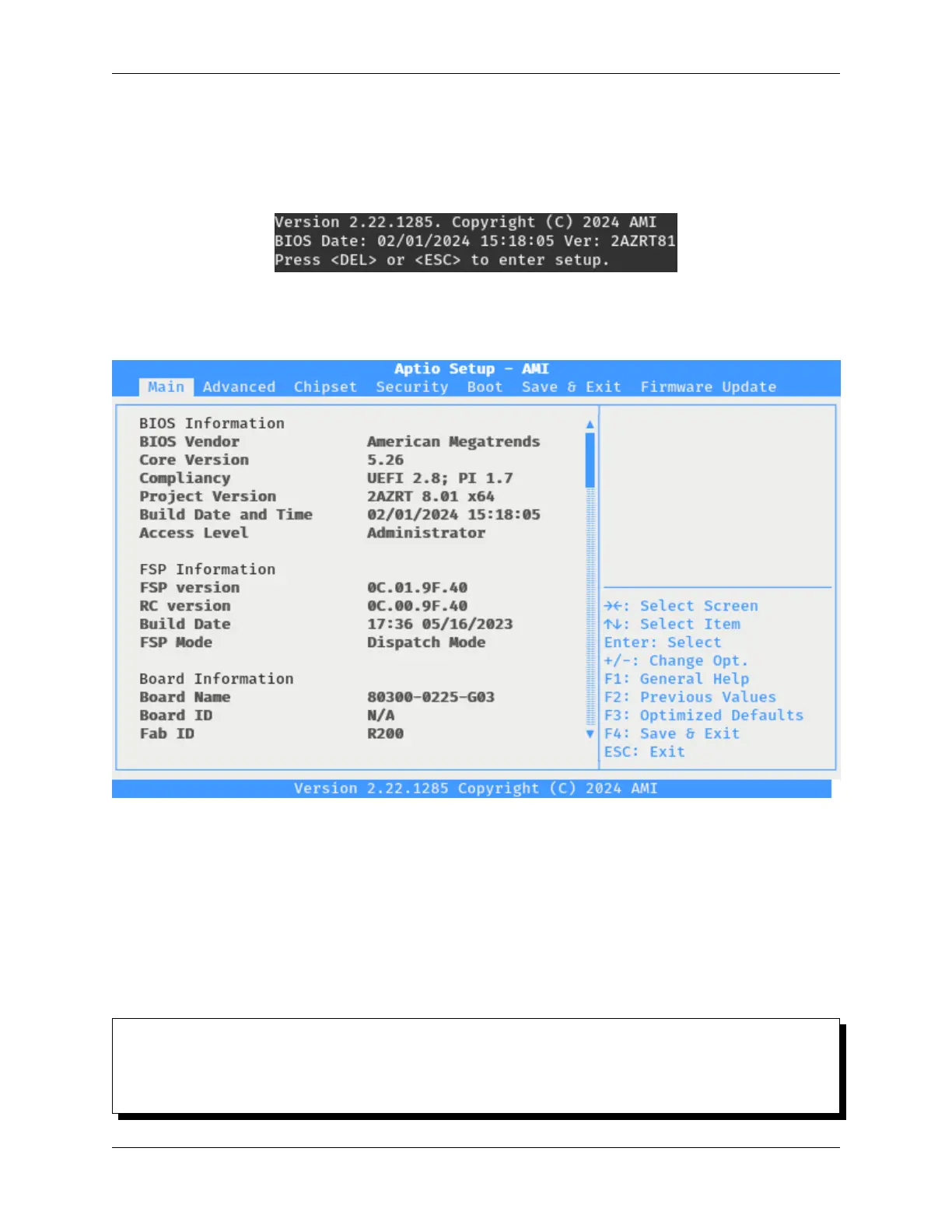
To confirm the update, enter the BIOS again and check the version reported on the first screen.
• During the boot sequence, press either the Del or Esc key when prompted to enter the BIOS.
Fig. 24: The Netgate 4200 BIOS Prompt
• Look at the Project Version line and confirm it matches the new expected value.
Fig. 25: The Netgate 4200 BIOS Information Screen
The exact version number will depend on the file provided by Netgate.
2.10 M.2 NVMe SSD Installation
The Netgate® 4200 has built-in onboard eMMC storage. Optionally, a PCIe-based M.2 NVMe drive can be installed
as an upgrade or to bypass the onboard eMMC flash memory.
M.2 NVMe SSD Installation Outline
• Warnings and Precautions
• Required Tools and Hardware
© Copyright 2024 Rubicon Communications LLC 76



 To Next Page