Security Gateway Manual XG-7100
2.3.1 Interface Assignments
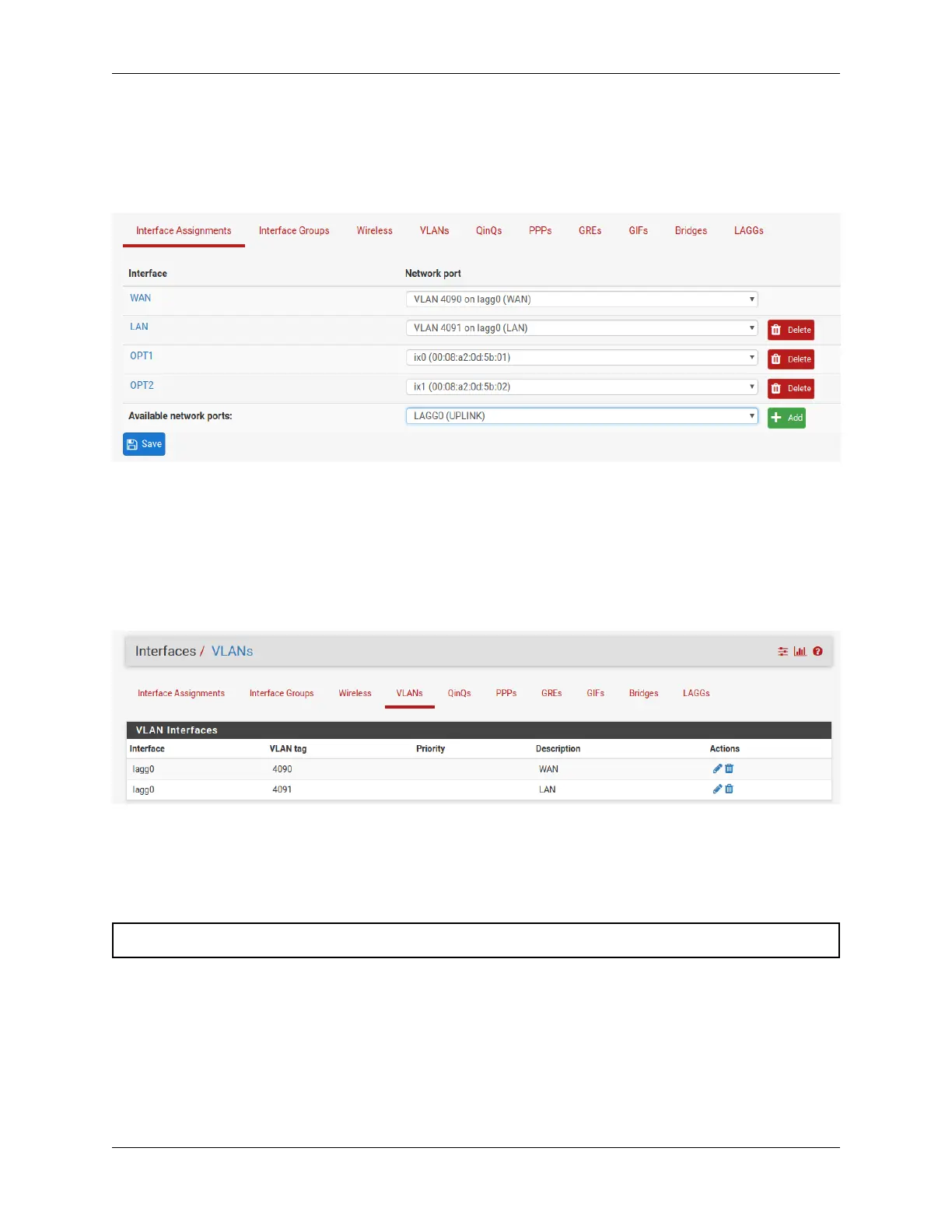
Under Interface Assignments, notice LAGG0 (UPLINK) is displayed as an available port but is not enabled in the
list of interfaces. This is because the default configuration is only expecting VLAN tagged traffic so the VLAN child
interfaces 4090 and 4091 are enabled instead.
2.3.2 VLANs
Under VLANs, the list contains the default WAN and LAN VLAN entries. Additional VLAN networks that used by
the switch should be defined here with lagg0 as the parent interface.
Any additional VLAN interface added to the switch should also be added, enabled, and configured under Interface
Assignments. New interfaces also require firewall rules.
2.3.3 LAGGs
Under LAGGs, the list contains the default lagg0 containing ix2 and ix3.
Danger: Do not modify the lagg0 interface.
© Copyright 2024 Rubicon Communications LLC 29



 To Next Page