Security Gateway Manual XG-7100
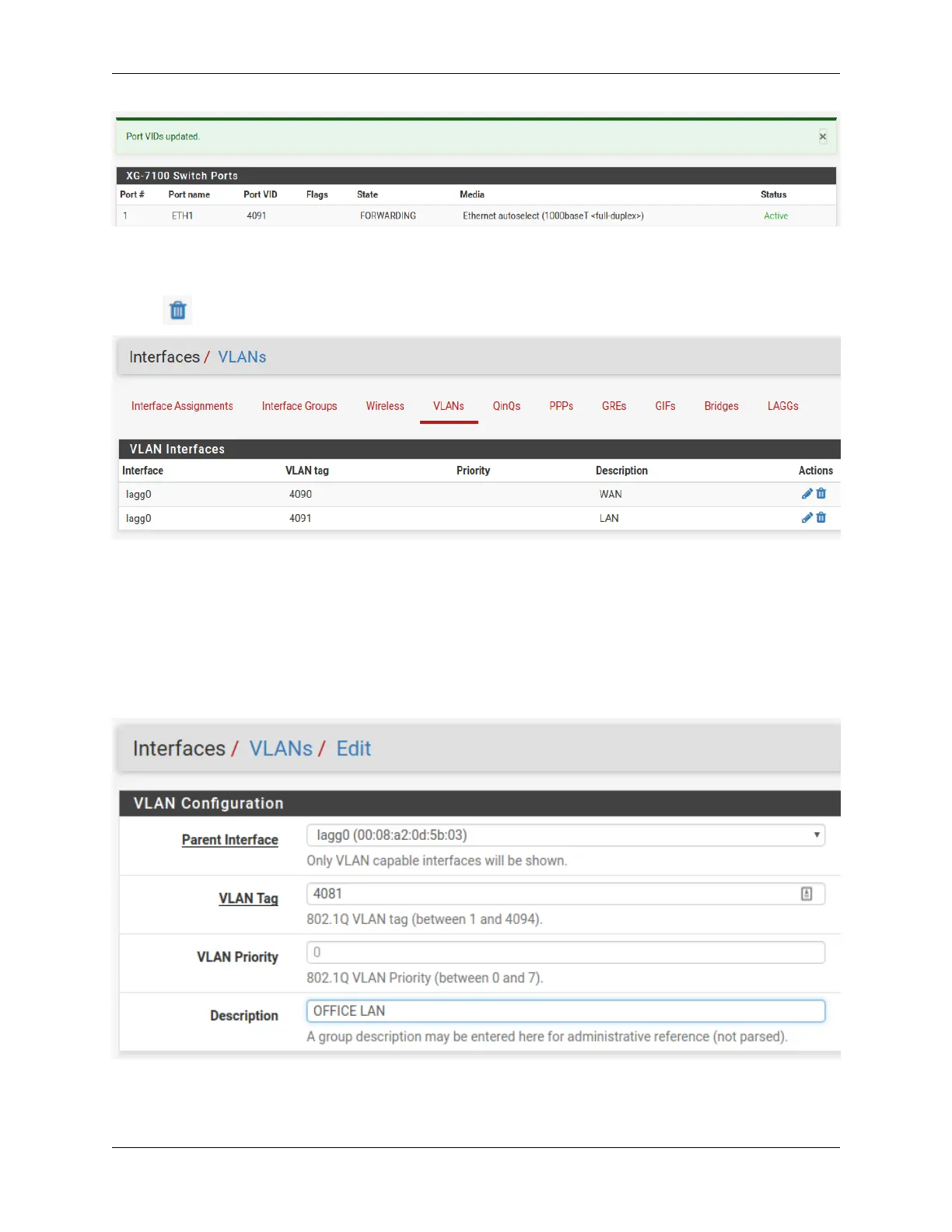
At this point, everything should be configured properly. ETH1-8 will act as a single LAN switch. One final step that
should be performed is to remove the now unnecessary VLAN 4090 from pfSense
®
Plus software. So far VLAN 4090
was only removed from the switch. To remove the unused VLAN, navigate to Interfaces > Assignments, VLANs tab
and use on the 4090 row to remove the VLAN:
2.4.2 Two LAN switches
In this scenario, the LAN switch from the previous example will be split into two LAN switches.
Create a new LAN network in pfSense
®
Plus software first. Similar to the existing LAN interface, use a separate VLAN
interface so the switch can segment traffic appropriately.
Create a new VLAN with lagg0 as the parent under Interfaces > Assignments, VLANs tab:
Once the VLAN has been created, it should look something like this:
© Copyright 2024 Rubicon Communications LLC 34



 To Next Page