Security Gateway Manual XG-7100
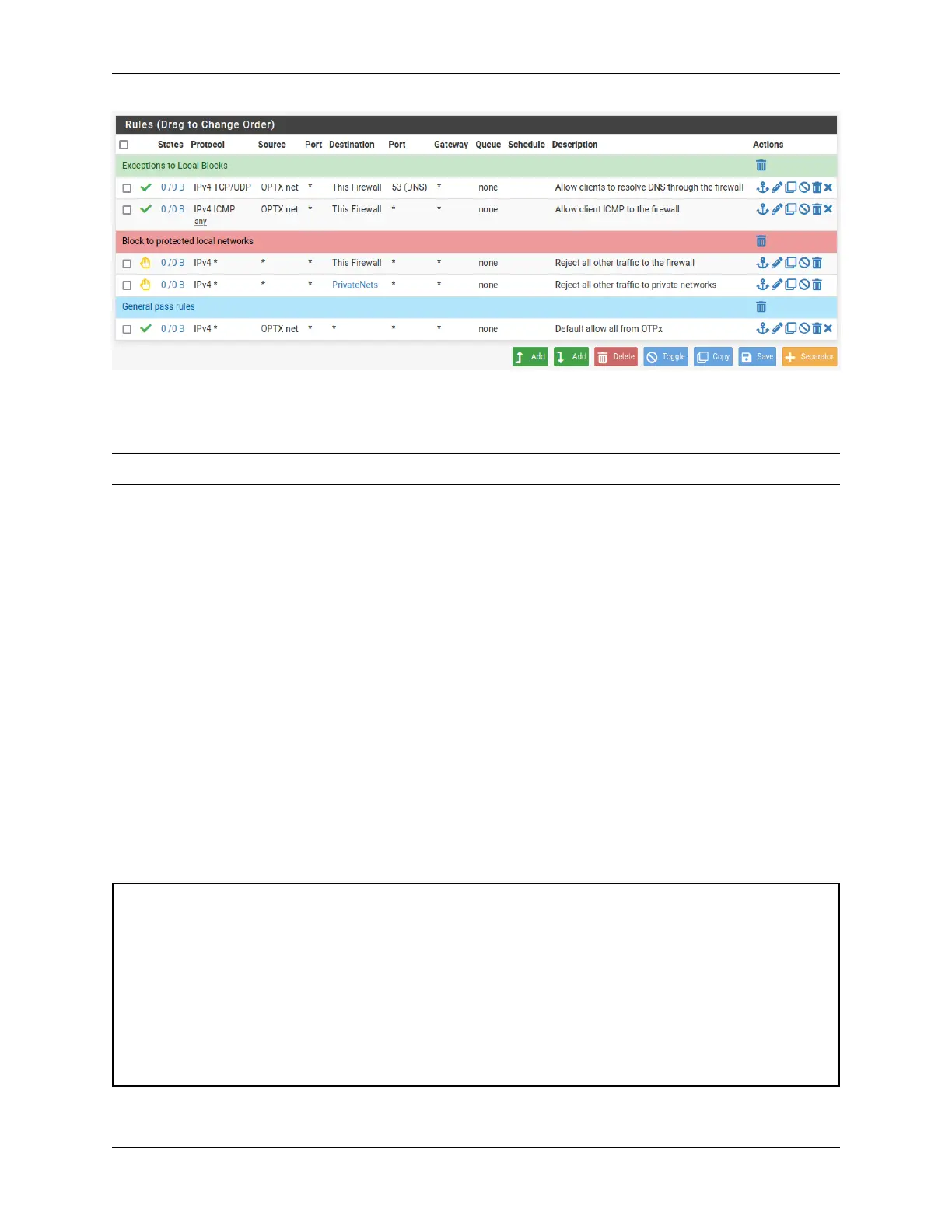
Fig. 9: Example firewall rules for isolated LAN type segment
Tip: Rule separators are useful for documenting a ruleset in place.
Similar to the isolated network, it’s also possible to be much more strict with rules to only allow specific outbound
ports. When creating this type of configuration,
2.8.7 Other Services
In most cases the above configuration is sufficient and clients on the new LAN can now obtain an address and get out to
the Internet. However, there may be other custom settings which need accounted for when adding a new local interface:
• If the DNS resolver has specific interface bindings, add the new interface to the list.
• If using ALTQ traffic shaping, re-run the shaper wizard to include this new LAN type interface.
• Consider using captive portal to control access the interface
2.9 M.2 SATA Installation
The XG-7100 Desktop has 32 GB of onboard eMMC storage. Optionally, a M.2 SATA drive can be installed as an
upgrade or to bypass the onboard eMMC flash memory.
Warning: Before proceeding:
1. Backup the configuration file, if possible.
2. Unplug the system for at least 60 seconds to ensure all phantom power has dissipated.
3. Unplug any attached cables and devices, such as network cables, the serial console cable, USB devices, etc.
4. Remove all modules from SFP+ ports.
5. Anti-static protection must be used throughout this procedure.
6. Any hardware damage incurred during this procedure is not covered by the hardware warranty.
© Copyright 2024 Rubicon Communications LLC 64



 To Next Page