Security Gateway Manual XG-7100
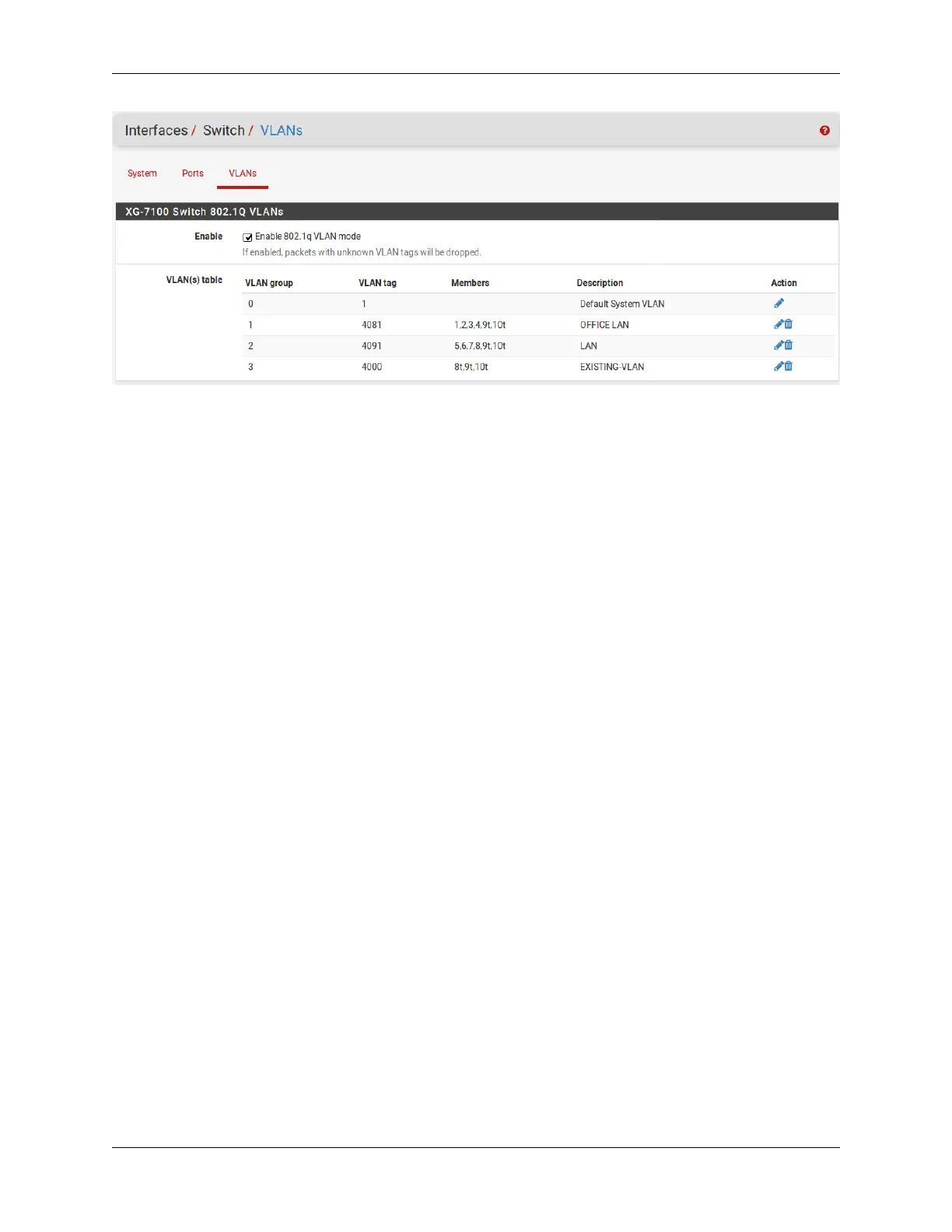
Untagged traffic on ETH8 will be assigned a VLAN ID of 4091. ETH8 and the uplinks will also accept traffic that has
already been tagged with a VLAN ID of 4000 as well.
2.5 Connecting to the USB Console Port
This guide shows how to access the serial console which can be used for troubleshooting and diagnostics tasks as well
as some basic configuration.
There are times when directly accessing the console is required. Perhaps GUI or SSH access has been locked out, or
the password has been lost or forgotten.
2.5.1 Install the Driver
A Silicon Labs CP210x USB-to-UART Bridge driver is used to provide access to the console, which is exposed via
the USB Mini-B (5-pin) port on the appliance.
If needed, install an appropriate Silicon Labs CP210x USB to UART Bridge driver on the workstation used to connect
with the device.
Windows
There are drivers available for Windows available for download.
macOS
There are drivers available for macOS available for download.
For macOS, choose the CP210x VCP Mac download.
Linux
There are drivers available for Linux available for download.
FreeBSD
Recent versions of FreeBSD include this driver and will not require manual installation.
© Copyright 2024 Rubicon Communications LLC 39



 To Next Page