Security Gateway Manual XG-7100
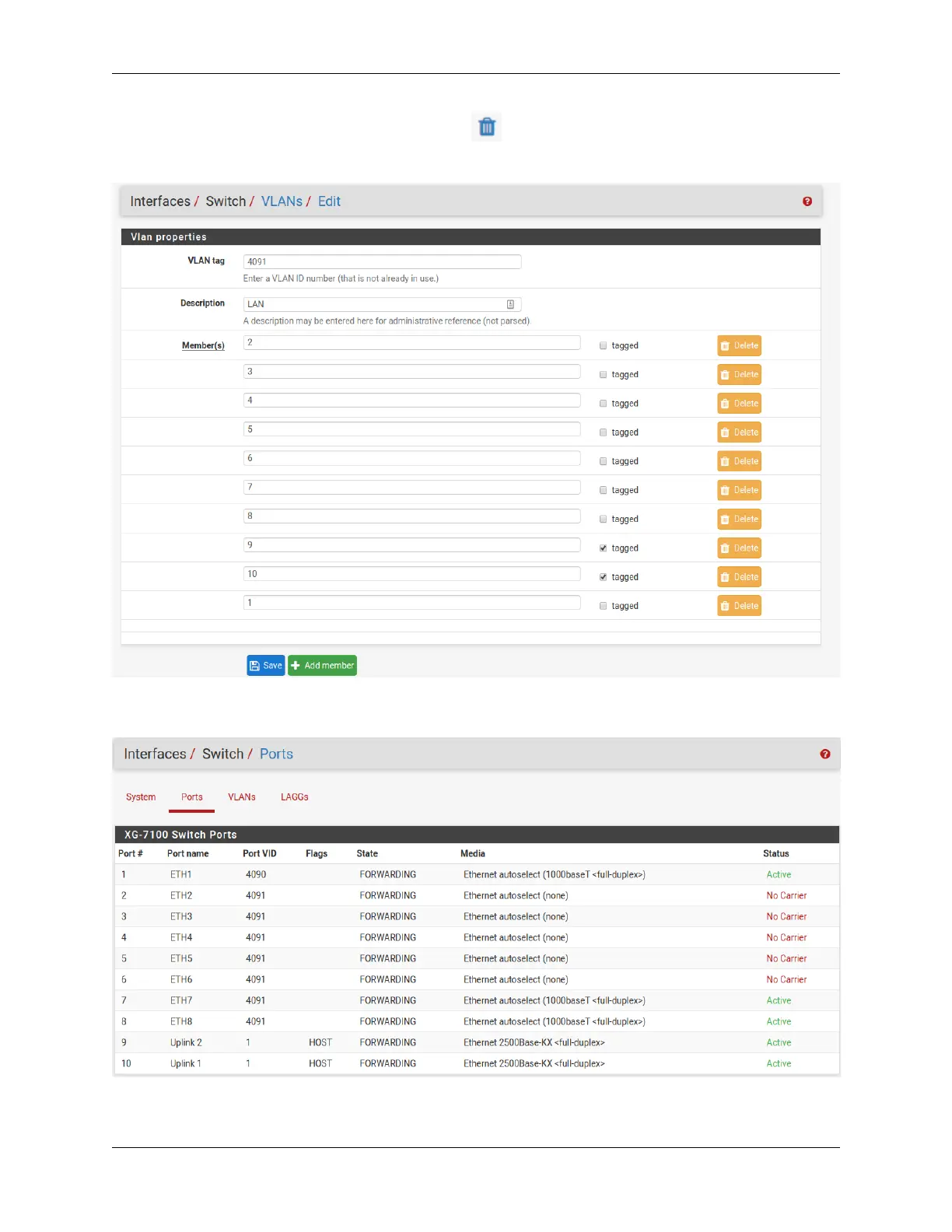
This example removed VLAN 4090 from the switch with .
Now edit the VLAN 4091 entry to include Member 1 as shown below:
Next, update the Port VID for ETH1 so that it uses VLAN 4091 rather than the previous VLAN 4090. To do this,
click on the Ports tab then click on the 4090 Port VID to modify it:
Then click on Save:
© Copyright 2024 Rubicon Communications LLC 33



 To Next Page