5
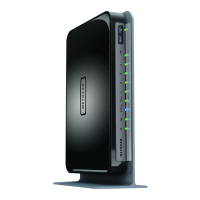
N750 WiFi Router
Change the Dynamic DNS Settings . . . . . . . . . . . . . . . . . . . . . . . . . . . . . . . . . . 82
Set Up Your Personal FTP Server . . . . . . . . . . . . . . . . . . . . . . . . . . . . . . . . . . . . . . 83
Chapter 8 Share a USB Printer
Install the Printer Driver and Cable the Printer. . . . . . . . . . . . . . . . . . . . . . . . . . . 85
Download the ReadySHARE Printer Utility . . . . . . . . . . . . . . . . . . . . . . . . . . . . . . 85
Install the ReadySHARE Printer Utility . . . . . . . . . . . . . . . . . . . . . . . . . . . . . . . . . . 86
Use the Shared Printer . . . . . . . . . . . . . . . . . . . . . . . . . . . . . . . . . . . . . . . . . . . . . . . 87
View or Change the Status of a Printer . . . . . . . . . . . . . . . . . . . . . . . . . . . . . . . . . 88
Use the Scan Feature of a Multifunction USB Printer . . . . . . . . . . . . . . . . . . . . . 89
Change NETGEAR USB Control Center Settings . . . . . . . . . . . . . . . . . . . . . . . . . . 90
Change the NETGEAR USB Control Center Language . . . . . . . . . . . . . . . . . . . 90
Specify the Time-Out . . . . . . . . . . . . . . . . . . . . . . . . . . . . . . . . . . . . . . . . . . . . . 91
Chapter 9 Network Settings
View or Change the WAN Settings . . . . . . . . . . . . . . . . . . . . . . . . . . . . . . . . . . . . . 93
Set Up a Default DMZ Server . . . . . . . . . . . . . . . . . . . . . . . . . . . . . . . . . . . . . . . . . 94
Change the Router’s Device Name . . . . . . . . . . . . . . . . . . . . . . . . . . . . . . . . . . . . . 95
Change the LAN TCP/IP Settings . . . . . . . . . . . . . . . . . . . . . . . . . . . . . . . . . . . . . . 96
Specify the IP Addresses That the Router Assigns . . . . . . . . . . . . . . . . . . . . . . . . 97
Disable the DHCP Server Feature in the Router . . . . . . . . . . . . . . . . . . . . . . . . . . 98
Manage Reserved LAN IP Addresses . . . . . . . . . . . . . . . . . . . . . . . . . . . . . . . . . . . 99
Reserve an IP Address . . . . . . . . . . . . . . . . . . . . . . . . . . . . . . . . . . . . . . . . . . . . . 99
Edit a Reserved IP Address . . . . . . . . . . . . . . . . . . . . . . . . . . . . . . . . . . . . . . . . 100
Delete a Reserved IP Address Entry. . . . . . . . . . . . . . . . . . . . . . . . . . . . . . . . . 100
Use the WPS Wizard for WiFi Connections . . . . . . . . . . . . . . . . . . . . . . . . . . . . . 101
Specify Basic WiFi Settings . . . . . . . . . . . . . . . . . . . . . . . . . . . . . . . . . . . . . . . . . . 102
Change the WiFi Mbps Settings . . . . . . . . . . . . . . . . . . . . . . . . . . . . . . . . . . . . 104
Change the WiFi Password or Security Level . . . . . . . . . . . . . . . . . . . . . . . . . . . 105
Set Up a Guest WiFi Network . . . . . . . . . . . . . . . . . . . . . . . . . . . . . . . . . . . . . . . . 106
Control the Wireless Radios . . . . . . . . . . . . . . . . . . . . . . . . . . . . . . . . . . . . . . . . . . 108
Use the WiFi On/Off Button . . . . . . . . . . . . . . . . . . . . . . . . . . . . . . . . . . . . . . . 108
Enable or Disable the Wireless Radios . . . . . . . . . . . . . . . . . . . . . . . . . . . . . . . 108
Set Up a Wireless Schedule . . . . . . . . . . . . . . . . . . . . . . . . . . . . . . . . . . . . . . . . . . 109
Specify WPS Settings . . . . . . . . . . . . . . . . . . . . . . . . . . . . . . . . . . . . . . . . . . . . . . . 110
Use the Router as a Wireless Access Point. . . . . . . . . . . . . . . . . . . . . . . . . . . . . . 111
Set Up the Router in Bridge Mode . . . . . . . . . . . . . . . . . . . . . . . . . . . . . . . . . . . . 113
Chapter 10 Manage Your Network
Update the Router Firmware . . . . . . . . . . . . . . . . . . . . . . . . . . . . . . . . . . . . . . . . . 116
Change the admin Password . . . . . . . . . . . . . . . . . . . . . . . . . . . . . . . . . . . . . . . . . 117
Recover the admin Password. . . . . . . . . . . . . . . . . . . . . . . . . . . . . . . . . . . . . . . . . 118
View Router Status . . . . . . . . . . . . . . . . . . . . . . . . . . . . . . . . . . . . . . . . . . . . . . . . . 119
Display Internet Port Statistics . . . . . . . . . . . . . . . . . . . . . . . . . . . . . . . . . . . . . 120
Check the Internet Connection Status. . . . . . . . . . . . . . . . . . . . . . . . . . . . . . . 121
View and Manage Logs of Router Activity . . . . . . . . . . . . . . . . . . . . . . . . . . . . . 122


 To Next Page
 Loading...