6000 Vortex Series General Operation • 19
3. Press the Power button to re-activate the laser head.
In order to use the Vortex in constant-power mode, you will need to
use a beamsplitter and a photodetector (see “Constant-Power Mode” on
page 25 for details).
Displaying and Setting the Laser Parameters
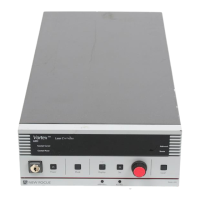
Use the front panel to display either the set value or the actual
operating value of the laser parameter you want: current, laser power,
piezo voltage (which controls wavelength), or auxiliary input voltage.
The operating mode (constant-current or constant-power) determines
which parameters you can adjust.
1. Press the Display button to view the parameter you want. The units
on the display indicate which parameter is active:
• Laser current is displayed as “x.x mA.”
• Laser power is displayed as “x.x mW” in constant-current
mode and as “x.x%” when in constant-power mode. In
constant-current mode, the power is read from the back of the
laser-diode, and is therefore only accurate to approximately
20% of the true laser output power.
• Piezo voltage is displayed as “x.x V.” This is a direct readout of
voltage to the piezoelectric actuator that controls the
wavelength. Increasing the voltage decreases the wavelength
(increases the frequency). The voltage range is 0–117.5 V.
• Auxiliary input is displayed as “aux x.xx” (not adjustable).
2. Switch the Set button on or off, depending on the value you want
to see. If the LED in the Set button is lit, then the display will show
the set value of the parameter; if the LED is not lit, then the display
will show the operating value.
If the LED does not go on, then you cannot adjust the displayed
value. For example, in constant-current mode you can’t adjust the
power and in constant-power mode you can’t adjust the current.
3. To adjust the set value for the parameter, enable the Set button and
turn the adjustment knob.
Vortex6000.book Page 19 Tuesday, February 19, 2002 3:25 PM
Artisan Technology Group - Quality Instrumentation ... Guaranteed | (888) 88-SOURCE | www.artisantg.com


 To Next Page