6000 Vortex Series General Operation • 23
Using the High-Speed Current Modulation Input
You can use the SMA connector on the back of the laser head to
modulate the current at high speeds.
1. Turn off the diode power (the light in the Power button should
be off).
Failure to turn off the diode power before connecting the RF input could
permanently damage the laser diode.
2. Connect the line for the input signal to the SMA connector on the
back of the Vortex laser head. Make sure the signal conforms to the
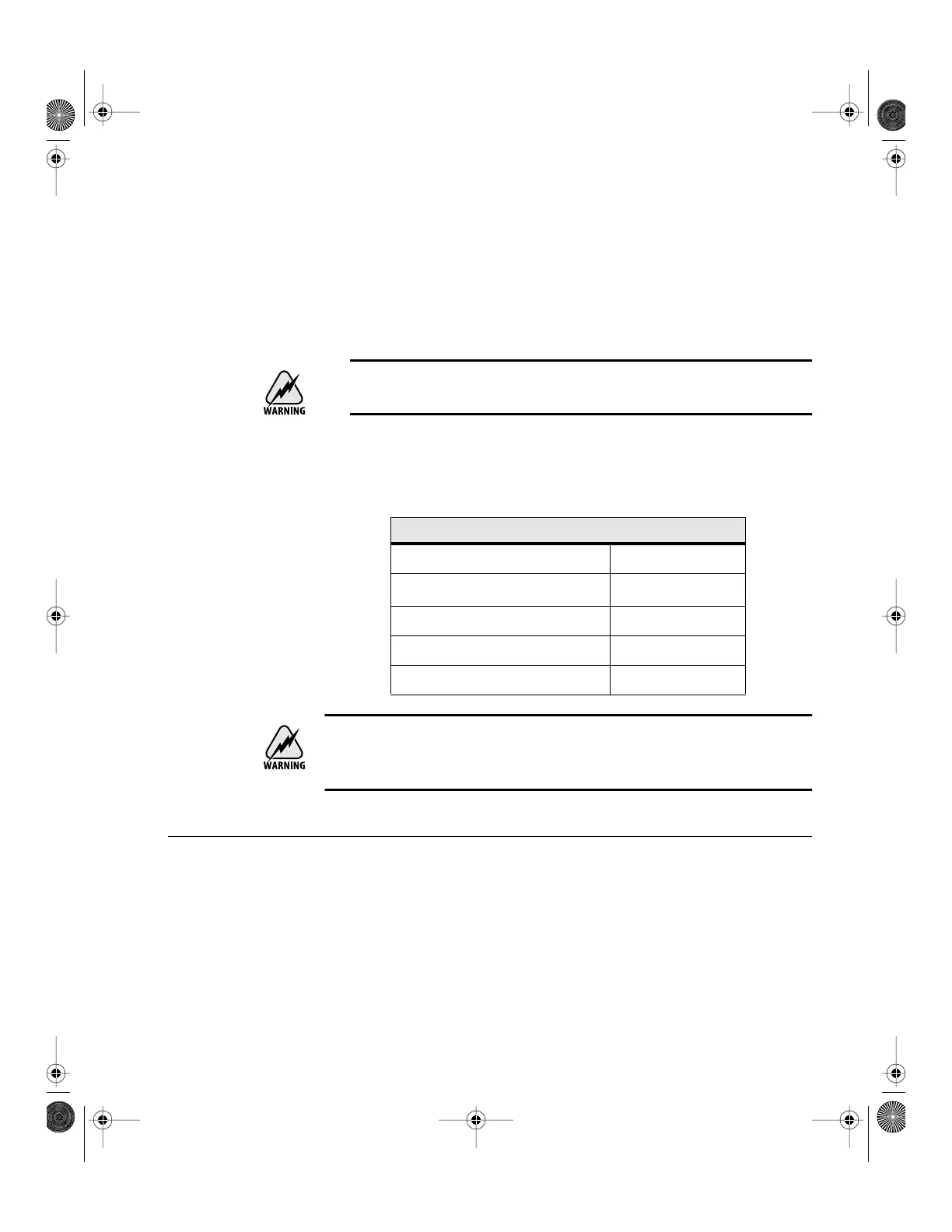
following specifications:
This is a direct RF connection to the laser diode. Improper use could irreparably
damage the diode. Do not exceed the 1 V
p-p
input and use standard precautions
for static discharge when using this input.
Reading an Input Signal
You can monitor an input signal using the Auxiliary Input connector on
the back of the Vortex controller. This input is also used to run the
Vortex in constant-power mode (see page 25).
The Auxiliary Input converts an external analog signal to a digital signal
that can be displayed on the front panel or read through the computer
interface. This is a general-purpose input that allows you to collect data
Current Modulation Input Guidelines (High-Speed)
Connector Type SMA
Max. Voltage 1 V
p-p
Input Frequency Range 50 kHz–100 MHz
Impedance 50 Ω
Modulation 20 mA/V
Vortex6000.book Page 23 Tuesday, February 19, 2002 3:25 PM
Artisan Technology Group - Quality Instrumentation ... Guaranteed | (888) 88-SOURCE | www.artisantg.com


 To Next Page