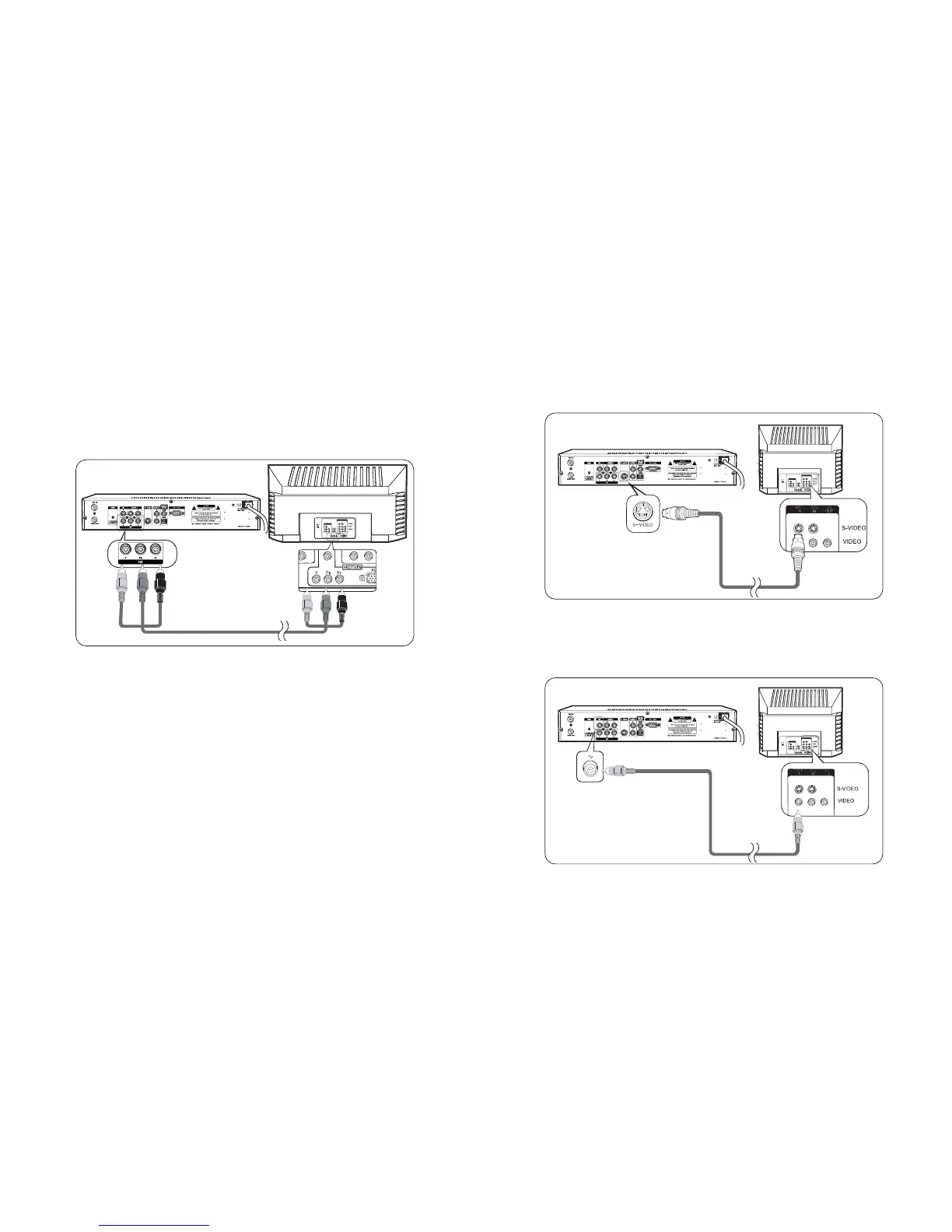
Connecting to a HDTV with HD YPbPr
1. Connect YPbPr VideocabletotheHD terminal on the back of HD-STB.
2. Connect the other end of the YPbPr cable to the HD YPbPr Input terminal on
the HDTV.
3. Usually, the Y is Green colour, PbisBlue colour, and Prisredcolour
assigned.
4. Setting UptheDisplay desired resolutions.
Connect YPbPr cable between HD-STB andyourTV as shown in Figure 5.
HD-STBYPbPr output supports the following 50Hz HD video modes: 1080i, 720p
and 576p. SD via YPbPr is not supported.
3
Connecting your HD-STB
Fig.5 HD YPbPr Video Connection
Y - Green
Y - Green
Pr-Red
Pb - Blue
Pr - Red
Pb - Blue
This HD-STB simultaneous output the HD Video and SD Video. So, you can watch HD Video and
recording SD Video at the same time.
For the SD Video connection, please refer below diagram.
Connect a S-VideocabletotheS-Video terminal on the rear of HD-STB. Connect
the other end of S-VideocabletotheS-Video input terminal on the TV.
(Refer to Fig. 6)
Connect a Video Cable to the TVVideo terminal on the rear of the HD-STB.
Connect the other end of Video Cable to the Video Input terminal on the TV.
(Refer to Fig. 7)
Connecting to a Conventional TV with S-Video
Connecting to a Conventional TV with Composite Video
4
Connecting your HD-STB
Fig. 7 TV with Composite Video Connection
Fig.6 TV with S-Video Connection


 To Next Page