10. Current Time
11.
It showed the current time.
Program Schedule
12. Information Contents
13. Genre
It showed the start and end time of program.
It displayed the current program's event title information contents. Pressing INFO
button again, you can see the NEXT program information.
It showed the program Genre.
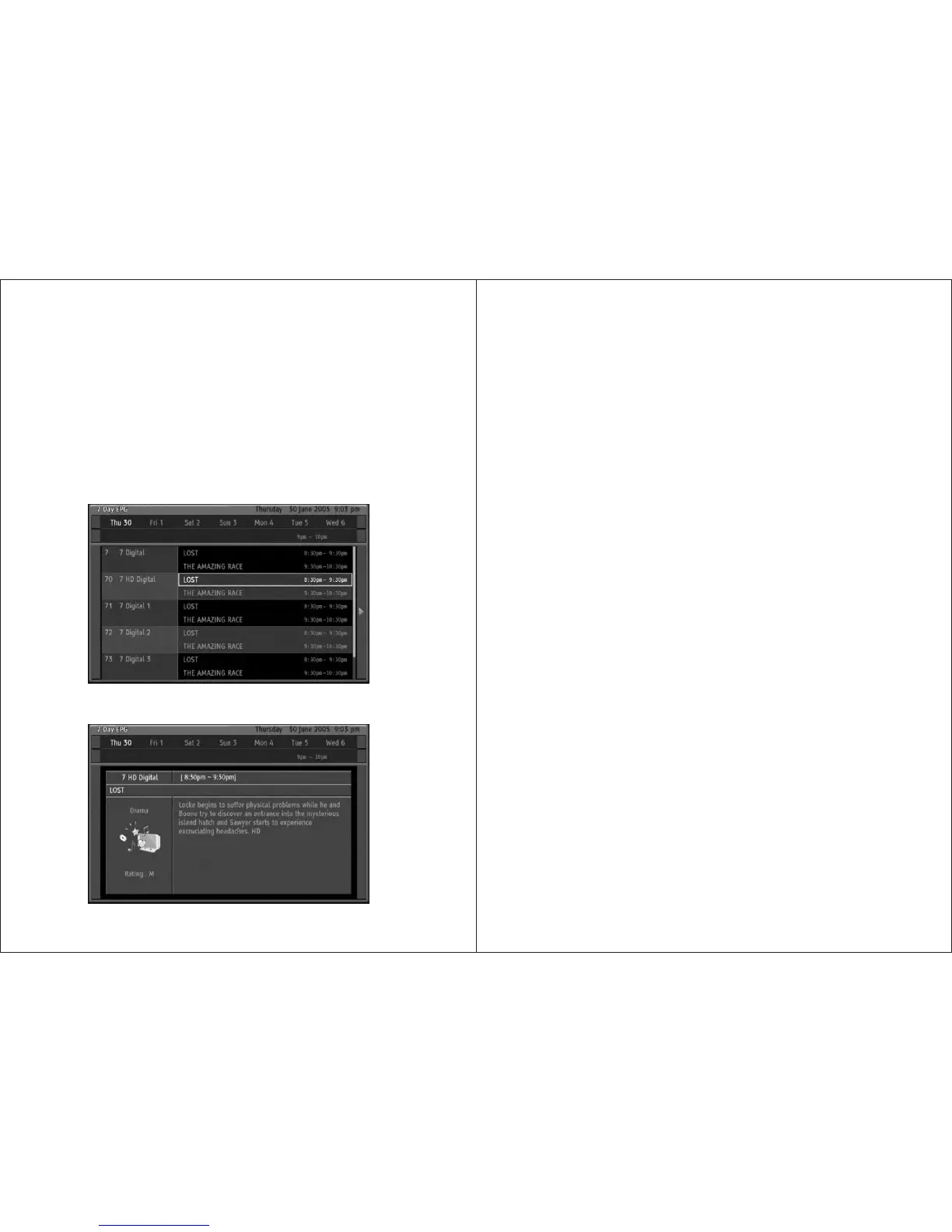
This HD-STB can display 7-day EPG information which channel is including EPG data.
By pressing EPG button while watching TV you will get whole channel s 7-day EPG
program information. You can surf date, time and program information using direction
buttons. For the fast surfing between dates, press MENU Button to select date item.
If youwanttogetmoredetailedprograminformationthenpressINFO button. Press INFO
button again to return to 7-day EPG display. At any position, press OK to change to
Desired channel.
2. Using EPG button
29
UsingtheRemoteControlButton
3. Using LIST & FAV button
4. Using ZOOM button
5. Using FREEZE button
If you press LISTorFAV button on the remote control, ALL channel list or FAV channel list
will be displayed respectively. In this menu you can navigate among channel list and
change the channel directly by pressing OK button. If you have a lot of channels in the
list, then press PgUp/PgDn button for faster move up or down.
This HD-STB has specially designed PB ZOOM function. Press ZOOM button to swap
between widescreen and PB ZOOM screen.InthePB ZOOM screen, this HD-STB will
expand the original picture. Press UP or DOWN button to move the picture display
position. In the 4:3 picture with side black bars, this PB ZOOM can eliminate side black
bars. This PB ZOOM is affected with HD output only. SD output cannot use PB ZOOM for
prevent information loss when VCR recording. If you change the channel under PB ZOOM
screen, then it will automatically release PB ZOOM and return to widescreen display. For
release PB ZOOM,simplypressZOOM button again.
YoucanfreezethepictureusingpressFREEZE button in the remote control. It will release
the
freeze picture automatically after 10 minutes. It is for prevent burn-in flat panel
screen.
UsingtheRemoteControlButton
30


 To Next Page