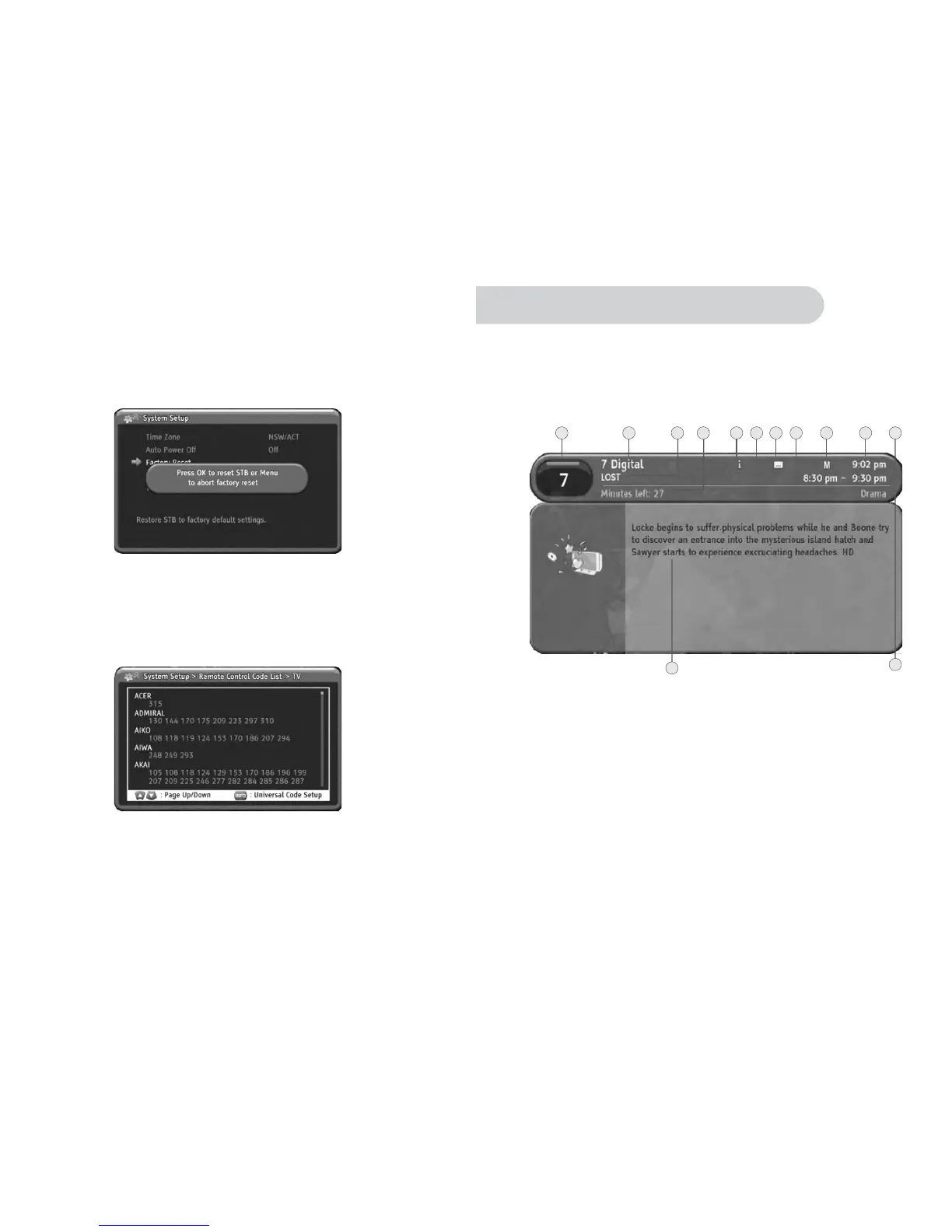
Factory Reset
The HD-STB will erase all of current setting value and go to factory default setting
after Factory Reset. The HD-STB askedtoconfirmtoFactory Reset. You should
enter your PIN code. Press OK to confirm Factory Reset. The HD-STB will be restored
factory default value and restart automatically. After Factory Reset, you should set
the Time Zone and perform the Automatic Channelscanforcorrectmenuoperation.
The default PIN code is "0000". You can not change the default PIN code value.
System Information
Remote Control Code List
You can find System Information from this menu. It will display Manufacturer, Model
Name, Software Version and Hardware Version.
From here you can look up most popular CE component remote control code list.
You can setup your CE component remote control code follow the list. Please refer
detailed setup instruction on page 8.
27
Usingt
eMENUSystem
1. Using INFO button
This HD-STB has the ability to display additional information about programs.
By pressing INFO button while watching TV you will get simple program information.
By pressing INFO button again, you will get the detailed NOW program information
display.
By pressing INFO button again, you will get the detailed NEXT program information
Display. Press INFO button fourth time to return to TV mode. Youcanquittheprogram
Information display at any time by pressing MENU or EXIT button.
It is Program Number. It is also called Logical Channel Number.
It showed current program provider's name.
1. Program Number
2. Program Provider Name
3.
4.
5.
6.
7.
8.
9.
Program Title
Remain Program Time
Information Display
Sound Mode Display
Subtitle Information
Fav Mode Indicator
Rating Information
It showed program title.
It shows remained program time.
It showed the program has additional information.
Display the program has additional sound mode present.
Display the program has subtitle present.
It indicates current channel mode whether FAV mode or ALL channel list mode.
It showed program's rating information for Parental Guide.
2


 To Next Page