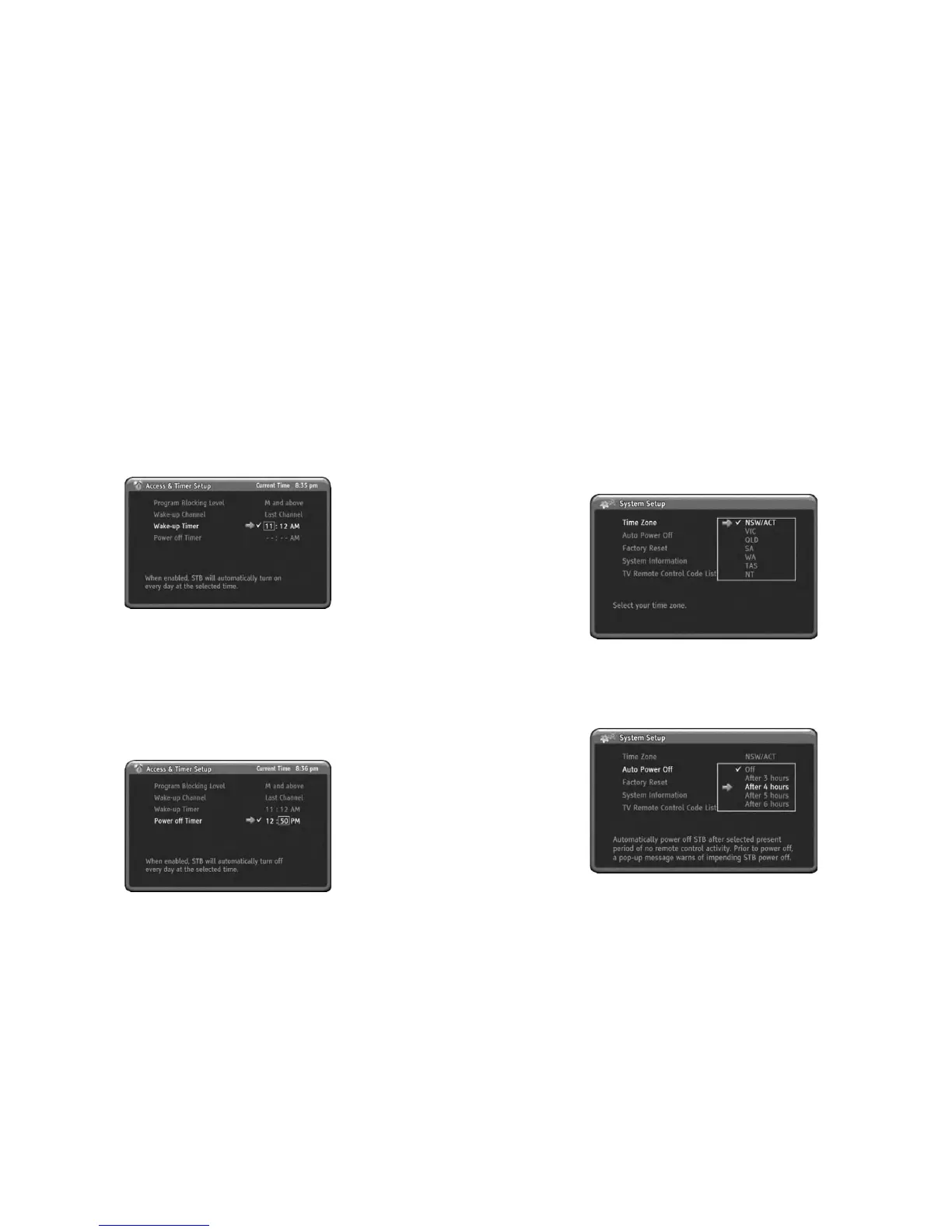
Wake-up Timer
You can setup the Wake-up Timer for automatic turn on the HD-STB.
When the setting up time is reached, the HD-STB will automatic turn on and display
setting up channel. This Wake-up Timer is operating daily. You can refer current
time upper side right of the OSD.
1) Press MENU to display the menu.
2) Press DOWN to select the Access & Timer Setup menu.
3) Press OK or RIGHTtoselectAccess & Timer Setup menu.
4) Press DOWN to select Wake-up Timer menu.
5) Press OK or RIGHTtogotoSub menu.
6) Press UP or DOWN button enabling sub menu.
7) Use UP/DOWN or numeric button to change time.
8) Press LEFTorRIGHTtomoveeachitem.
9) After finished setup, press MENU or LEFTt
ogoback.
You can setup the Power-off Timer for automatic turn off the HD-STB.
When the setting up time is reached, the HD-STB will automatic turn off.
This Power off Timer is operating daily.
1) Press MENU to display the menu.
2) Press DOWN to select the Access & Timer Setup menu.
3) Press OK or RIGHTtoselectAccess & Timer Setup menu.
4) Press DOWN to select Power-off Timer menu.
5) Press OK or RIGHTtogotoSub menu.
6) Press UP or DOWN button enabling sub menu.
7) Use UP/DOWN or numeric button to change time.
8) Press LEFTorRIGHTtomoveeachitem.
9) After finished setup, press MENU or LEFTtogoback.
Power-off Timer
2
eMENUSystem
4. System Setup
FromhereyoucansetupTimeZone,Auto power off, Factory Reset and check up the
HD STB's system information
information after factory Reset.ItisforcorrecttimedisplaywhenEPG information
is displayed.
1) Press MENU to display the menu.
2) Press DOWN to select the System Setup menu.
3) Press OK or RIGHTtoselectSystem Setup menu.
4) Press OK or RIGHTtoentersubmenu.
5) Press UP or DOWN to select Time Zone.
'
This HD-STB has Auto Power Off -Power Saver function. If you setup the Auto
Power Off -Power Saver with period of times, then this HD-STB will automatically
turnoff afterpresetperiodof timeincaseof noneremotecontrolactivityfor
prevent unwanted operation. Priortoturnoff,apop-up menu will warns of
impending HD STB po
wer down. If you setup to Off, then this function will disable.
Time Zone
Auto Power Off
FromhereyoucansetuptheTimeZone.You should select the time zone
6) Press OK or RIGHTtochangeTimeZonewhereyoulived.
7) Press MENU to go back.
2


 To Next Page